
很多朋友由于各种原因而下了繁体或者其他语言版本的Chrome,如果想改成简体显示的话,操作步骤如下:
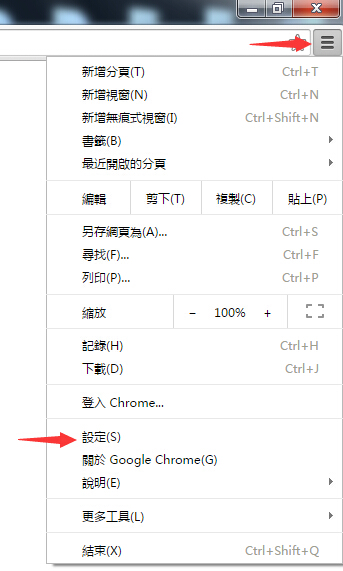
首先打开右上角的设置,如图
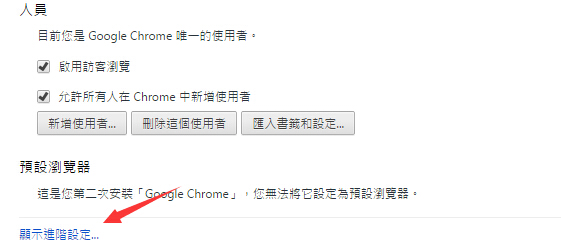
然后,拉到底,点击进阶选项
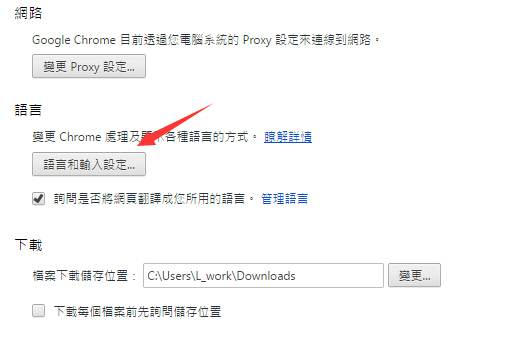
在语言一栏,点击选项
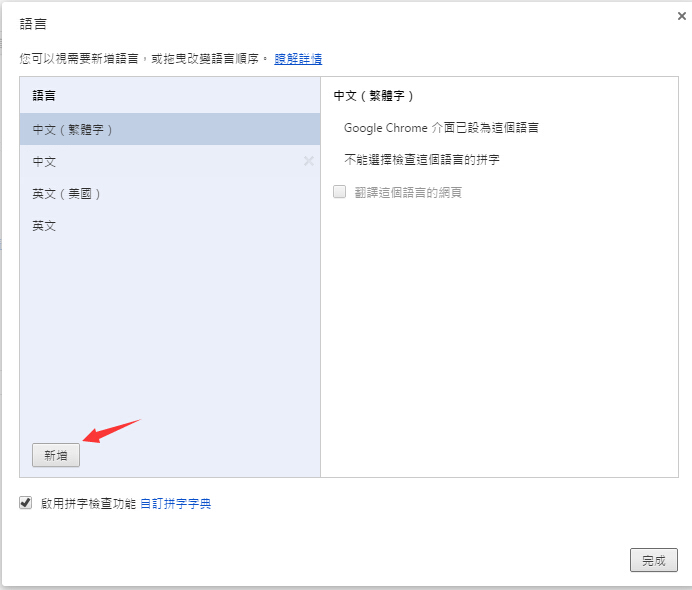
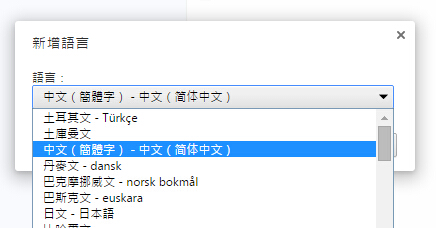
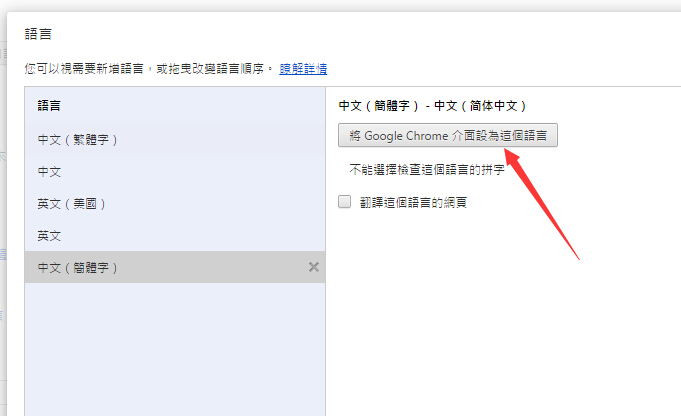
至此结束设置,重启浏览器即可。
很多朋友由于各种原因而下了繁体或者其他语言版本的Chrome,如果想改成简体显示的话,操作步骤如下: 首先打开右上角的设置,如图 然后,拉到底,点击进阶选项 在语言一栏,点击选项 至

很多朋友由于各种原因而下了繁体或者其他语言版本的Chrome,如果想改成简体显示的话,操作步骤如下:
首先打开右上角的设置,如图
然后,拉到底,点击进阶选项
在语言一栏,点击选项
至此结束设置,重启浏览器即可。
Keep up with browser releases, security fixes, Android updates, and feature rollouts across the Chrome ecosystem.
Google has promoted Chrome 148 to the stable channel for Windows, macOS and Linux, beginning a staged rollout that users will receive over the coming days or weeks. The release is important not only because it advances Chrome's feature...
Read articleGoogle has released a follow-up stable update for Chrome 148 on desktop, moving the browser to version 148.0.7778.167/168 for Windows and macOS and 148.0.7778.167 for Linux. The update is rolling out gradually, but it is notable because it...
Read articleGoogle has started rolling out Chrome 148 for Android, bringing version 148.0.7778.167 to mobile users through Google Play over several days. The release is described as a stability and performance update, but it also matters because...
Read article