
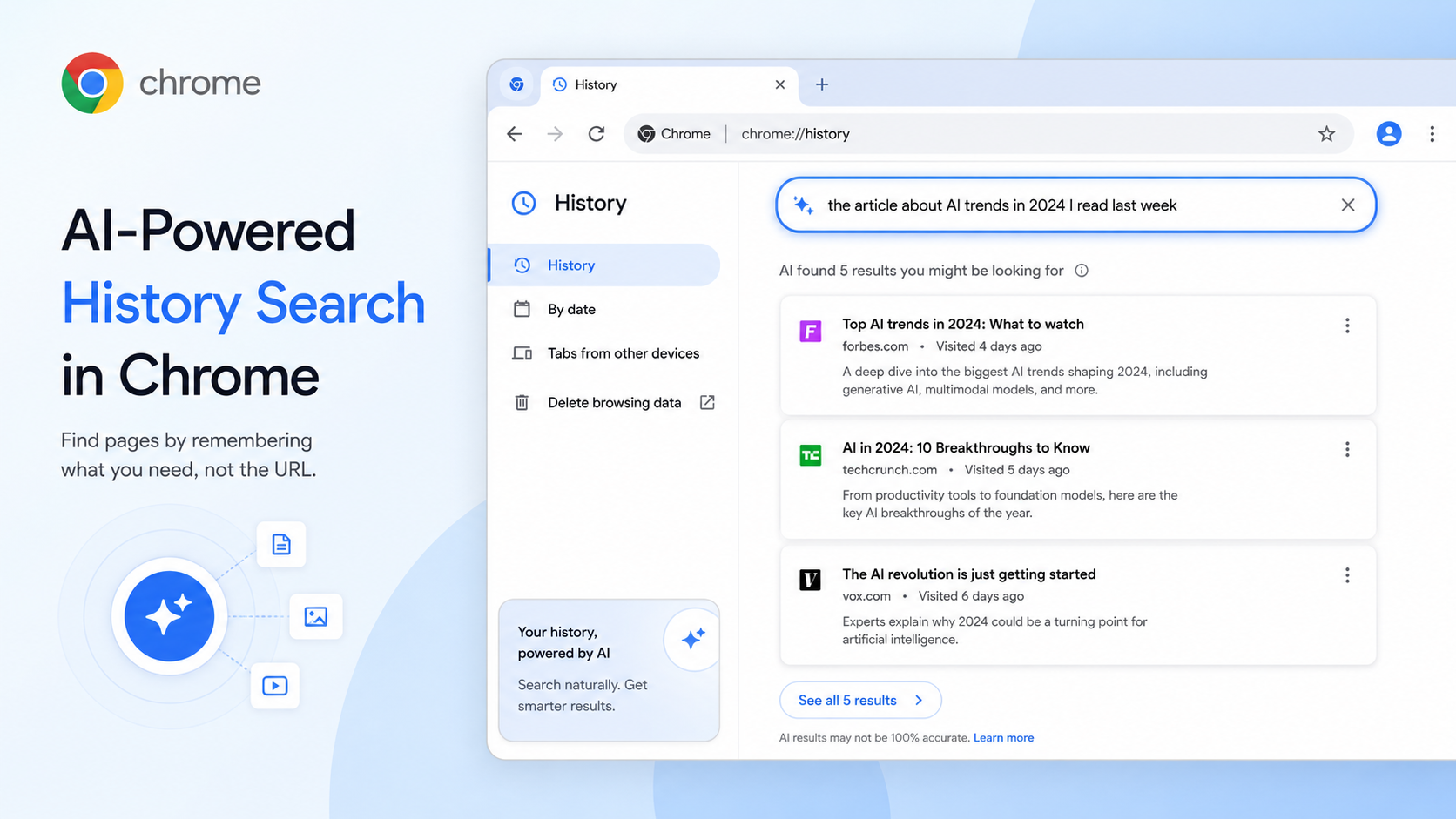
You know the feeling: you read something useful last week, but you do not remember the title, website, URL or exact keyword. You only remember the idea. Maybe it was "that article about AI tools for writing," or "the hotel page with free cancellation," or "the sneaker shop with the clean white shoes."
AI-powered history search in Chrome is built for that fuzzy memory problem. Instead of forcing you to type the exact website name, it lets you search your browsing history in everyday language. Chrome Help says the feature works even if you do not know the exact keyword or address.
To control it, open Chrome on your computer, go to Settings > AI innovations, and select History search, powered by AI. You can turn it on or off there. To use it, open History, then search with a phrase that describes what you remember. The more specific your description, the better the result is likely to be. "Shoes" is weak. "White minimal sneakers with free shipping" is much better.
You can also filter by time periods such as Yesterday, Last 7 days or Last 30 days when available. This is helpful because most of us remember roughly when we saw something even when we forget the page title.
Use cases are everywhere. Students can find a source they forgot to bookmark. Shoppers can return to a product page without searching the whole web again. Workers can locate a policy page or documentation tab from last week. Travelers can recover that one hotel page that looked promising before twenty other tabs buried it.
There is a privacy angle too. Chrome Help says you can turn the feature off at any time. You can also keep using normal history controls: delete individual pages, clear browsing data, or use Incognito mode when you do not want browsing saved in history. AI history search is only useful if you are comfortable with Chrome using browsing history for that feature.
The best habit is to search like you are talking to yourself: "page about setting up passkeys on laptop," "article comparing AI note apps," "recipe with chickpeas and lemon," "documentation for CSS container queries." Your memory does not have to be perfect. It just has to give Chrome enough clues.