
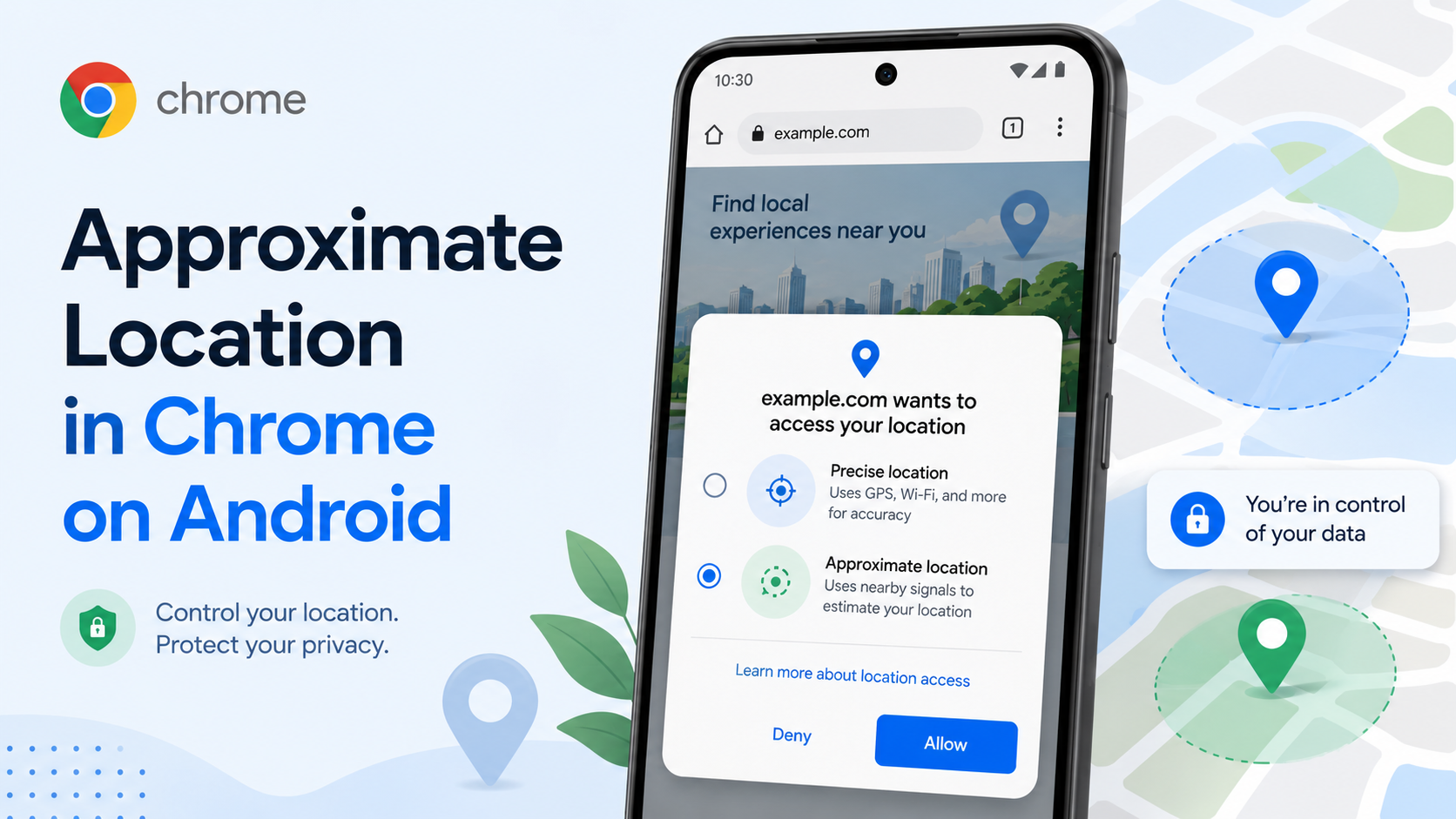
Location prompts are easy to approve without thinking. A site asks where you are, you tap allow, and that is it. But not every website needs your exact position. A weather page may only need your city. A local news site may only need your area. A restaurant recommendation page may work fine without knowing the precise building you are in.
Chrome on Android now gives users more control by allowing approximate location sharing with websites. Google explains that some web features genuinely need precise location, such as delivery orders, navigation or finding the closest ATM. Other cases, like local weather or regional news, often work with an approximate location.
That distinction matters. Precise location can reveal sensitive patterns: home, workplace, school, places you visit often. Approximate location reduces that detail while still letting many sites do their job.
When a website requests location, slow down for two seconds and ask: "What is this site trying to do?" If the answer is "show me local weather," approximate is probably enough. If the answer is "guide a driver to my door," precise location may be necessary. If the site has no clear reason to ask, deny it.
You can also manage permissions from Chrome on Android by going to Settings, then Site settings, then Location. Review which sites have access and remove old permissions you no longer trust. People often forget that location permission is not just a one-time tap; it can become an ongoing setting.
A good privacy habit is to keep precise location for moments, not for websites. Use it when the task truly needs accuracy, then clean up permissions later. For casual content, choose approximate. For suspicious or unfamiliar sites, choose no.
Google also says the approximate location feature is starting on Chrome for Android and will expand to desktop in the coming months. It has also encouraged developers to ask only for precise location when it is required for site functionality.
This is not an anti-location feature. It is a "share the right amount" feature. The web can still be useful without every site knowing exactly where you are standing.