
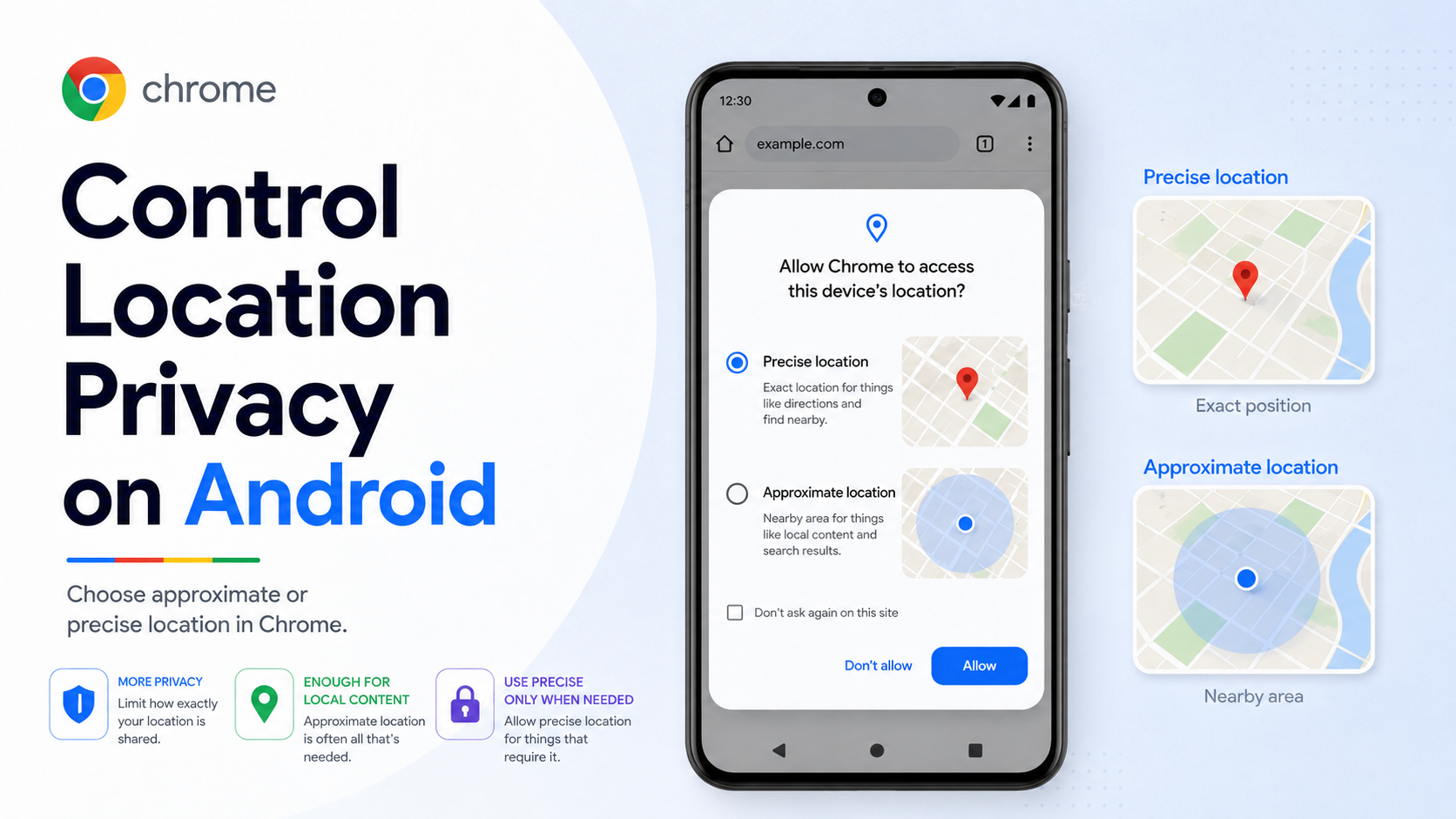
Some websites need your location to work well. A maps site may need precise location for navigation. A weather site, news site, store locator, or event page may only need a rough idea of your area. Chrome on Android now gives users more control by allowing approximate location sharing with websites instead of always sharing precise location when location access is allowed.
Why approximate location matters:
Precise location can reveal much more than a city or region. It can identify a building, workplace, school, or home area. Approximate location gives a site enough information for many general features while reducing the amount of detail you share.
Examples where approximate location is often enough:
- Local weather.
- Regional news.
- City-level event listings.
- General store availability.
- Restaurant suggestions by area.
- Language or regional content recommendations.
Examples where precise location may be necessary:
- Turn-by-turn navigation.
- Finding the closest ATM or delivery address.
- Ride-hailing or delivery tracking.
- Emergency or highly location-sensitive services.
How to manage location permission in Chrome on Android:
1. Open Chrome on your Android device.
2. Tap the three-dot menu near the address bar.
3. Go to Settings.
4. Under Advanced, tap Site settings.
5. Tap Location.
6. Choose your default location behavior.
How to handle a website request:
When a website asks for location access, review what it is trying to do. If approximate location is available and the site only needs general local information, choose approximate. If the task requires exact position, choose precise only for that task and only on sites you trust.
Privacy tips:
- Do not allow location automatically for every site.
- Check a site's privacy policy before granting precise location.
- Use approximate location for low-risk local content.
- Revoke permissions for sites you no longer visit.
- Be cautious with unfamiliar sites that ask for precise location without a clear reason.
Availability note:
Google said approximate location sharing started on Chrome for Android and would expand to desktop later. If you do not see the option yet, update Chrome and Android, then check again after rollout.
Bottom line:
Approximate location is a practical privacy upgrade. It lets websites remain useful while helping you share less sensitive location detail. Use precise location only when the feature truly needs it.