
Download 117.0.5938.149 from the Chrome Stable for Windows 64-bit
Download Google Chrome 117.0.5938.149 with the branch, platform, release date, and file size shown clearly on the same page.
What users usually want to know first
What changed in Chrome 117.0.5938.149
Google Chrome 117.0.5938.149 is available here as part of the Windows 64-bit Stable archive. Use this release page when you want the exact version, the current package details, and quick access to the correct installer.
New CSS features for entry and exit animations.
These three new CSS features complete the set to easily add entry and exit animations, and smoothly animate to and from the top layer dismissible elements such as dialogs and popovers.
The first feature is transition-behavior. To transition discrete properties, like display, use the allow-discrete value for transition-behavior.
Then the @starting-style rule is used to animate entry effects from display: none and into the top-layer. Use @starting-style to apply a style that the browser can look up before the element is open on the page.
Finally, to fade out a popover or dialog from the top layer, add the overlay property to your list of transitions. Include overlay in the transition or animation to animate overlay along with the rest of the features and ensure it stays in the top layer when animating. This will look much smoother.
Checkout Four new CSS features for smooth entry and exit animations for details on how to use these features for improving your user experience with motion.
Array grouping
In programming, array grouping is an extremely common operation, seen most often when we use SQL's GROUP BY clause and MapReduce programming (which is better thought of as map-group-reduce).
The ability to combine data into groups allows developers to compute higher order datasets. For example, the average age of a cohort, or daily LCP values for a webpage.
Array grouping enables these scenarios by adding the Object.groupBy and Map.groupBy static methods.
groupBy calls a provided callback function once for each element in an iterable. The callback function should return a string or symbol that indicates the group of the associated element.
In the following example, from the MDN documentation, there is an array of products with the groupBy method used to return them grouped by their type.
For more details check out the groupBy documentation.
Local overrides streamlined in DevTools.
The local overrides feature is now streamlined, so you can easily mock response headers and web content of remote resources from the Network panel without access to them.
To override web content, open the Network panel, right-click a request, and select Override content.
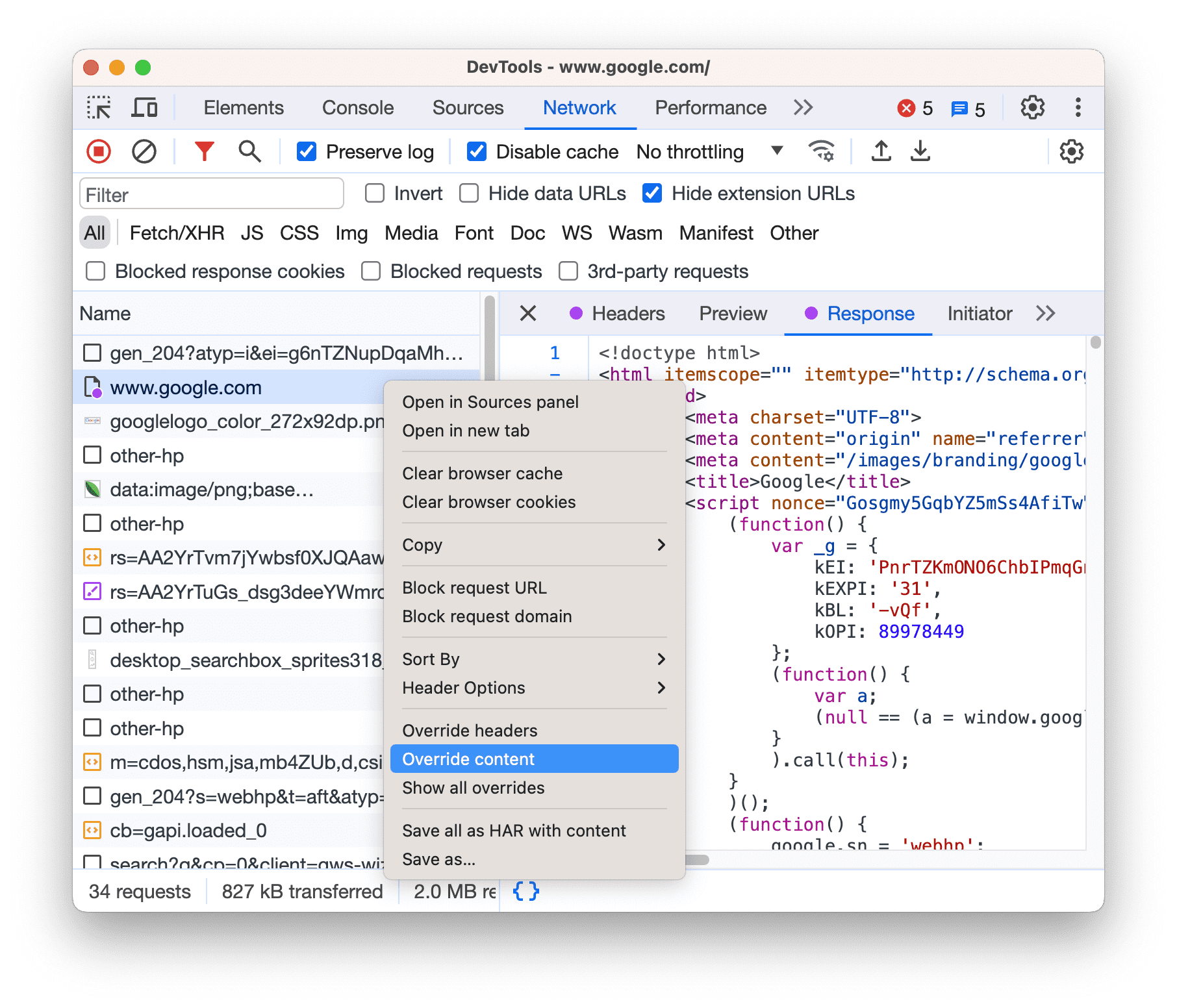
If you have local overrides set up but disabled, DevTools enables them. If you haven't set them up yet, DevTools prompts you in the action bar at the top. Select a folder to store the overrides in and allow DevTools access to it.
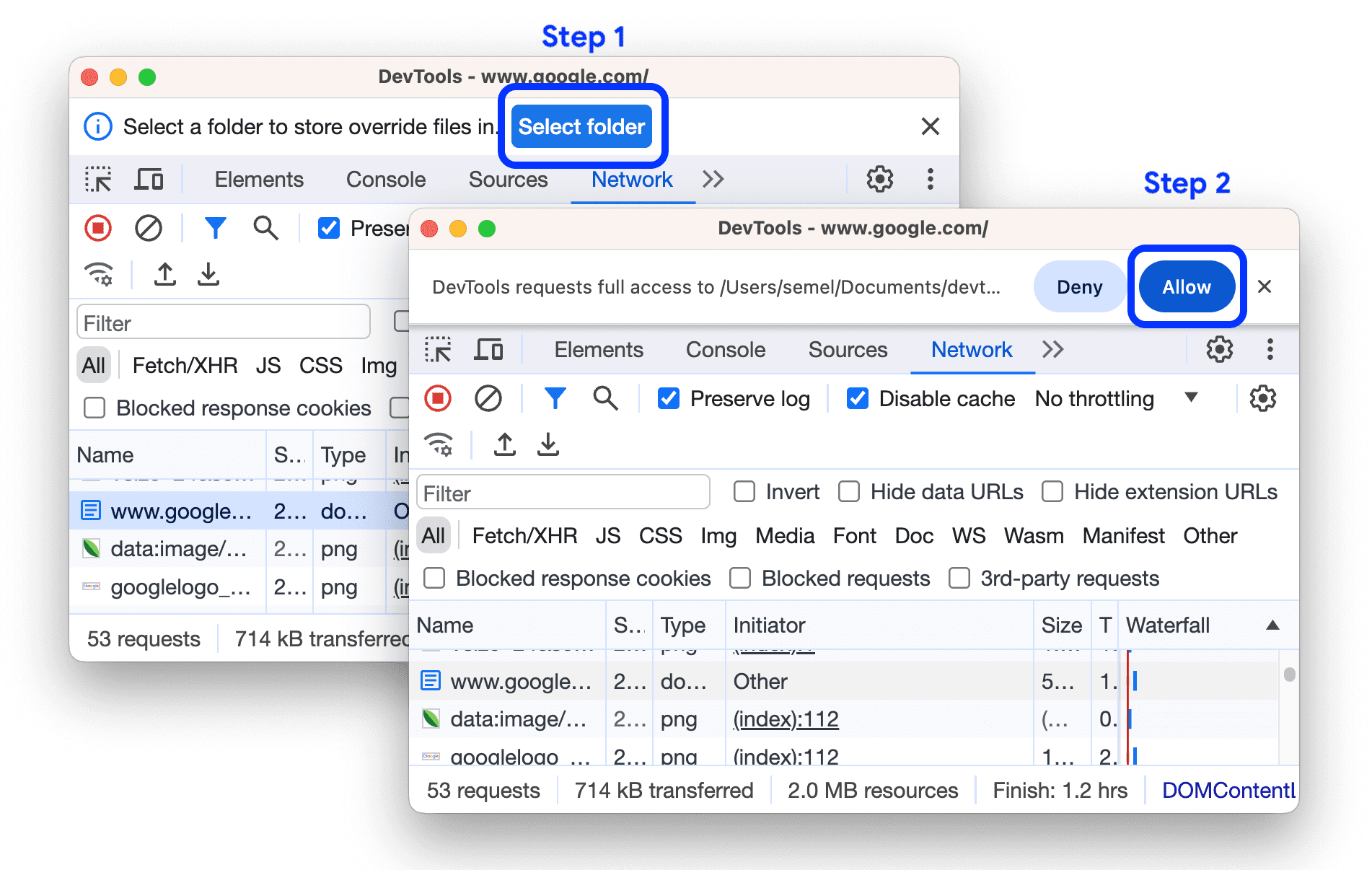
Once the overrides are set up, DevTools then takes you to Sources > Overrides > Editor to let you override web content.
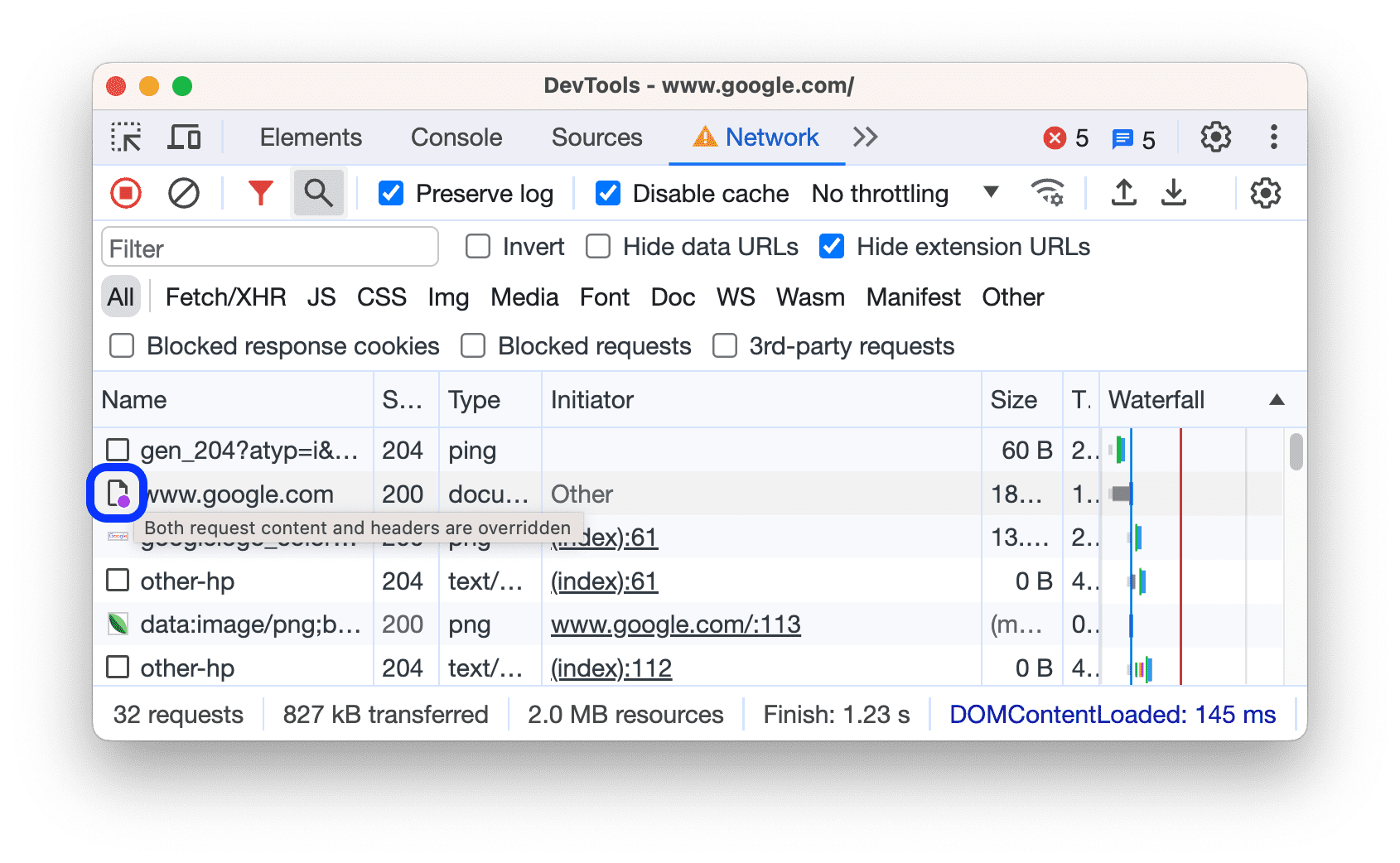
Note that the overridden resources are indicated with in the Network panel. Hover over the icon to see what's overridden.

Check out what’s new in DevTools for all the details and more information on DevTools in Chrome 117.
And more!
Of course there’s plenty more.
- The much anticipated
subgridvalue forgrid-template-columnsandgrid-template-rowsis now implemented in Chrome. - There is a
WebSQLdeprecation trial and a developer trial for theunloadevent deprecation.
Official source: Official Chrome update
Installation notes
After downloading the package, confirm that the branch and platform match your device before launching the installer or extracting the archive. If you only need a standard everyday browser, Stable is usually the safest choice. If you are testing new behavior, Beta, Dev, and Canary are better fits.
Related release pages
For newer or older builds in the same branch, open the category archive linked above. For different platforms, use the related desktop archives in the sidebar.
Frequently asked questions
These FAQ blocks help the page read like a complete release article instead of a download stub, which is better for trust and better for SEO.
Should I use this release or stay on Stable?
If you just want the safest everyday browsing experience, Stable is usually the right default. Preview branches are better for testing, compatibility checks, and early feature access.
Why show exact version numbers so prominently?
Because exact-version queries are common in English search behavior, especially for QA teams, enterprise users, and people trying to reproduce a bug or environment.
Why keep a full article around the download buttons?
A stronger page body gives users context and gives Google clearer signals about what the release page actually covers.
Where should older releases live?
Older versions belong in the category archive page, with this article template handling exact-version landing pages one release at a time.