
Download 89.0.4389.90 from the Chrome Stable for Windows 64-bit
Download Google Chrome 89.0.4389.90 with the branch, platform, release date, and file size shown clearly on the same page.
What users usually want to know first
What changed in Chrome 89.0.4389.90
Google Chrome 89.0.4389.90 is available here as part of the Windows 64-bit Stable archive. Use this release page when you want the exact version, the current package details, and quick access to the correct installer.
WebHID, WebNFC, and Web Serial
I'm really excited about WebHID, WebNFC, and Web Serial. They open up new scenarios for users that were never possible before, interacting with real world hardware.
They allow makers to connect to fun, quirky hardware, video conferencing apps to use the dedicated telephony buttons on specialized speakers. Or any number of other use cases.
Using Web Serial, and about 60 lines of code, @AndreBan created a page that can interact with the MicroPython REPL on a Raspberry Pi Pico. Web Serial is also used by Espruino in their web based IDE.
At CDS 2019, Francois wrote a fun, memory-style game using Web NFC. You had to tap the phone to the right card, in the right order.
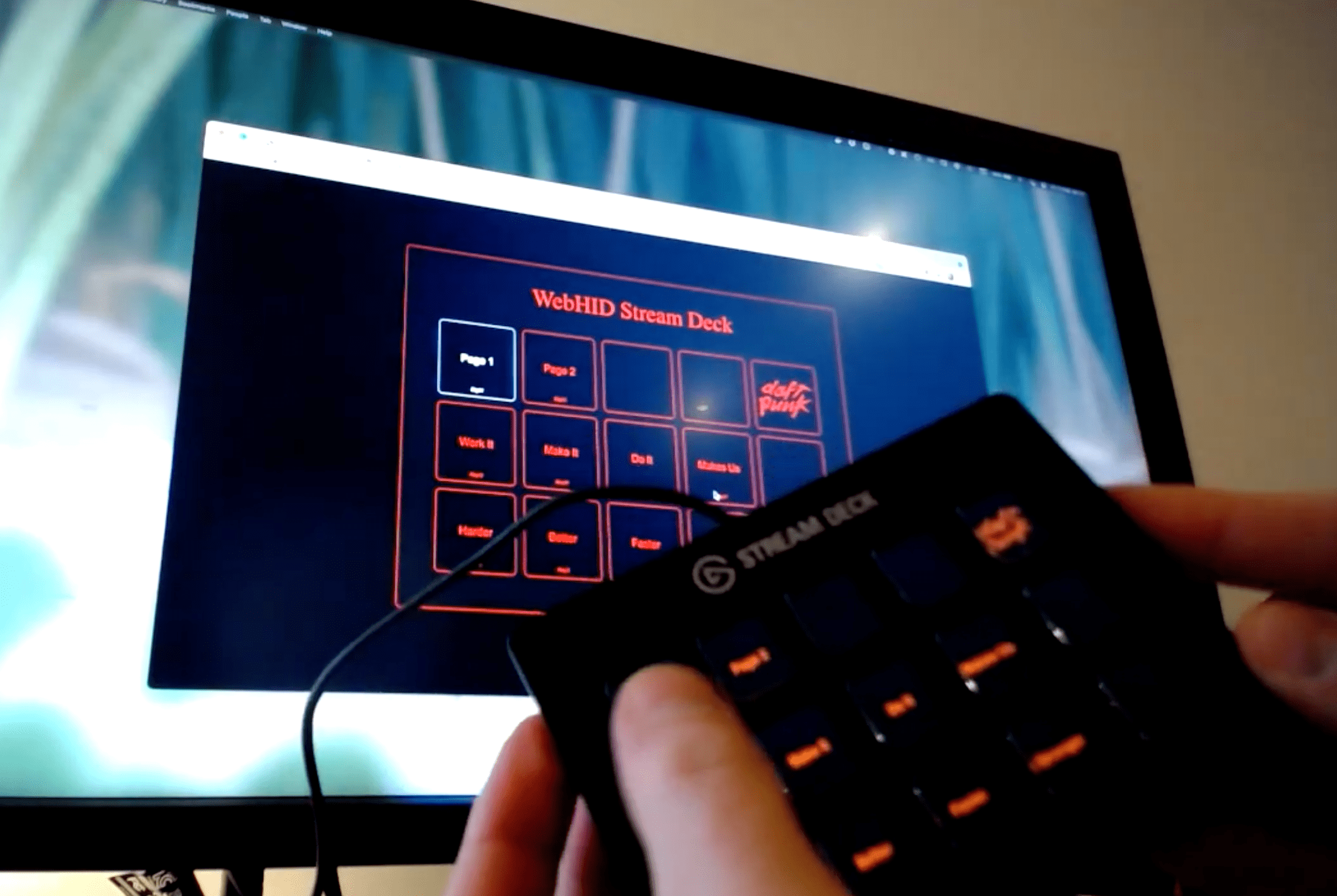
And my favorite, @bramus used WebHID to connect to a StreamDeck, building a Daft Punk drum pad. If you don't have a StreamDeck, check out his demo video on YouTube, and check out the code on GitHub.
Whether it's your site that interacts with your hardware, or your hardware that can interact with lots of sites, users win because they don't need to install special drivers, or software.
You can learn more about some of the devices you can connect to at web.dev/devices, or check out the getting started guides for WebHID, WebNFC, and Web Serial.
PWA installability criteria changes
Offline support has been a key part of the Progressive Web App criteria for installability since the beginning. As with other installed app, users expect it to work reliably. It should be fast, and, they should never see the offline dino!
Later this year, we plan to close a loophole that allowed a few sites to pass the installability criteria, without an offline experience. If your PWA already has an offline experience, you're all set. There's no action required, but, if you don't, it's time to add one!
Starting in Chrome 89, if your PWA doesn't provide a valid response when offline, you'll see a warning in DevTools under the Issues tab, and Lighthouse will indicate there's an issue. And, enforcement will start in Chrome 93, later this year.

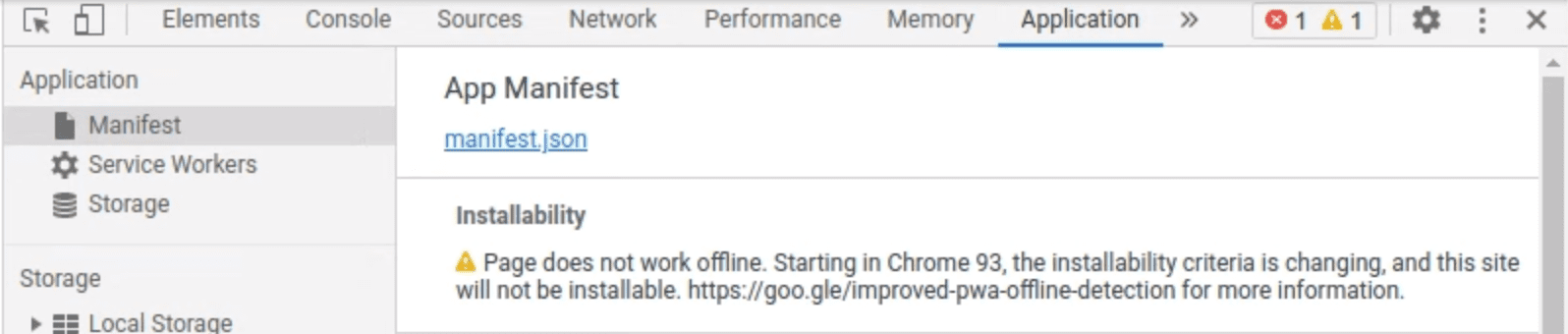
You can decide what kind of offline experience you want to provide. Ideally, you should provide as much of your experience as possible. But, at a minimum, it can be as simple as an offline fallback page.
You can find more details about the change, and why we're making it in Improving Progressive Web App offline support detection.
If you're not sure where to get started, check out Workbox. It has a set of libraries that can power a production-ready service worker for your PWA. Or, for a simple offline fallback page, the article Create an offline fallback page has all the code you need, and you can copy and paste directly in to your site.
Web Share and Web Share Target for Desktop
If your site allows users to create, edit, or interact with files, you should be using the Web Share and Web Share Target APIs. These APIs have been available on mobile for some time but are now supported on ChromeOS and Windows.
Web Share makes it possible for users to send files or data to other installed apps on their device, for example, sharing a photo from Google Photos to Twitter.
To register as a target so other apps can share files or data with you, you'll want to use the Web Share Target API.
Check Integrate with the OS sharing UI with the Web Share API and Receiving shared data with the Web Share Target API for getting started guides.
And more
And of course there's plenty more.
Chrome now allows top level await within JavaScript modules.
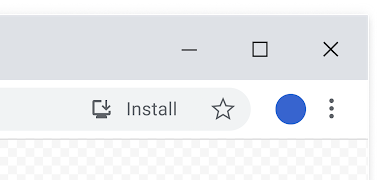
To reduce confusion for users, we've updated the icon shown in the omnibox for installable PWAs.
And, if you've used a Trusted Web Activity to make your PWA available in the Play Store for ChromeOS, you can sign up for the Digital Goods API origin trial.
Official source: Official Chrome update
Installation notes
After downloading the package, confirm that the branch and platform match your device before launching the installer or extracting the archive. If you only need a standard everyday browser, Stable is usually the safest choice. If you are testing new behavior, Beta, Dev, and Canary are better fits.
Related release pages
For newer or older builds in the same branch, open the category archive linked above. For different platforms, use the related desktop archives in the sidebar.
Frequently asked questions
These FAQ blocks help the page read like a complete release article instead of a download stub, which is better for trust and better for SEO.
Should I use this release or stay on Stable?
If you just want the safest everyday browsing experience, Stable is usually the right default. Preview branches are better for testing, compatibility checks, and early feature access.
Why show exact version numbers so prominently?
Because exact-version queries are common in English search behavior, especially for QA teams, enterprise users, and people trying to reproduce a bug or environment.
Why keep a full article around the download buttons?
A stronger page body gives users context and gives Google clearer signals about what the release page actually covers.
Where should older releases live?
Older versions belong in the category archive page, with this article template handling exact-version landing pages one release at a time.