
Download 99.0.4844.51 from the Chrome Stable for macOS
Download Google Chrome 99.0.4844.51 with the branch, platform, release date, and file size shown clearly on the same page.
What users usually want to know first
What changed in Chrome 99.0.4844.51
Google Chrome 99.0.4844.51 is available here as part of the macOS Stable archive. Use this release page when you want the exact version, the current package details, and quick access to the correct installer.
Chrome 100 and Firefox 100
Chrome 100 ships in late March (2022), and Firefox 100 ships shortly after in early May. Both of these are a major version number milestone and roll over to three digits. But, if your code is expecting two digits, the new version number could cause issues for you.
Any code that checks version numbers, or parses the user agent string should be checked to make sure it won't have any issues.
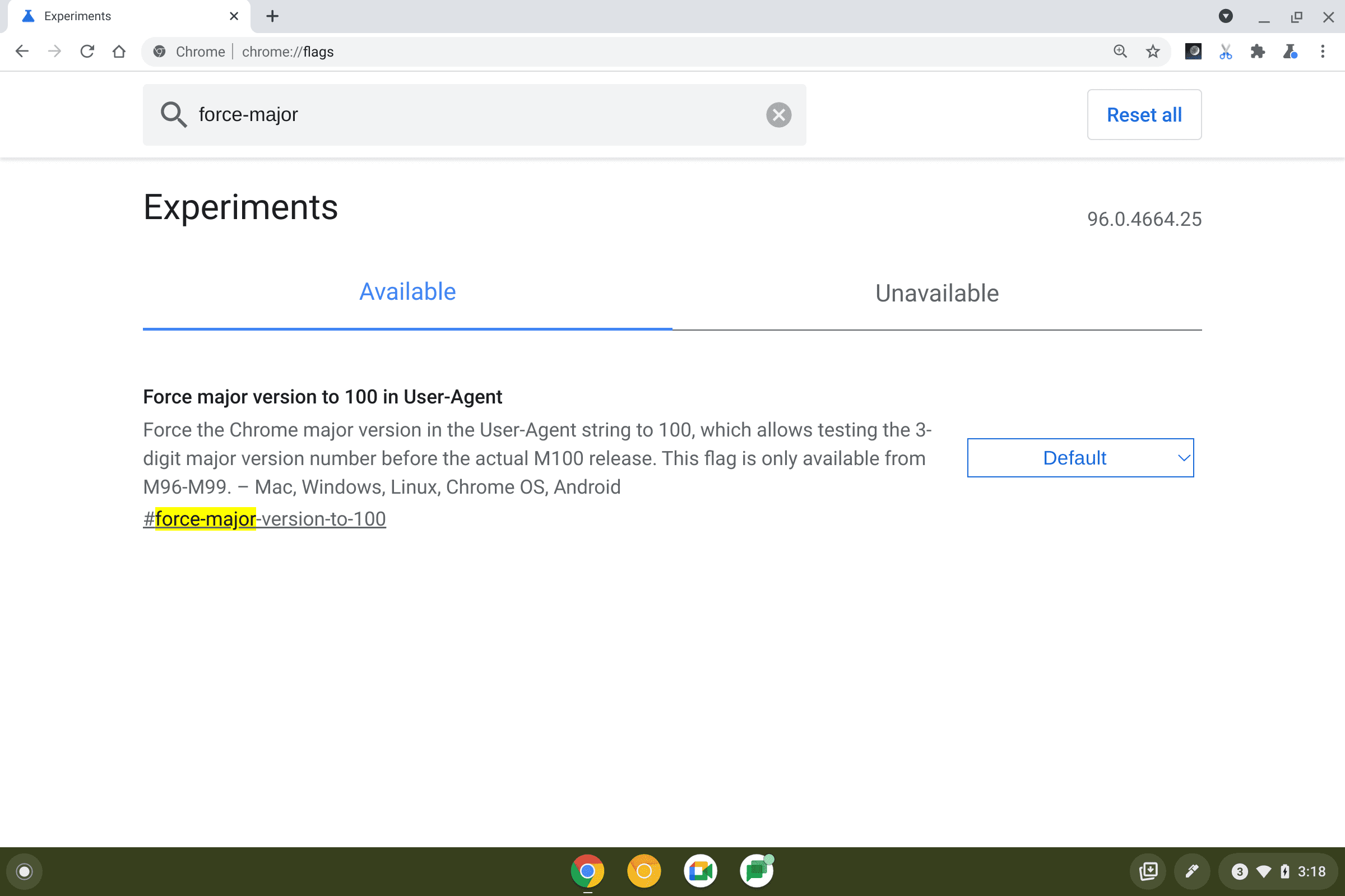
In Chrome, the #force-major-version-to-100 flag will change the current version number to 100.
And in Firefox Nightly's Settings menu, you can enable the "Firefox 100 User-Agent String" option. It's a good idea to test your site so that you can make sure everything works as expected.
Check out Chrome and Firefox soon to reach major version 100 for complete details.
CSS Cascade Layers
Support for CSS Cascade Layers and the CSS @layer rule is landing in Chrome 99. They provide more explicit control of your CSS files to prevent style-specificity conflicts. This is especially useful for large codebases, design systems, and when managing third party styles in applications.
They introduce a new layer to the CSS cascade. With layered styles, the precedence of a layer always beats the specificity of a selector.
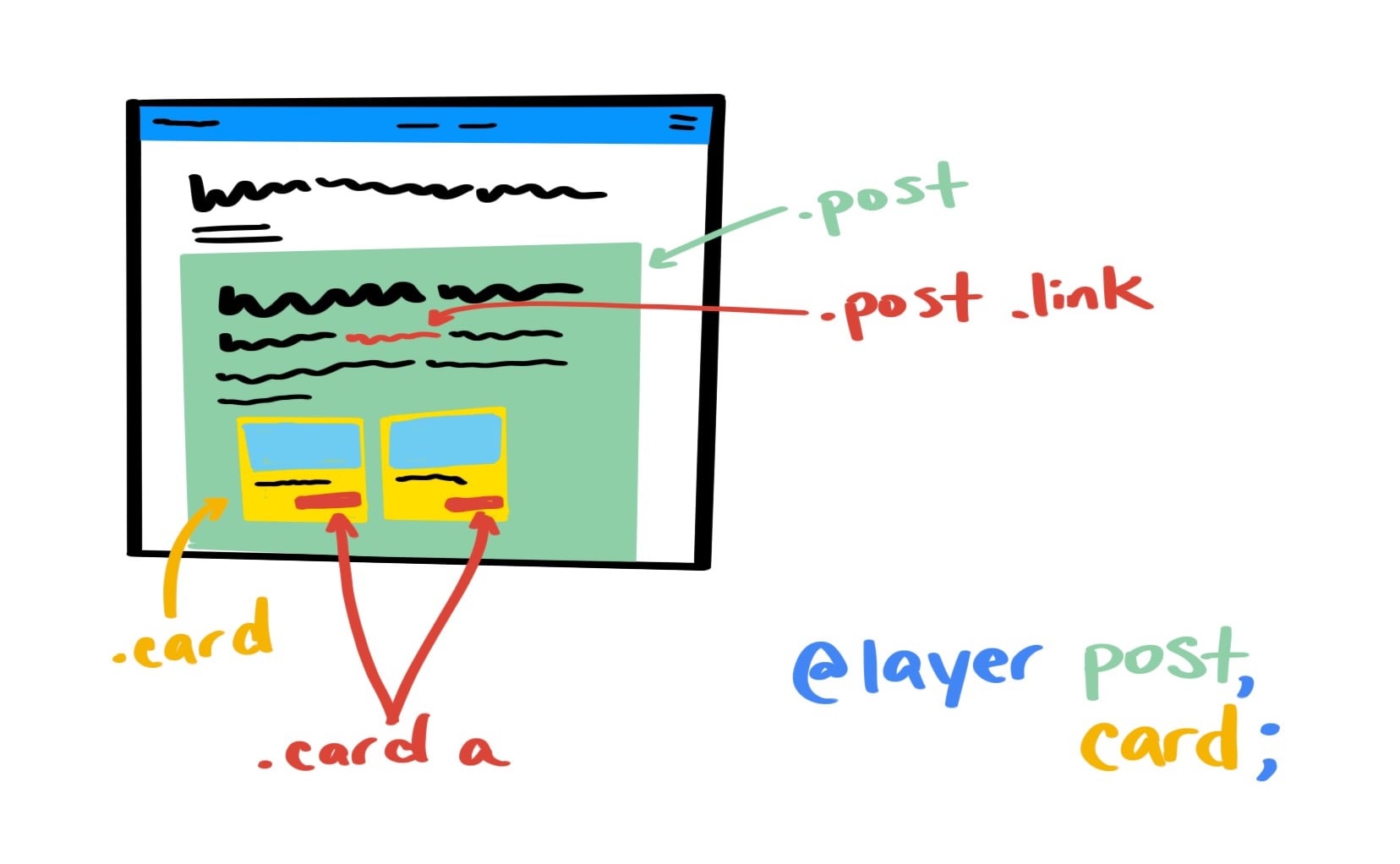
If you're trying to style a link, inside a .card, within a .post you will find that the more specific selector will be applied. By using the @layer rule, you can be more explicit about the style specificity of each, and make sure that the link style in your card, overrides the link style in your post.
This is because of cascade precedence. Layered styles create new cascade planes.
Cascade layers using the CSS @layer rule are supported in Chrome 99, Firefox 97, and Safari 15.4 Beta. Check out Cascade layers are coming to your browser for more information.
showPicker() for input elements
For a long time, we've had to resort to custom widget libraries or hacks to show a date picker. There's a new showPicker() method on HTML InputElements. It's the canonical way to show a browser picker, not only for date, but also time, color, and other <input> elements with pickers.
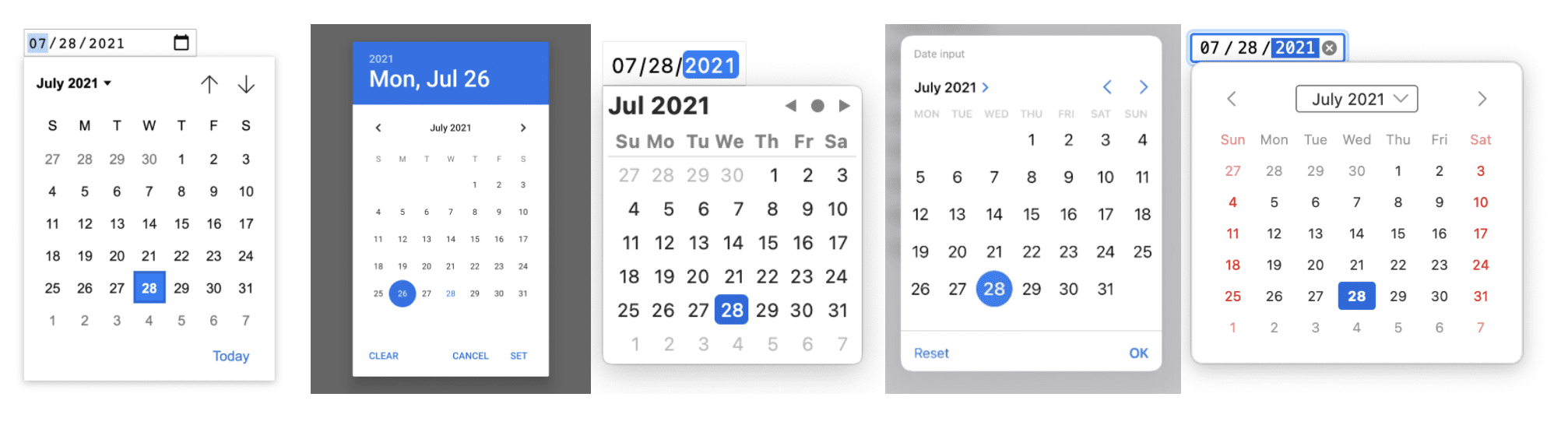
To use it, call showPicker() on the <input> element. In this example, I wrapped it in a try…catch block. That allows me to provide a fallback, if the browser doesn't support the API, or can't show the picker. Thus, ensuring that users still get a good experience.
Check out Show a browser picker for date, time, color, and files for complete details, and all the different <input> types you can use showPicker() for.
And more!
Of course there's plenty more.
The Canvas2D API has been updated, adding new functionality, including:
- Two new events for
ContextLostandContextRestored - A
willReadFrequentlyoption - More CSS text modifier support
- And more.
There's a new origin trial to allow PWAs to provide alternate colors in the web app manifest for dark mode.
And the handwriting recognition API has now landed.
Official source: Official Chrome update
Installation notes
After downloading the package, confirm that the branch and platform match your device before launching the installer or extracting the archive. If you only need a standard everyday browser, Stable is usually the safest choice. If you are testing new behavior, Beta, Dev, and Canary are better fits.
Related release pages
For newer or older builds in the same branch, open the category archive linked above. For different platforms, use the related desktop archives in the sidebar.
Frequently asked questions
These FAQ blocks help the page read like a complete release article instead of a download stub, which is better for trust and better for SEO.
Should I use this release or stay on Stable?
If you just want the safest everyday browsing experience, Stable is usually the right default. Preview branches are better for testing, compatibility checks, and early feature access.
Why show exact version numbers so prominently?
Because exact-version queries are common in English search behavior, especially for QA teams, enterprise users, and people trying to reproduce a bug or environment.
Why keep a full article around the download buttons?
A stronger page body gives users context and gives Google clearer signals about what the release page actually covers.
Where should older releases live?
Older versions belong in the category archive page, with this article template handling exact-version landing pages one release at a time.