
Download 73.0.3683.75 from the Chrome Stable for Linux
Download Google Chrome 73.0.3683.75 with the branch, platform, release date, and file size shown clearly on the same page.
What users usually want to know first
What changed in Chrome 73.0.3683.75
Google Chrome 73.0.3683.75 is available here as part of the Linux Stable archive. Use this release page when you want the exact version, the current package details, and quick access to the correct installer.
Change log
This covers only some of the key highlights, check the links below for additional changes in Chrome 73.
- Chromium source repository change list
- ChromeStatus.com updates for Chrome 73
- Chrome 73 deprecations & removals
- Chrome 73 media updates
- What's new in JavaScript in Chrome 73
Progressive Web Apps work everywhere
Progressive Web Apps provide an installable, app-like experience, built and delivered directly via the web. In Chrome 73, we've added support for macOS, bringing support for Progressive Web Apps to all desktop platforms - Mac, Windows, ChromeOS and Linux, as well as mobile, simplifying web app development.
A Progressive Web App is fast, and reliably so; always loading and performing at the same speed, regardless of network connection. They provide rich, engaging experiences via modern web features that take full advantage of the device capabilities.
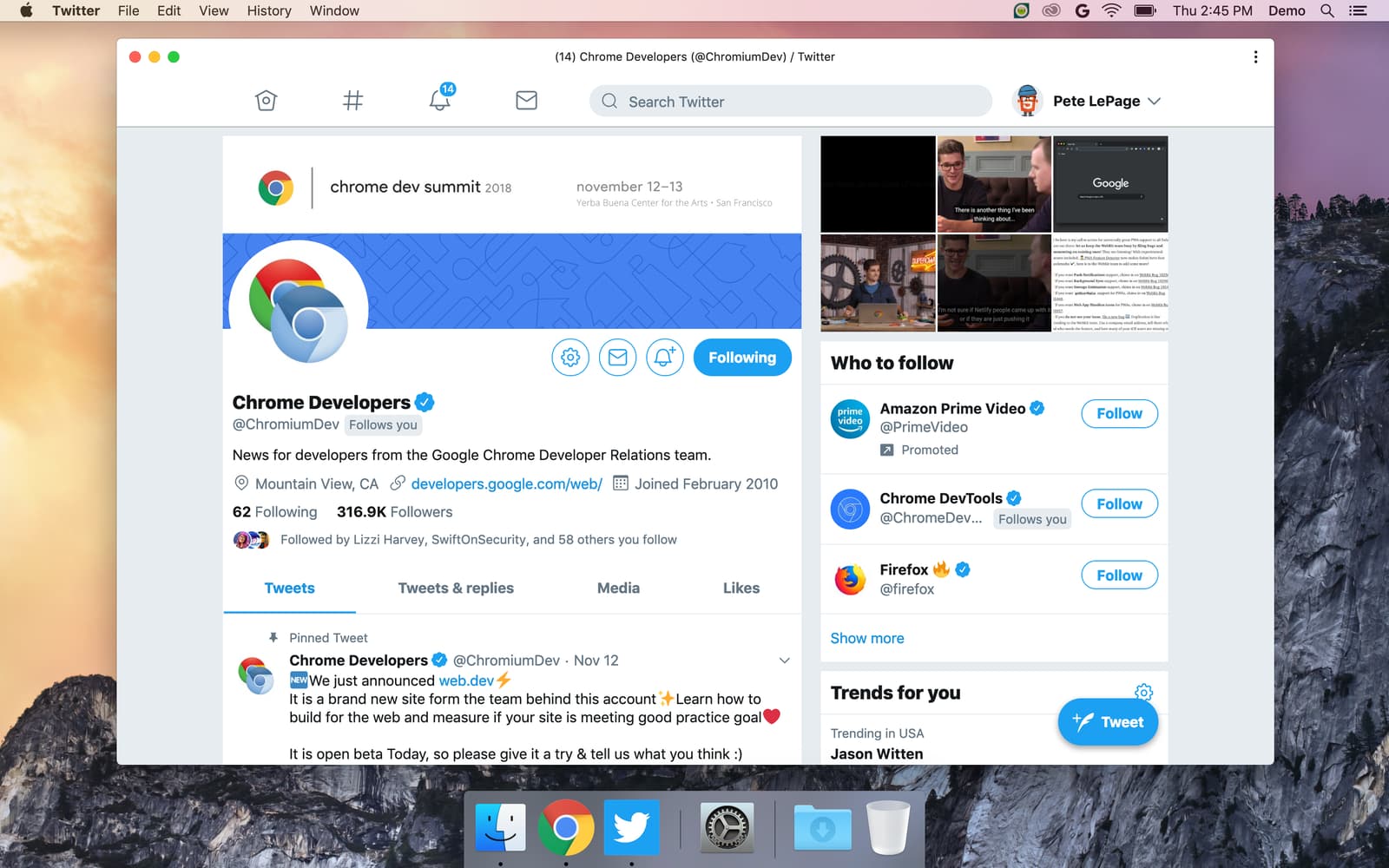
Users can install your PWA from Chrome's context menu, or you can directly promote the installation experience using the beforeinstallprompt event. Once installed, a PWA integrates with the OS to behave like a native application: users find and launch them from the same place as other apps, they run in their own window, they appear in the task switcher, their icons can show notification badging, and so on.
We want to close the capability gap between the web and native to provide a solid foundation for modern applications delivered on the web. We're working to add new web platform capabilities that give you access to things like the file system, wake lock, adding an ambient badge to the address bar to let users know your PWA can be installed, policy installation for enterprises, and plenty more.
If you're already building a mobile PWA, a desktop PWA is no different. In fact, if you've used responsive design, you're likely good to go already. Your single codebase will work across desktop and mobile. If you're just starting out with PWAs, you'll be surprised at how easy it is to create them!
Then, iterate from there.
Signed HTTP Exchanges
Signed HTTP Exchanges (SXG), part of an emerging technology called Web Packages is now available in Chrome 73. A Signed HTTP Exchange makes it possible to create "portable" content that can be delivered by other parties, and this is the key aspect, it retains the integrity and attribution of the original site.

This decouples the origin of the content from the server that delivers it, but because it's signed, it's like it's being delivered from your server. When the browser loads this Signed Exchange, it can safely show your URL in the address bar because the signature in the exchange indicates the content originally came from your origin.
Signed HTTP exchanges enables faster content delivery for users, making it possible to get the benefits of a CDN without having to cede control of your certificate's private key. The AMP team is planning to use signed HTTP exchanges on Google search result pages to improve AMP URLs and speed up clicks on search results.
Check out Kinuko's Signed HTTP Exchanges post for details on how to get started.
Constructable style sheets
Constructable Stylesheets, new in Chrome 73, gives us a new way to create and distribute reusable styles, which is particularly important when using Shadow DOM.
It's always been possible to create stylesheets using JavaScript. Create a <style> element using document.createElement('style'). Then access its sheet property to obtain a reference to the underlying CSSStyleSheet instance, and set the style.
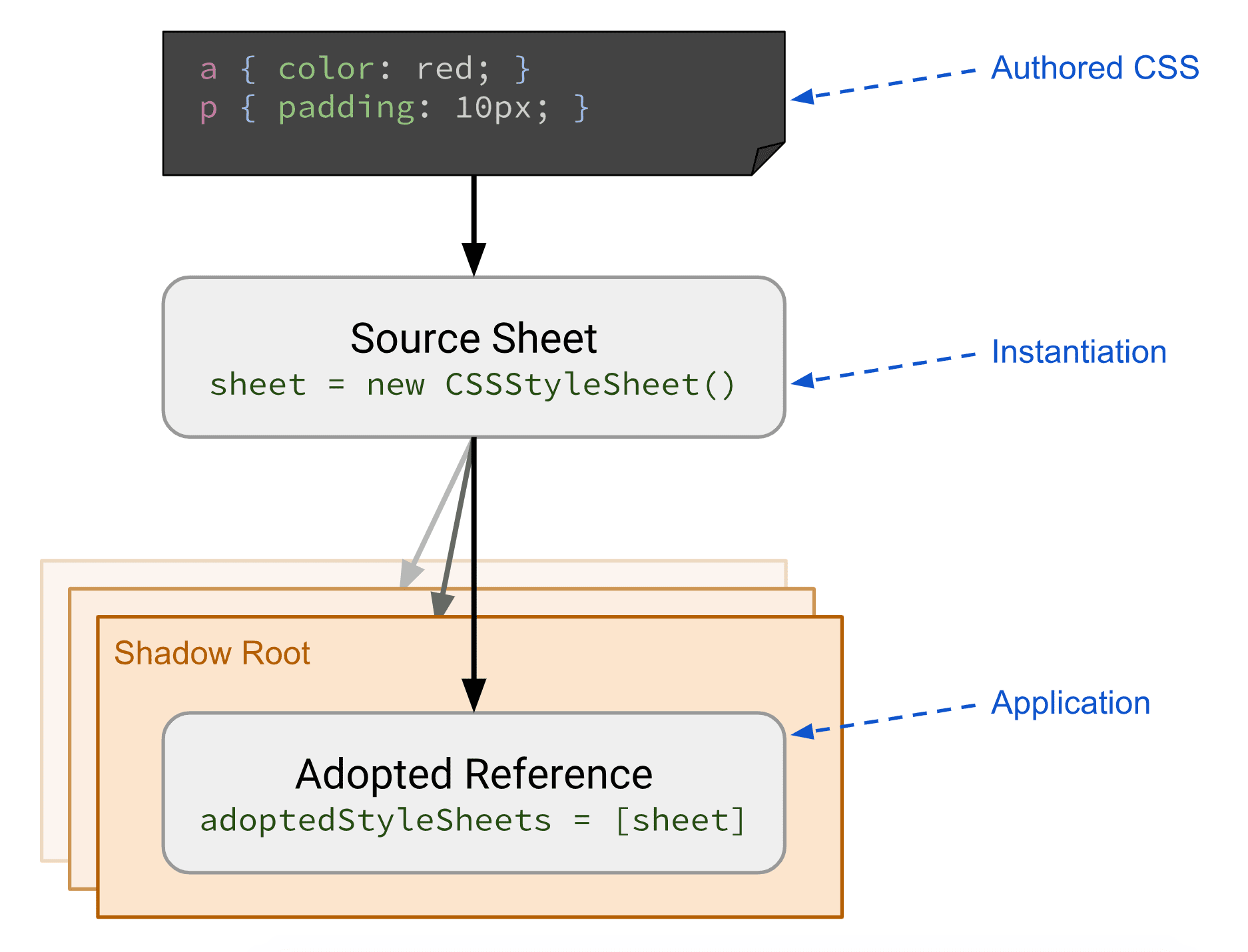
Using this method tends to lead to style sheet bloat. Even worse, it causes a flash of unstyled content. Constructable Stylesheets make it possible to define and prepare shared CSS styles, and then apply those styles to multiple Shadow Roots or the Document easily and without duplication.
Updates to a shared CSSStyleSheet are applied to all roots where it's been adopted, and adopting a stylesheet is fast and synchronous once the sheet has been loaded.
Getting started is simple, create a new instance of CSSStyleSheet, then use either replace or replaceSync to update the stylesheet rules.
Check out Jason Miller's Constructable Stylesheets: seamless reusable styles post for more details and code samples!
And more!
These are just a few of the changes in Chrome 73 for developers, of course, there's plenty more.
matchAll(), is a new regular expression matching method on the string prototype, and returns an array containing the complete matches.- The
<link>element now supportsimagesrcsetandimagesizesproperties to correspond tosrcsetandsizesattributes ofHTMLImageElement. - Blink's shadow blur radius implementation, now matches Firefox and Safari.
- Dark mode for Chrome's UI is now supported on Mac, and Windows support is on the way. In addition, there's work on a CSS media query:
prefers-color-scheme, that can be used to detect if the user has requested the system use a light or dark color theme. The tracking bug for this is Add support for CSSprefers-color-schememedia feature For Chrome, and Firefox.
Want to stay up to date with our videos, then subscribe to our Chrome Developers YouTube channel, and you'll get an email notification whenever we launch a new video.
I'm Pete LePage, and as soon as Chrome 74 is released, I'll be right here to tell you -- what's new in Chrome!
Official source: Official Chrome update
Installation notes
After downloading the package, confirm that the branch and platform match your device before launching the installer or extracting the archive. If you only need a standard everyday browser, Stable is usually the safest choice. If you are testing new behavior, Beta, Dev, and Canary are better fits.
Related release pages
For newer or older builds in the same branch, open the category archive linked above. For different platforms, use the related desktop archives in the sidebar.
Frequently asked questions
These FAQ blocks help the page read like a complete release article instead of a download stub, which is better for trust and better for SEO.
Should I use this release or stay on Stable?
If you just want the safest everyday browsing experience, Stable is usually the right default. Preview branches are better for testing, compatibility checks, and early feature access.
Why show exact version numbers so prominently?
Because exact-version queries are common in English search behavior, especially for QA teams, enterprise users, and people trying to reproduce a bug or environment.
Why keep a full article around the download buttons?
A stronger page body gives users context and gives Google clearer signals about what the release page actually covers.
Where should older releases live?
Older versions belong in the category archive page, with this article template handling exact-version landing pages one release at a time.