
Download 57.0.2987.110 from the Chrome Stable for Linux
Download Google Chrome 57.0.2987.110 with the branch, platform, release date, and file size shown clearly on the same page.
What users usually want to know first
What changed in Chrome 57.0.2987.110
Google Chrome 57.0.2987.110 is available here as part of the Linux Stable archive. Use this release page when you want the exact version, the current package details, and quick access to the correct installer.
CSS grid layout
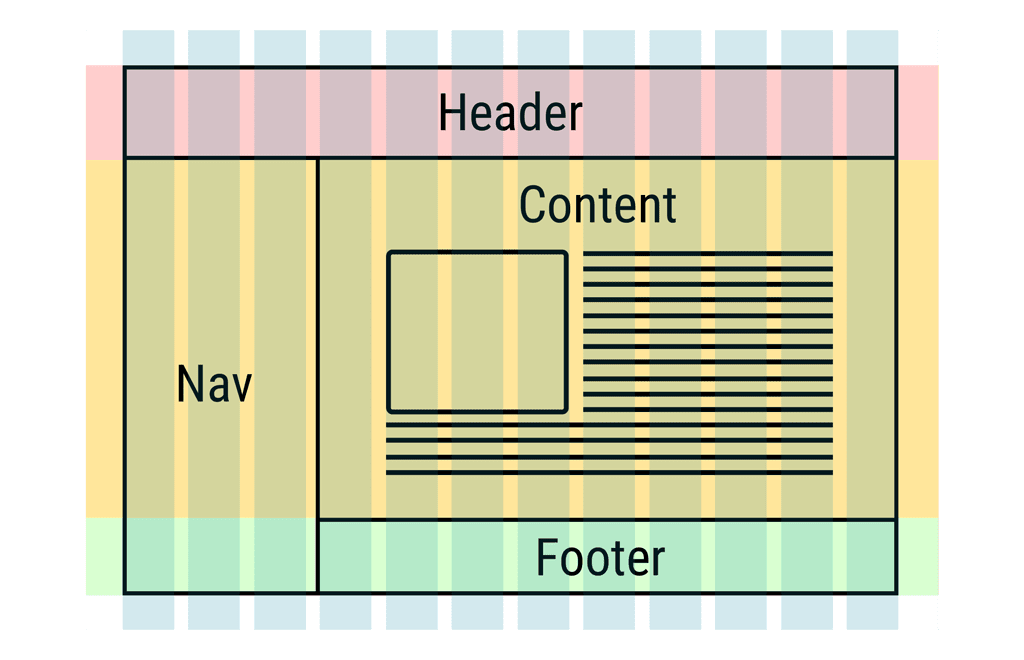
Flexbox is a powerful layout tool. It makes many complex layouts possible, but it can only do layout in one dimension. Chrome 57 adds support for display: grid - the new CSS Grid Layout specification, adding a powerful new tool for creating two-dimensional grid-based layout systems, optimized for responsive user interface design.
Elements within the grid can span multiple columns or rows. Regions in a CSS grid can also be named, making layout code easier to understand.
Surma has an Updates post about it, and when you're ready to dive in deeper, check out Rachel Andrew's site: GridByExample.com.
Media Session API
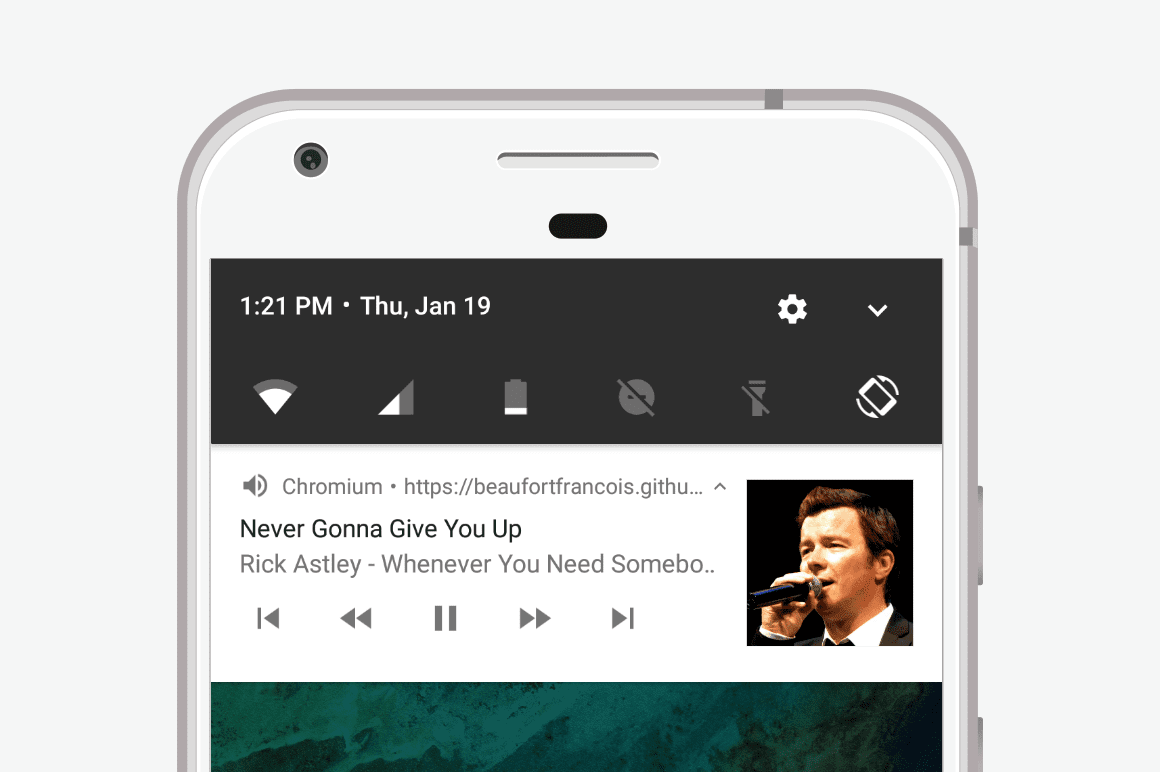
One of the missing features from web media applications has been the ability to deeply integrate with the core media experience on mobile devices. In Chrome for Android, you can now customize the lock screen and notifications with media content using the new Media Session API.
By providing metadata to the browser about the content being played, you can create rich lock screen messaging that includes information such as title, artist, album name, and artwork. You can also listen for and respond to user actions taken on the notification itself, such as seeking or skipping.
If you want to get started quickly, Francois has a great Updates post, or check out the official Chrome media sessions samples repo on GitHub.
And more!
And there's lots more!
- There are some improvements to the Payment Request API.
- You can specify the color of the text input cursor with the
caret-colorproperty. - Visual effects such as line color and style can be specified with new
text-decorationproperties. - The Fetch API Response class now supports the
.redirectedattribute to help avoid untrustworthy responses and reduce the risk of open redirectors. - All
-webkit-prefixed IndexedDB global aliases have been removed, after their deprecation in M38. - And one of my favorites — new
padStartandpadEndformatting methods that simplify string padding when aligning console output or printing numbers with a fixed number of digits.
These are just a few of the changes in Chrome 57 for developers.
Shout out to Igalia
Finally, a big shout out to the engineers and team at Igalia for their awesome work on Blink. They were instrumental on landing the new CSS Grid and caret-color features.
Stay up to date
If you want to stay up to date with Chrome and know what's coming, be sure to subscribe to our channel, or follow @ChromiumDev on Twitter. And be sure to check out the videos from the Chrome Dev Summit for a deeper dive into some of the awesome things the Chrome team is working on.
I'm Pete LePage, and as soon as Chrome 58 is released, I'll be right here to tell you -- what's new in Chrome!
Official source: Official Chrome update
Installation notes
After downloading the package, confirm that the branch and platform match your device before launching the installer or extracting the archive. If you only need a standard everyday browser, Stable is usually the safest choice. If you are testing new behavior, Beta, Dev, and Canary are better fits.
Related release pages
For newer or older builds in the same branch, open the category archive linked above. For different platforms, use the related desktop archives in the sidebar.
Frequently asked questions
These FAQ blocks help the page read like a complete release article instead of a download stub, which is better for trust and better for SEO.
Should I use this release or stay on Stable?
If you just want the safest everyday browsing experience, Stable is usually the right default. Preview branches are better for testing, compatibility checks, and early feature access.
Why show exact version numbers so prominently?
Because exact-version queries are common in English search behavior, especially for QA teams, enterprise users, and people trying to reproduce a bug or environment.
Why keep a full article around the download buttons?
A stronger page body gives users context and gives Google clearer signals about what the release page actually covers.
Where should older releases live?
Older versions belong in the category archive page, with this article template handling exact-version landing pages one release at a time.