
Download 107.0.5304.122 from the Chrome Stable for Linux
Download Google Chrome 107.0.5304.122 with the branch, platform, release date, and file size shown clearly on the same page.
What users usually want to know first
What changed in Chrome 107.0.5304.122
Google Chrome 107.0.5304.122 is available here as part of the Linux Stable archive. Use this release page when you want the exact version, the current package details, and quick access to the correct installer.
New properties in Screen Capture API
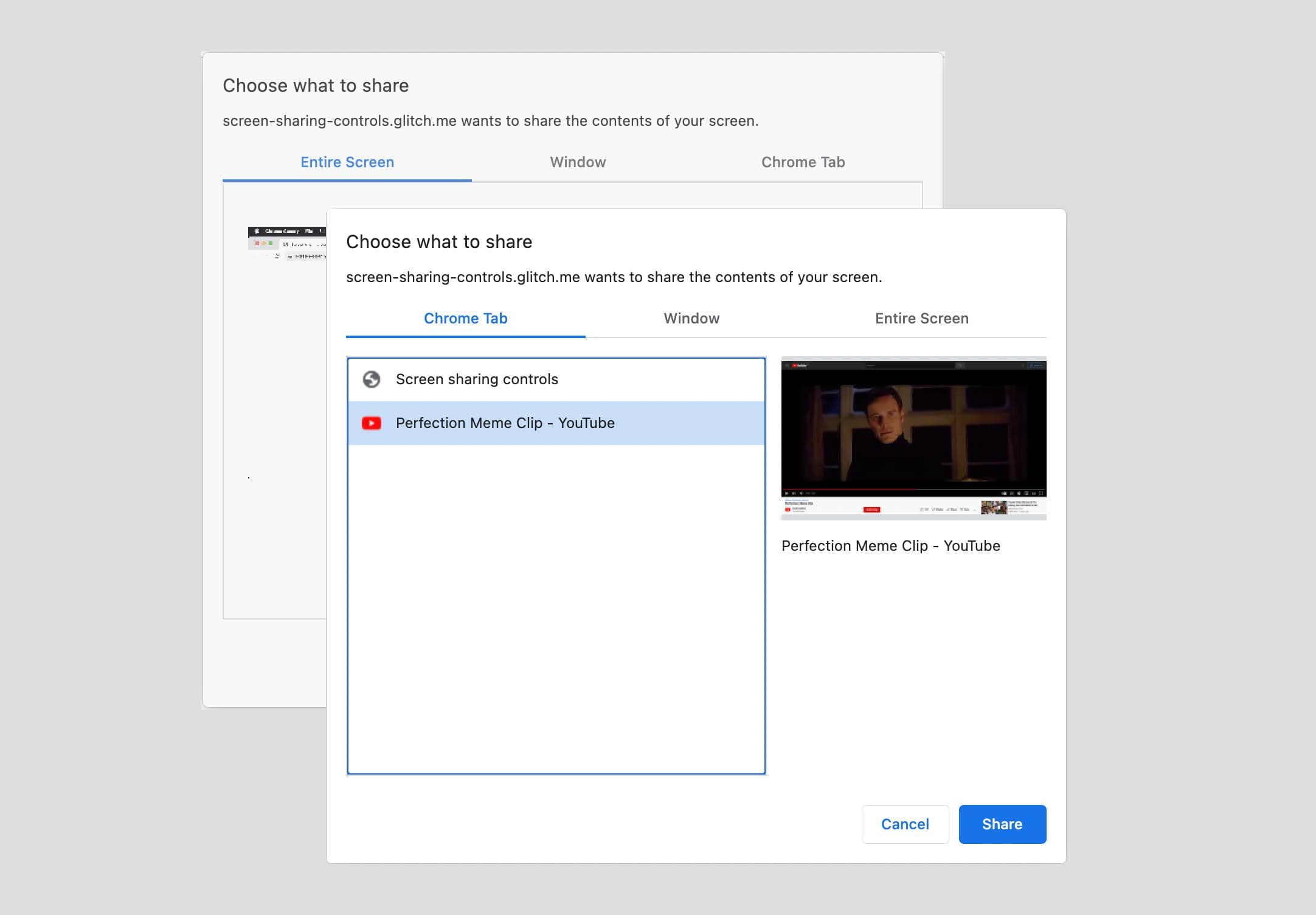
In this version the Screen Capture API adds new properties to improve the screen sharing experiences.
The DisplayMediaStreamOptions added the selfBrowserSurface property. With this hint the application can tell the browser that when calling getDisplayMedia() the current tab should be excluded.
It helps prevent accidental self capture and avoids the “Hall of Mirrors” effect we’ve seen in video conferences.
DisplayMediaStreamOptionsnow also has the surfaceSwitching property. This property adds an option to programmatically control whether Chrome shows a button for switching tabs while screen sharing. These options will be passed togetDisplayMedia(). The Share this tab instead button allows users to switch to a new tab without going back to the video-conferencing tab or selecting from a long list of tabs, but the behavior is exposed conditionally in case the web application doesn’t handle it.
Also MediaTrackConstraintSet adds the property displaySurface. When getDisplayMedia() is called the browser offers the user a choice of display surfaces: tabs, windows or monitors. Using the displaySurface constraint, the web app may now hint to the browser if it prefers one of the surface types to be offered more prominently.
For example, it can help prevent oversharing by accident since sharing a single tab can be the default.
Identify render blocking resources
Reliable insights into a page’s performance are critical for developers to build fast user experiences, so far developers have relied on complex heuristics to determine whether a resource is render blocking or not.
Now the Performance API includes the renderBlockingStatus property which provides a direct signal from the browser that identifies the resources that prevent your page from displaying, until they are downloaded.
The code snippet here, shows how to get a list of all your resources and use the new renderBlockingStatus property to list all of those that are render blocking.
Optimizing how you load your resources helps with Core Web Vitals and with providing a better user experience, Check out the MDN documentation to learn more about the Performance API, look for those render blocking resources and optimize away.
PendingBeacon API origin trial
The declarative PendingBeacon API lets the browser control when beacons are sent.
A beacon is a bundle of data sent to a backend server, without expecting a particular response.
Applications often want to send these beacons at the end of a user's visit, but there's no good time for that "send" call to be made. This API delegates the sending to the browser itself, so it can support beacons on page unload or on page hide, without the developer having to implement send calls at exactly the right times.
Sign up for the origin trial, give the API a try and please send feedback our way to improve the use cases.
And more!
Of course there’s plenty more.
- The
expect-cthttp header is deprecated. - The
relattribute is now supported on<form>elements. - Last time I mentioned
grid-templateinterpolation, this time it should be included.
Official source: Official Chrome update
Installation notes
After downloading the package, confirm that the branch and platform match your device before launching the installer or extracting the archive. If you only need a standard everyday browser, Stable is usually the safest choice. If you are testing new behavior, Beta, Dev, and Canary are better fits.
Related release pages
For newer or older builds in the same branch, open the category archive linked above. For different platforms, use the related desktop archives in the sidebar.
Frequently asked questions
These FAQ blocks help the page read like a complete release article instead of a download stub, which is better for trust and better for SEO.
Should I use this release or stay on Stable?
If you just want the safest everyday browsing experience, Stable is usually the right default. Preview branches are better for testing, compatibility checks, and early feature access.
Why show exact version numbers so prominently?
Because exact-version queries are common in English search behavior, especially for QA teams, enterprise users, and people trying to reproduce a bug or environment.
Why keep a full article around the download buttons?
A stronger page body gives users context and gives Google clearer signals about what the release page actually covers.
Where should older releases live?
Older versions belong in the category archive page, with this article template handling exact-version landing pages one release at a time.