
Download 85.0.4183.102 from the Chrome Stable for Linux
Download Google Chrome 85.0.4183.102 with the branch, platform, release date, and file size shown clearly on the same page.
What users usually want to know first
What changed in Chrome 85.0.4183.102
Google Chrome 85.0.4183.102 is available here as part of the Linux Stable archive. Use this release page when you want the exact version, the current package details, and quick access to the correct installer.
Content Visibility
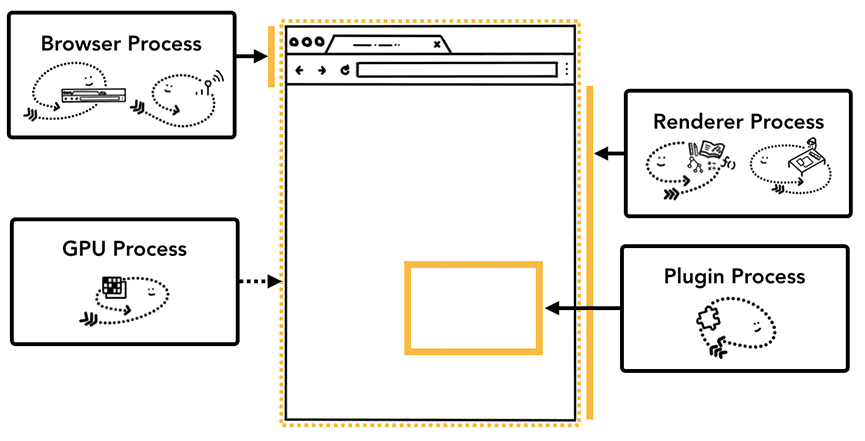
Turning your HTML into something the user can see, requires the browser to go through a number of steps before it can even paint the first pixel. And it does it for the whole page, even for content that isn't visible in the viewport.
Applying content-visibility: auto to an element, tells the browser that it can skip the rendering work for that element until it scrolls into the viewport, providing a faster initial render.
To get the most impact out of content-visibility, apply it to parent sections with more complex layout algorithms, like flexbox, and grid, or that have children with contained layouts of their own.
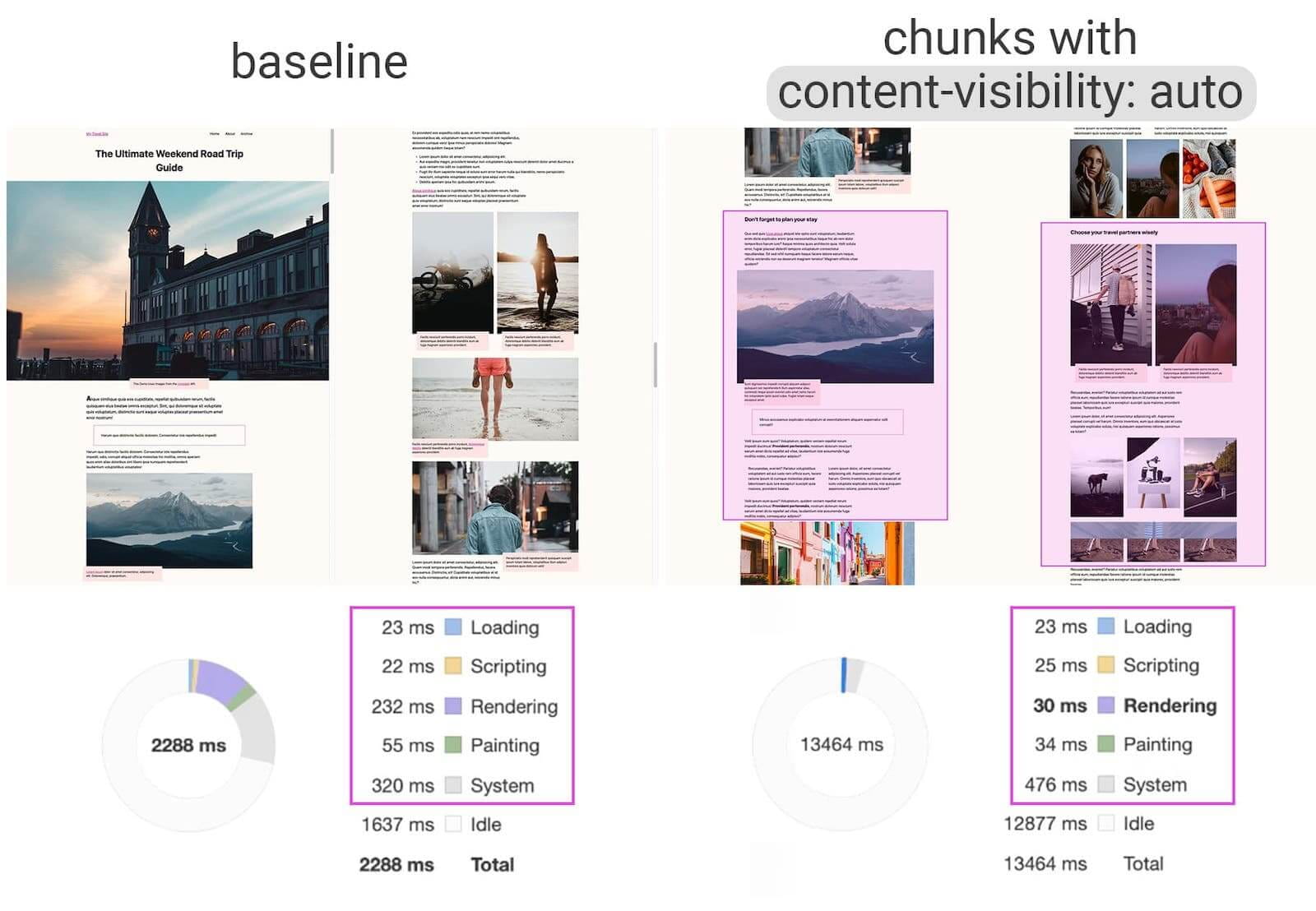
By chunking content and adding content-visibility: auto;, this page went from a rendering time of 232ms to only 30ms.
Check out the content visibility to see how you can use it to improve your rendering performance.
@property and CSS variables
CSS variables, technically called custom properties, are awesome. With the Houdini CSS Properties and Values API, you can define a type and default fallback value for your custom properties. I previously covered them in New in Chrome 78, when we added support for defining them in JavaScript.
Starting in Chrome 85, you can also define and set CSS properties directly in your CSS. What I love about CSS Properties - is that it gives the property semantic meaning, fallback values, and even enables CSS testing.
Una has a great post @property: giving superpowers to CSS variables that shows you how you can use them.
Get installed related apps
The getInstalledRelatedApps() API makes it possible for you to check if your app is installed, then, customize the user experience.
For example, show different content to the user on a landing page if your app is already installed. Centralize overlapping functionality in one app to prevent confusion. Or, if your native app is already installed, don't promote the installation of your PWA.
When it first shipped in Chrome 80, it only worked for Android apps. Now, on Android, it can also check if your PWA is installed. And on Windows, it can check if your Windows UWP app is installed.
Check out my article Is your app installed? getInstalledRelatedApps() will tell you! on web.dev to see how it works, and how to sign your apps to prove they're yours.
App Icon Shortcuts
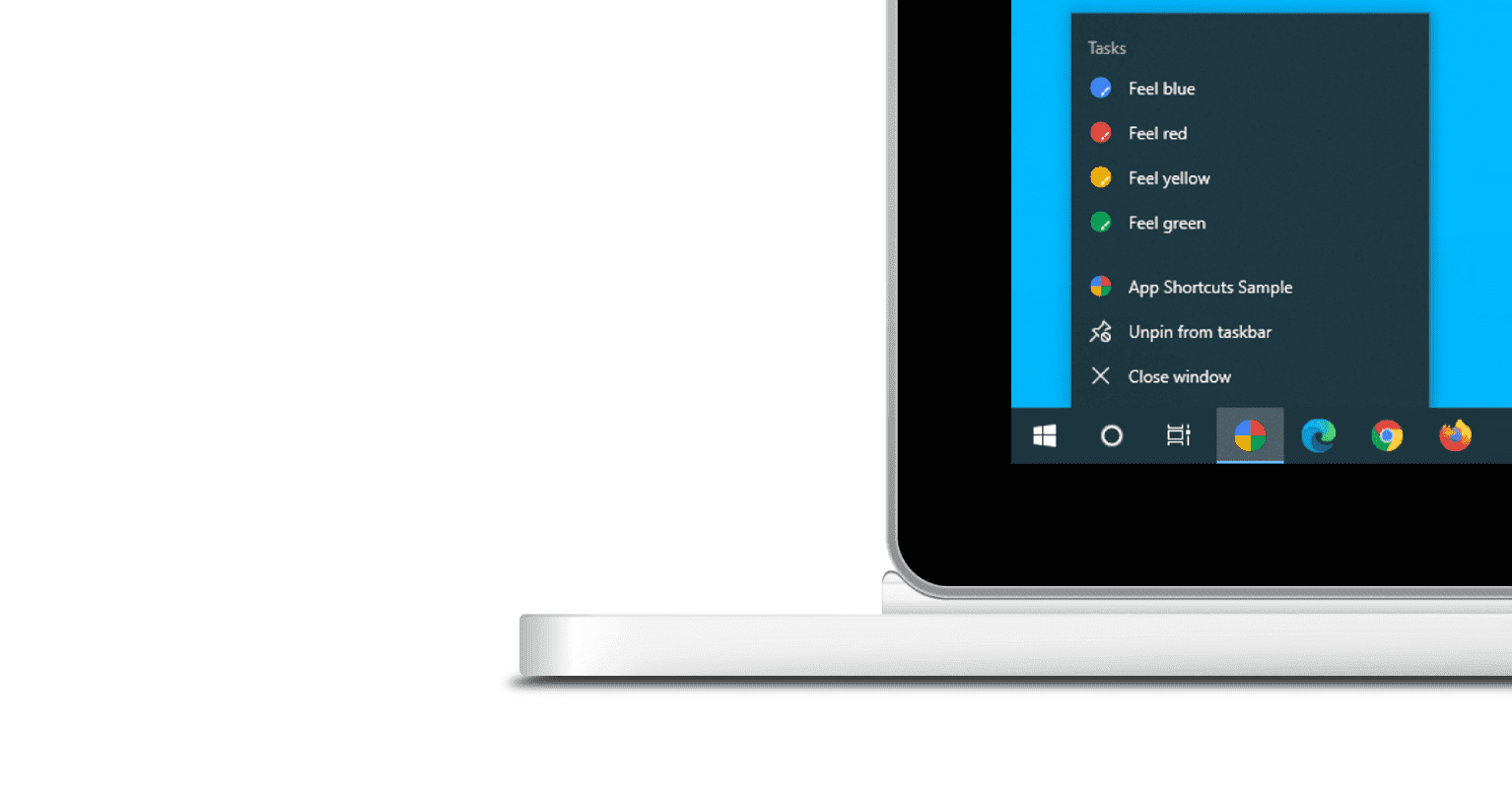
In Chrome 84, we added support for App Icon Shortcuts. I accidentally said they were available everywhere, but they were only available on Android. Now, in Chrome 85, they're available on Android and Windows, and in both Chrome and Edge.
Check out the App Icon Shortcuts article on web.dev for complete details, and I'm sorry for the confusion I caused.
Origin Trial: Streaming requests with fetch()
Starting in Chrome 85, fetch upload streaming is available as an origin trial. It lets you start a fetch before the request body is ready. Previously, you could only start a request once you had the whole body ready to go. But now, you can start sending content, even while you're still generating it.
For example, use it to warm up the server, or stream audio or video as it's captured from the microphone or camera.
Jake has an in-depth look in Streaming requests with the fetch API on web.dev, and also covered it in the latest HTTP203 - Streaming requests with fetch video.
And more
Of course, there's plenty more.
Promise.any returns a promise that is fulfilled by the first given promise to be fulfilled or rejected.
Replacing all instances in a string is easier with .replaceAll(), no more regular expressions!
Chrome 85 adds decode support for AVIF, an image format encoded with AV1 and standardized by the Alliance for Open Media. AVIF offers significant compression gains vs. JPEG and WebP, with a recent Netflix study showing 50% savings vs. standard JPEG and > 60% savings on 4:4:4 content.
And AppCache removal has begun.
Official source: Official Chrome update
Installation notes
After downloading the package, confirm that the branch and platform match your device before launching the installer or extracting the archive. If you only need a standard everyday browser, Stable is usually the safest choice. If you are testing new behavior, Beta, Dev, and Canary are better fits.
Related release pages
For newer or older builds in the same branch, open the category archive linked above. For different platforms, use the related desktop archives in the sidebar.
Frequently asked questions
These FAQ blocks help the page read like a complete release article instead of a download stub, which is better for trust and better for SEO.
Should I use this release or stay on Stable?
If you just want the safest everyday browsing experience, Stable is usually the right default. Preview branches are better for testing, compatibility checks, and early feature access.
Why show exact version numbers so prominently?
Because exact-version queries are common in English search behavior, especially for QA teams, enterprise users, and people trying to reproduce a bug or environment.
Why keep a full article around the download buttons?
A stronger page body gives users context and gives Google clearer signals about what the release page actually covers.
Where should older releases live?
Older versions belong in the category archive page, with this article template handling exact-version landing pages one release at a time.