
Download 83.0.4103.97 from the Chrome Stable for Linux
Download Google Chrome 83.0.4103.97 with the branch, platform, release date, and file size shown clearly on the same page.
What users usually want to know first
What changed in Chrome 83.0.4103.97
Google Chrome 83.0.4103.97 is available here as part of the Linux Stable archive. Use this release page when you want the exact version, the current package details, and quick access to the correct installer.
Trusted types
DOM-based cross-site scripting is one of the most common security vulnerabilities on the web. It can be easy to accidentally introduce one to your page. Trusted types can help prevent these kinds of vulnerabilities, because they require you to process the data before passing it into a potentially dangerous function.
Take innerHTML for example, with trusted types turned on, if I try to pass a string, it'll fail with a TypeError because the browser doesn't know if it can trust the string.
Instead, I need to either use a safe function, like textContent, pass in a trusted type, or create the element and use appendChild().
Before you turn on trusted types, you'll want to identify and fix any violations using a report-only CSP header.
Then once you've got everything buttoned up, you can turn it on properly. Complete details are in Prevent DOM-based cross-site scripting vulnerabilities with Trusted Types on web.dev.
Updates to form controls
We use HTML form controls every day, and they are key to so much of the web's interactivity. They're easy to use, have built-in accessibility, and are familiar to our users. The styling of form controls can be inconsistent across browsers and operating systems. And we frequently have to ship a number of CSS rules just to get a consistent look across devices.
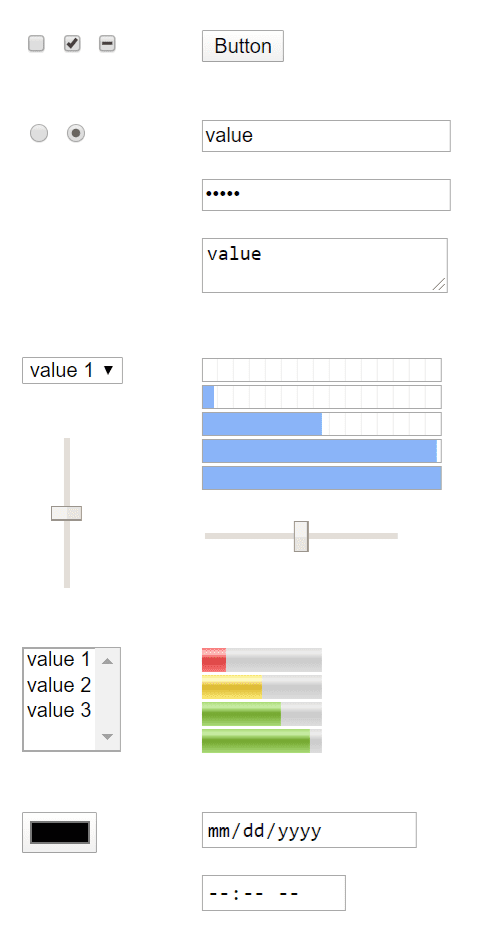
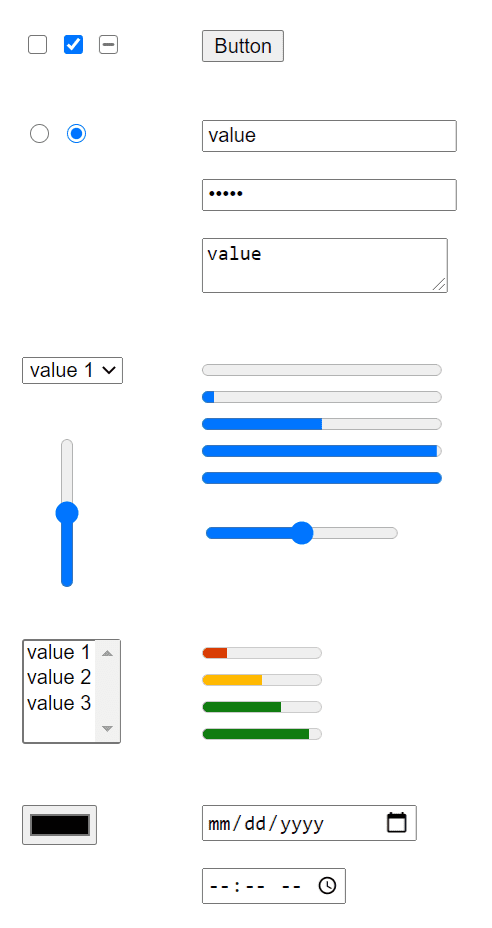
I've been really impressed by the work Microsoft has been doing to modernize the appearance of form controls. Beyond the nicer visual style, they bring better touch support, and better accessibility, including improved keyboard support!
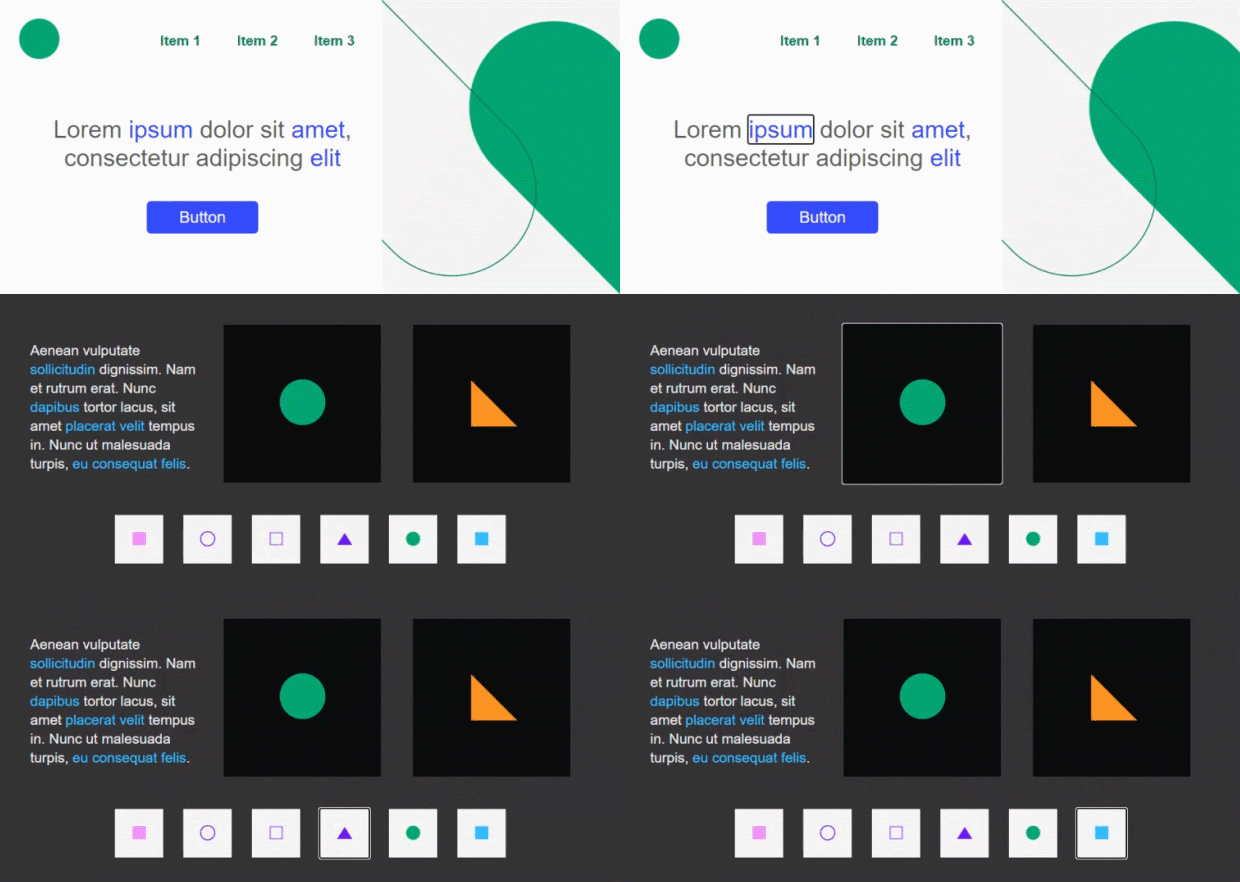
The new form controls have already landed in Microsoft Edge, and are now available in Chrome 83. For more information, see Updates to Form Controls and Focus on the Chromium blog.
Origin trials
Measure memory with measureMemory()
Starting an origin trial in Chrome 83, performance.measureMemory() is a new API that makes it possible to measure the memory usage of your page, and detect memory leaks.
Memory leaks are easy to introduce:
- Forgetting to unregister an event listener
- Capturing objects from an iframe
- Not closing a worker
- Accumulating objects in arrays
- and so on.
Memory leaks lead to pages that appear slow, and bloated to users.
Check out Monitor your web page's total memory usage with measureMemory() on web.dev for all the details of the new API.
Updates to the Native File System API
The Native File System API started a new origin trial in Chrome 83 with support for writable streams, and the ability to save file handles.
Writable streams make it much easier to write to a file, and because it's a stream, you can easily pipe responses from one stream to another.
Saving file handles to IndexedDB allows you to store state, or remember which files a user was working on. For example keep a list of recently edited files, open the last file that the user was working on, and so on.
You'll need a new origin trial token to use these features, so check out my updated article The Native File System API: Simplifying access to local files on web.dev with all the details, and how to get your new origin trial token.
Other origin trials
Check for a complete list of features in origin trial.
New cross-origin policies
Some web APIs increase the risk of side-channel attacks like Spectre. To mitigate that risk, browsers offer an opt-in-based isolated environment called cross-origin isolated. The cross-origin isolated state also prevents modifications of document.domain. Being able to alter document.domain allows communication between same-site documents and has been considered a loophole in the same-origin policy.
Check out Eiji's post Making your website "cross-origin isolated" using COOP and COEP for complete details.
Web vitals
Measuring the quality of user experience has many facets. While some aspects of user experience are site and context specific, there is a common set of signals—"Core Web Vitals"—that is critical to all web experiences. Such core user experience needs include loading experience, interactivity, and visual stability of page content, and combined are the foundation of the 2020 Core Web Vitals.
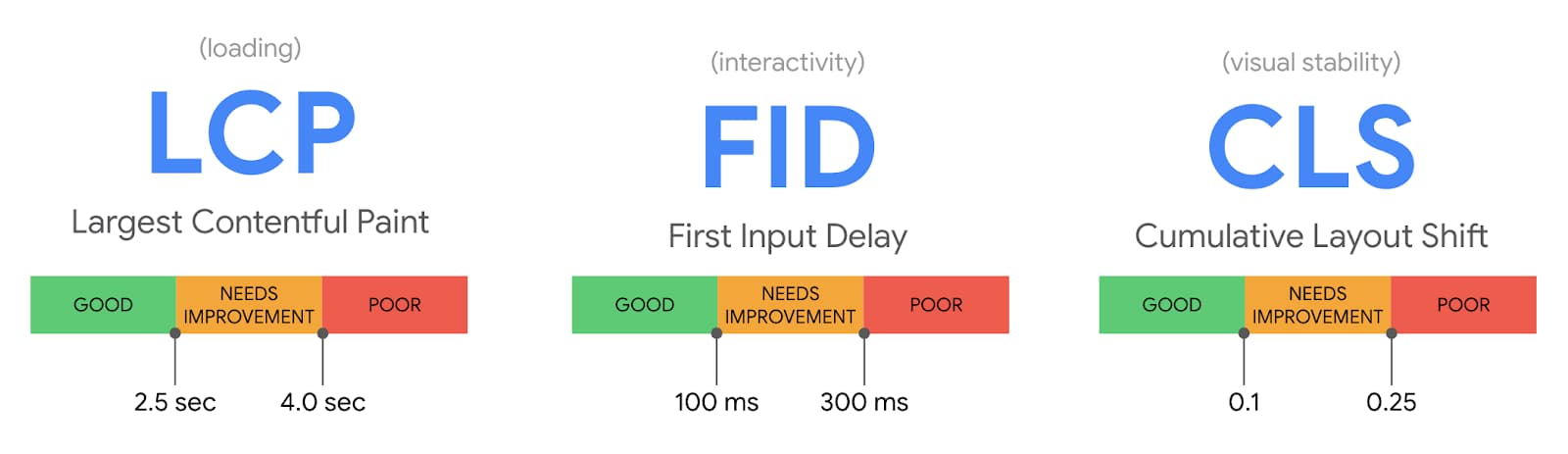
- Largest Contentful Paint measures perceived load speed and marks the point in the page load timeline when the page's main content has likely loaded.
- First Input Delay measures responsiveness and quantifies the experience users feel when trying to first interact with the page.
- Cumulative Layout Shift measures visual stability and quantifies the amount of unexpected layout shift of visible page content.
All of these metrics capture important user-centric outcomes, are field measurable, and have supporting lab diagnostic metric equivalents and tooling. For example, while Largest Contentful Paint is the topline loading metric, it is also highly dependent on First Contentful Paint (FCP) and Time to First Byte (TTFB), which remain critical to monitor and improve.
To learn more, check out Introducing Web Vitals: essential metrics for a healthy site on the Chromium Blog for complete details.
And more
- Chrome now supports the Barcode Detection API, which provides the ability to detect and decode barcodes.
- The new CSS
@supportsfunction provides feature detection for CSS selectors. - New ARIA annotations support screen reader accessibility for comments, suggestions, and text highlights with semantic meanings (similar to
<mark>). - The
prefers-color-schememedia query lets authors support their own dark theme so they have full control over experiences they build. - JavaScript now supports modules in shared workers.
Curious about what's coming in the future? Check out the Fugu API Tracker to see!
Official source: Official Chrome update
Installation notes
After downloading the package, confirm that the branch and platform match your device before launching the installer or extracting the archive. If you only need a standard everyday browser, Stable is usually the safest choice. If you are testing new behavior, Beta, Dev, and Canary are better fits.
Related release pages
For newer or older builds in the same branch, open the category archive linked above. For different platforms, use the related desktop archives in the sidebar.
Frequently asked questions
These FAQ blocks help the page read like a complete release article instead of a download stub, which is better for trust and better for SEO.
Should I use this release or stay on Stable?
If you just want the safest everyday browsing experience, Stable is usually the right default. Preview branches are better for testing, compatibility checks, and early feature access.
Why show exact version numbers so prominently?
Because exact-version queries are common in English search behavior, especially for QA teams, enterprise users, and people trying to reproduce a bug or environment.
Why keep a full article around the download buttons?
A stronger page body gives users context and gives Google clearer signals about what the release page actually covers.
Where should older releases live?
Older versions belong in the category archive page, with this article template handling exact-version landing pages one release at a time.