
Download 81.0.4044.92 from the Chrome Stable for Windows 32-bit
Download Google Chrome 81.0.4044.92 with the branch, platform, release date, and file size shown clearly on the same page.
What users usually want to know first
What changed in Chrome 81.0.4044.92
Google Chrome 81.0.4044.92 is available here as part of the Windows 32-bit Stable archive. Use this release page when you want the exact version, the current package details, and quick access to the correct installer.
Updated Chrome release schedule
We recently announced an adjusted release schedule for Chrome. We did this because it is important to ensure Chrome continues to be stable, secure, and work reliably for anyone who depends on it.
%}
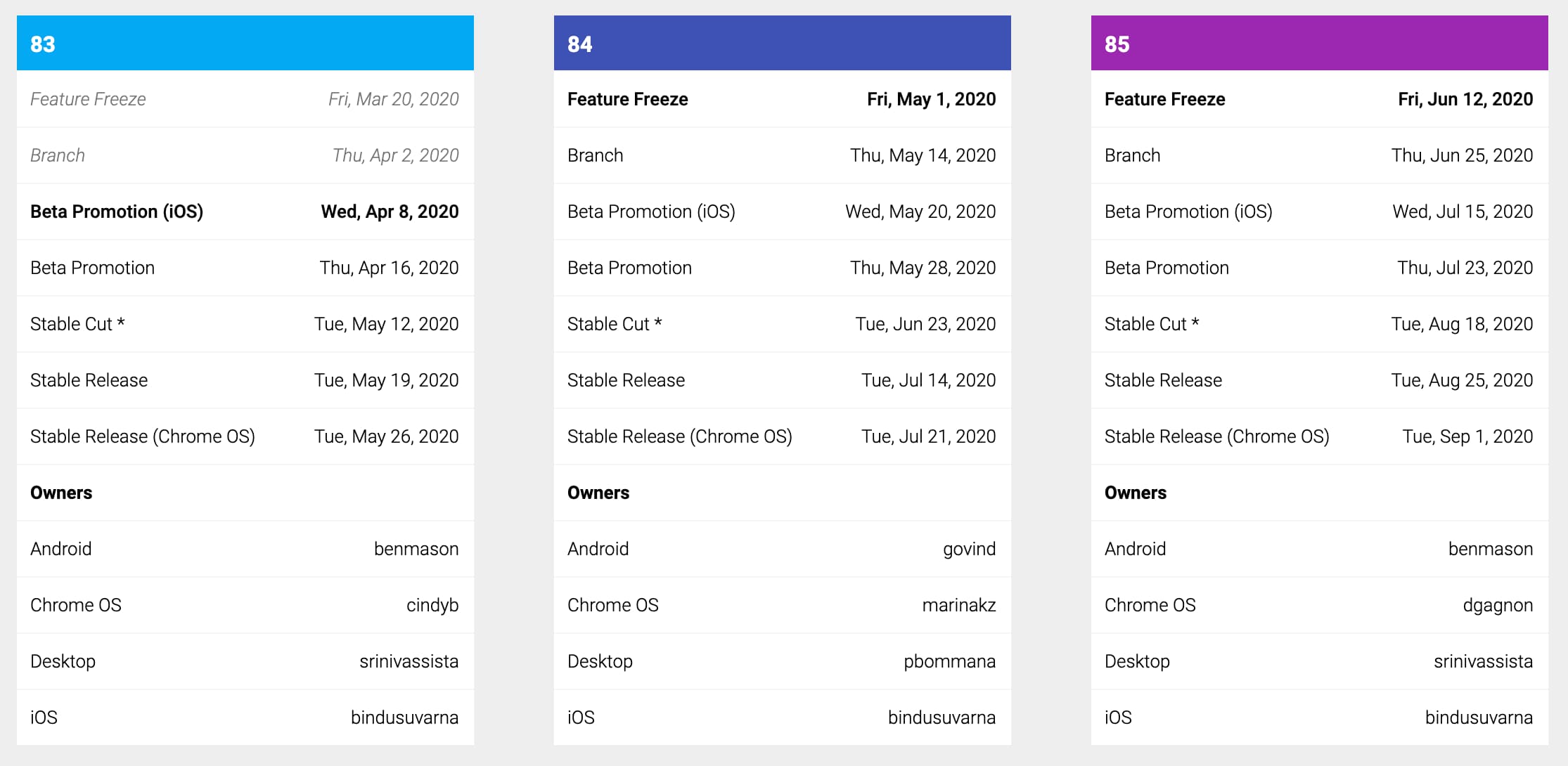
In short, Chrome 81 is rolling out now. We're going to skip Chrome 82, and move directly to Chrome 83, which will be released 3 weeks earlier than planned, in approximately mid-May.
We'll keep everyone informed of any changes to our schedule on our release blog, and will share additional details on the schedule in the Chromium Developers group. You can also check our schedule page for specific dates for each milestone at any time.
WebXR hit testing
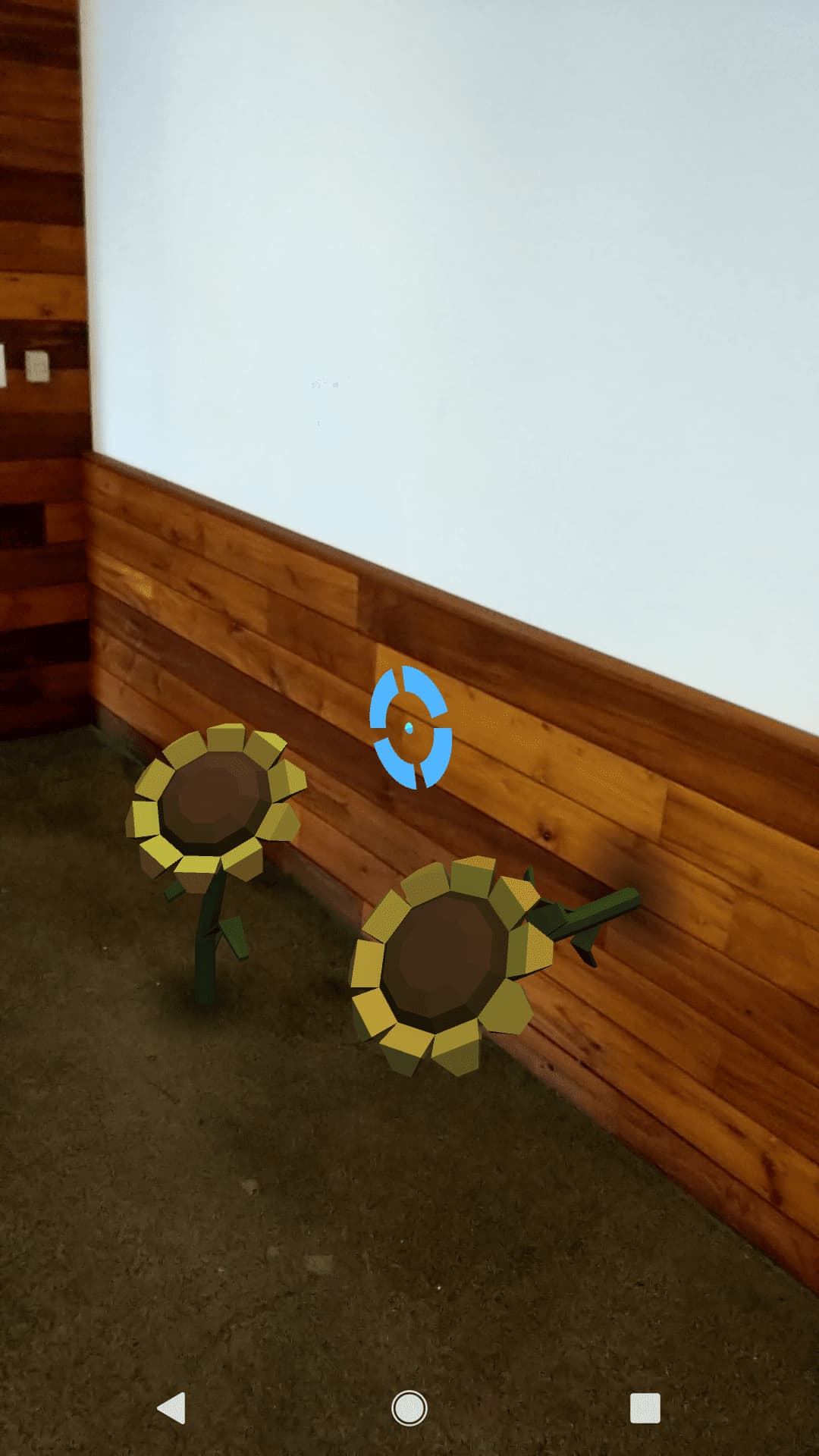
There are a handful of native apps that let you see what a new couch or chair might look like in your home. With an update to the Web XR Device API, it's now possible to do that on the web too.
With the Web XR Hit Test API, you can place virtual objects into your camera's view of the real world.
Check out the Immersive Web Working Group's Hit Testing sample (code) where you can place virtual sunflowers on surfaces in the real world, or Positioning virtual objects in real-world views for more details.
App icon badging
App icon badging is graduating from Origin Trial to stable, which means you can now use it on any site, without a token.
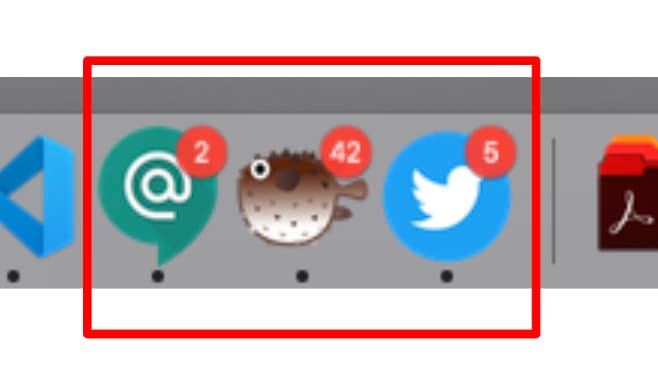
Badging of app icons makes it easy to subtly notify the user that there is some new activity that might require their attention, or to indicate a small amount of information, such as an unread count.
It's more user-friendly than notification. And because it doesn't interrupt the user, it can be updated with a much higher frequency. It's perfect for chat or email apps to indicate the number of unread messages. Social media apps could use it to indicate the number of times you've been tagged in other peoples posts. Or for games, to indicate to a user that it's their turn.
Check out my Badging API article on web.dev for full details.
New origin trials
Web NFC
Web NFC is starting its origin trial in Chrome 81. Web NFC allows a web app to read and write to NFC tags. This opens new use cases, including providing more details about museum exhibits, inventory management, reading information from a conference badge, and more.
It's super easy to use. To read a tag, create a new instance of an NDEFReader object, and start the scan.
Then, when an NFC tag is scanned, the reader will fire a reading event that you can use to loop through the incoming messages.
Francois has a great post that covers all the details and it includes a number of common patterns that you might want to use.
Other origin trials
Check for a complete list of features in origin trial.
And more
- The media session API now supports tracking position state so you can see where you are in a track and easily skip back or forwards.
- The INTL API now provides a
DisplayNamesmethod that gets the localized names of languages, currency, and other commonly used names, no more having to include that yourself. - We had planned to remove support for TLS 1.0 and TLS 1.1, but have postponed that until at least Chrome 83.
A personal note from Pete
Over the last week, two songs have brought me joy, and I wanted to share them with you, in hopes they bring you some joy.
- You Will Be Found performed by Ben Platt & the Cast of Dear Even Hansen.
- I Just Wanna Dance from Jerry Springer: The Musical. (Contains use of the 'F' word.)
A huge thanks to my production team, Sean Meehan, Lee Carruthers, Loren Borja, Taylor Reifurth, and the whole Google Developers Studio team. They got me the equipment, helped me get it all setup in my tiny NYC apartment, and then busted their butts to get this video out in the tight turn-around time we had. Working with them is a pleasure. Thank you, you all rock!
Official source: Official Chrome update
Installation notes
After downloading the package, confirm that the branch and platform match your device before launching the installer or extracting the archive. If you only need a standard everyday browser, Stable is usually the safest choice. If you are testing new behavior, Beta, Dev, and Canary are better fits.
Related release pages
For newer or older builds in the same branch, open the category archive linked above. For different platforms, use the related desktop archives in the sidebar.
Frequently asked questions
These FAQ blocks help the page read like a complete release article instead of a download stub, which is better for trust and better for SEO.
Should I use this release or stay on Stable?
If you just want the safest everyday browsing experience, Stable is usually the right default. Preview branches are better for testing, compatibility checks, and early feature access.
Why show exact version numbers so prominently?
Because exact-version queries are common in English search behavior, especially for QA teams, enterprise users, and people trying to reproduce a bug or environment.
Why keep a full article around the download buttons?
A stronger page body gives users context and gives Google clearer signals about what the release page actually covers.
Where should older releases live?
Older versions belong in the category archive page, with this article template handling exact-version landing pages one release at a time.