
Download 68.0.3440.75 from the Chrome Stable for Windows 32-bit
Download Google Chrome 68.0.3440.75 with the branch, platform, release date, and file size shown clearly on the same page.
What users usually want to know first
What changed in Chrome 68.0.3440.75
Google Chrome 68.0.3440.75 is available here as part of the Windows 32-bit Stable archive. Use this release page when you want the exact version, the current package details, and quick access to the correct installer.
Add to Home Screen changes
If your site meets the add to home screen criteria, Chrome will no longer show the add to home screen banner. Instead, you're in control over when and how to prompt the user.
To prompt the user, listen for the beforeinstallprompt event, then, save the event and add a button or other UI element to your app to indicate it can be installed.
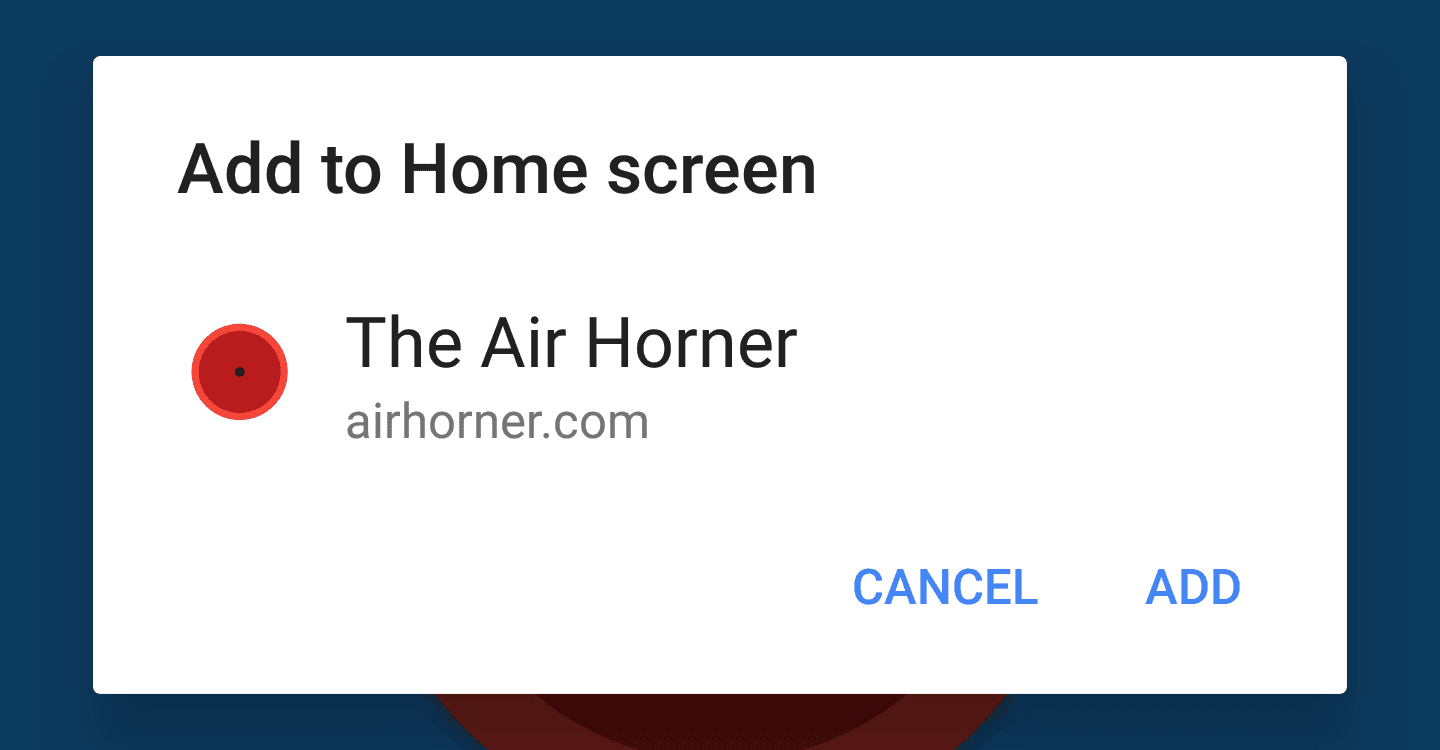
When the user clicks the install button, call prompt() on the saved beforeinstallprompt event, Chrome then shows the add to home screen dialog.
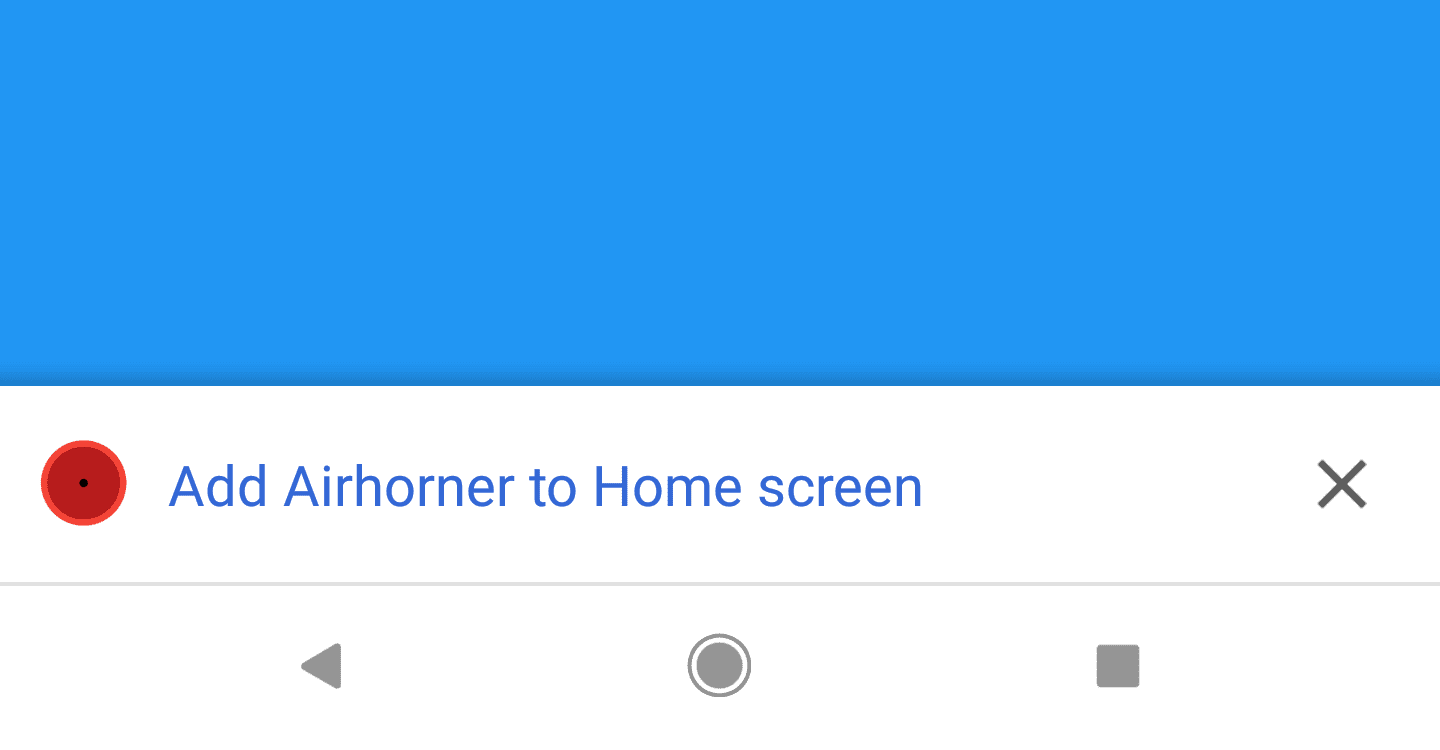
To give you time to update your site Chrome will show a mini-infobar the first time a user visits a site that meets the add to home screen criteria. Once dismissed, the mini-infobar will not be shown again for a while.
Changes to Add to Home Screen Behavior has the full details, including code samples you can use and more.
Page Lifecycle API
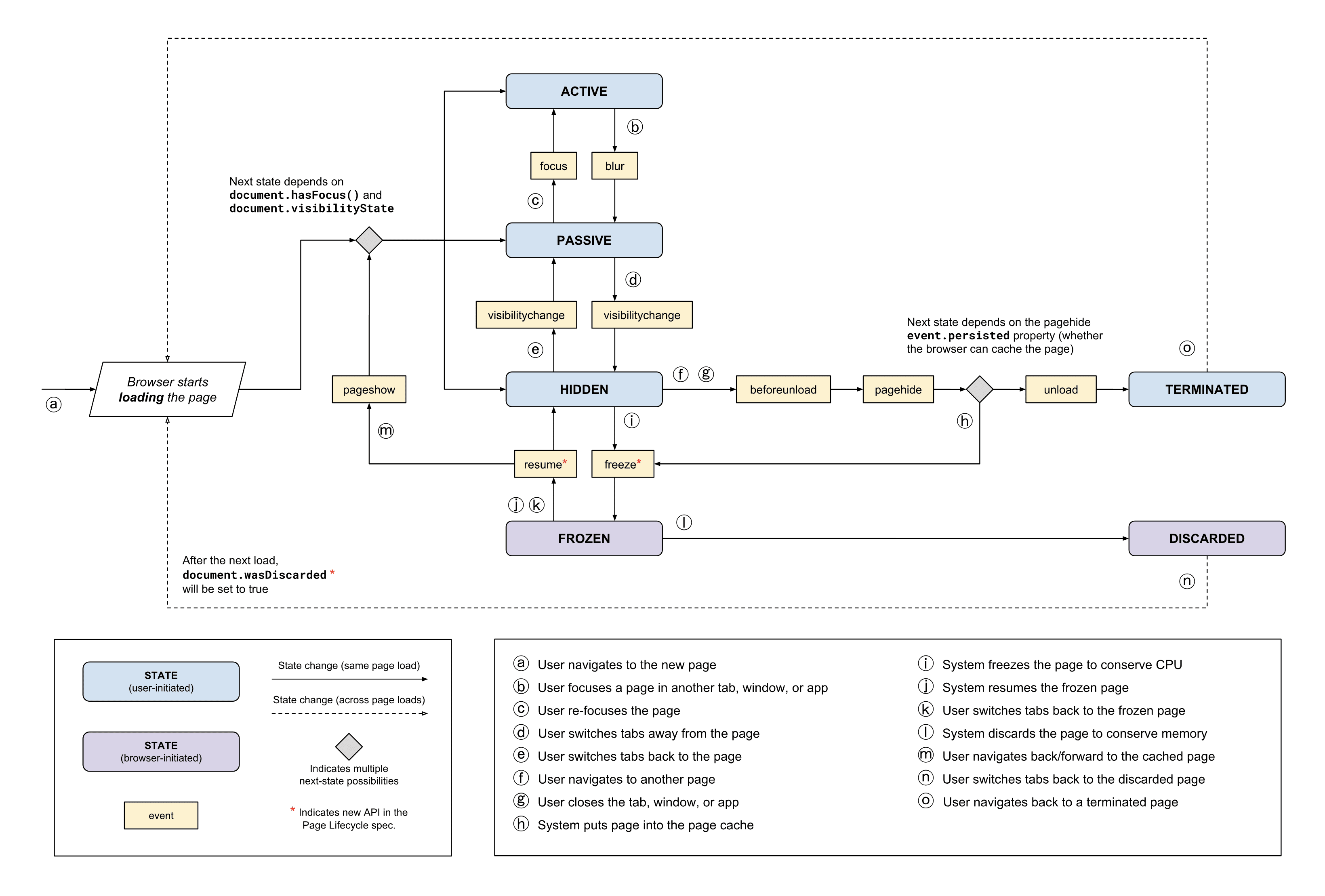
When a user has a large number of tabs running, critical resources such as memory, CPU, battery and the network can be oversubscribed, leading to a bad user experience.
If your site is running in the background, the system may suspend it to conserve resources. With the new Page Lifecycle API, you can now listen for, and respond to these events.
For example, if a user's had a tab in the background for a while, the browser may choose to suspend script execution on that page to conserve resources. Before doing so, it will fire the freeze event, allowing you to close open IndexedDB or network connections or save any unsaved view state. Then, when the user refocuses the tab, the resume event is fired, where you can reinitialize anything that was torn down.
Check out Phil's Page Lifecycle API post for lots more detail, including code samples, tips and more. You can find the spec and an explainer doc on GitHub.
Payment Handler API
The Payment Request API is an open, standards-based way to accept payments. The Payment Handler API extends the reach of Payment Request by enabling web-based payment apps to facilitate payments directly within the Payment Request experience.
As a seller, adding an existing web-based payment app is as easy as adding an entry to the supportedMethods property.
If a service worker that can handle the specified payment method is installed, it will show up in the Payment Request UI and the user can pay with it.
Eiji has a great post that shows how to implement this for merchant sites, and for payment handlers.
And more!
These are just a few of the changes in Chrome 68 for developers, of course, there's plenty more.
- Content embedded in an
iframerequires a user gesture to navigate the top-level browsing context to a different origin. - Since Chrome 1, the CSS
cursorvalues forgrabandgrabbinghave been prefixed, we now support the standard, un-prefixed values. Finally. - And - this is a big one! The HTTP cache is now ignored when requesting updates to a service worker, bringing Chrome inline with the spec and other browsers.
New in DevTools
Be sure to check out New in Chrome DevTools, to learn what's new in for DevTools in Chrome 68.
Then, click the subscribe button on our YouTube channel, and you'll get an email notification whenever we launch a new video.
I'm Pete LePage, and as soon as Chrome 69 is released, I'll be right here to tell you -- what's new in Chrome!
Official source: Official Chrome update
Installation notes
After downloading the package, confirm that the branch and platform match your device before launching the installer or extracting the archive. If you only need a standard everyday browser, Stable is usually the safest choice. If you are testing new behavior, Beta, Dev, and Canary are better fits.
Related release pages
For newer or older builds in the same branch, open the category archive linked above. For different platforms, use the related desktop archives in the sidebar.
Frequently asked questions
These FAQ blocks help the page read like a complete release article instead of a download stub, which is better for trust and better for SEO.
Should I use this release or stay on Stable?
If you just want the safest everyday browsing experience, Stable is usually the right default. Preview branches are better for testing, compatibility checks, and early feature access.
Why show exact version numbers so prominently?
Because exact-version queries are common in English search behavior, especially for QA teams, enterprise users, and people trying to reproduce a bug or environment.
Why keep a full article around the download buttons?
A stronger page body gives users context and gives Google clearer signals about what the release page actually covers.
Where should older releases live?
Older versions belong in the category archive page, with this article template handling exact-version landing pages one release at a time.