
Download 118.0.5993.70 from the Chrome Stable for Windows 32-bit
Download Google Chrome 118.0.5993.70 with the branch, platform, release date, and file size shown clearly on the same page.
What users usually want to know first
What changed in Chrome 118.0.5993.70
Google Chrome 118.0.5993.70 is available here as part of the Windows 32-bit Stable archive. Use this release page when you want the exact version, the current package details, and quick access to the correct installer.
CSS @scope rule.
The @scope at-rule allows developers to scope style rules to a given scoping root, and style elements according to the proximity of that scoping root.
With @scope you can override styles based on proximity, which is different from the usual CSS styles that are applied relying only on source order and specificity. In the following example, there are two themes.
without scope, the style applied is the last one declared.
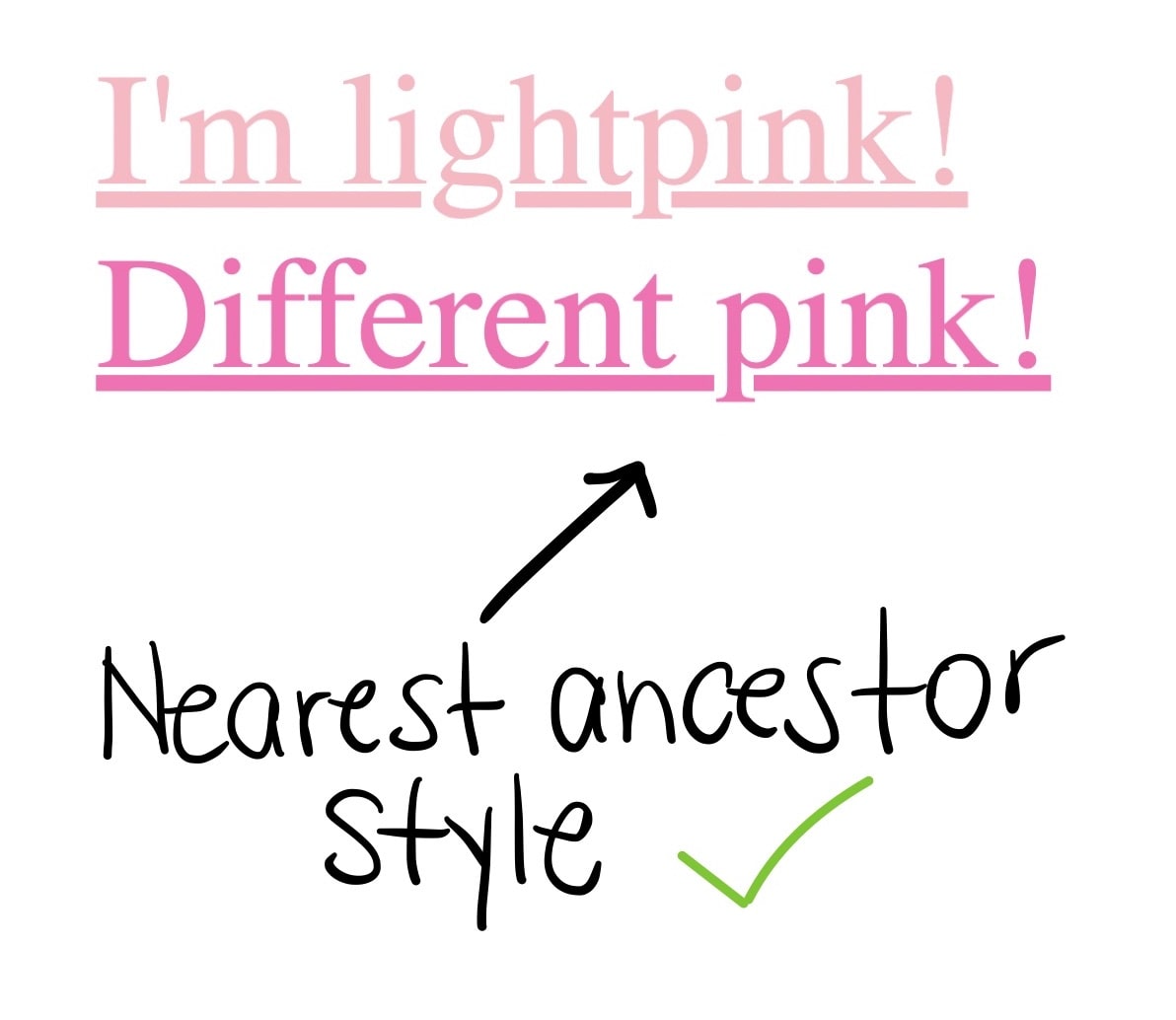
With scope you can have nested elements and the style that applies is the one for the nearest ancestor.
Scope also saves you from writing long, convoluted class names, and makes it easy to manage larger projects and avoid naming conflicts.
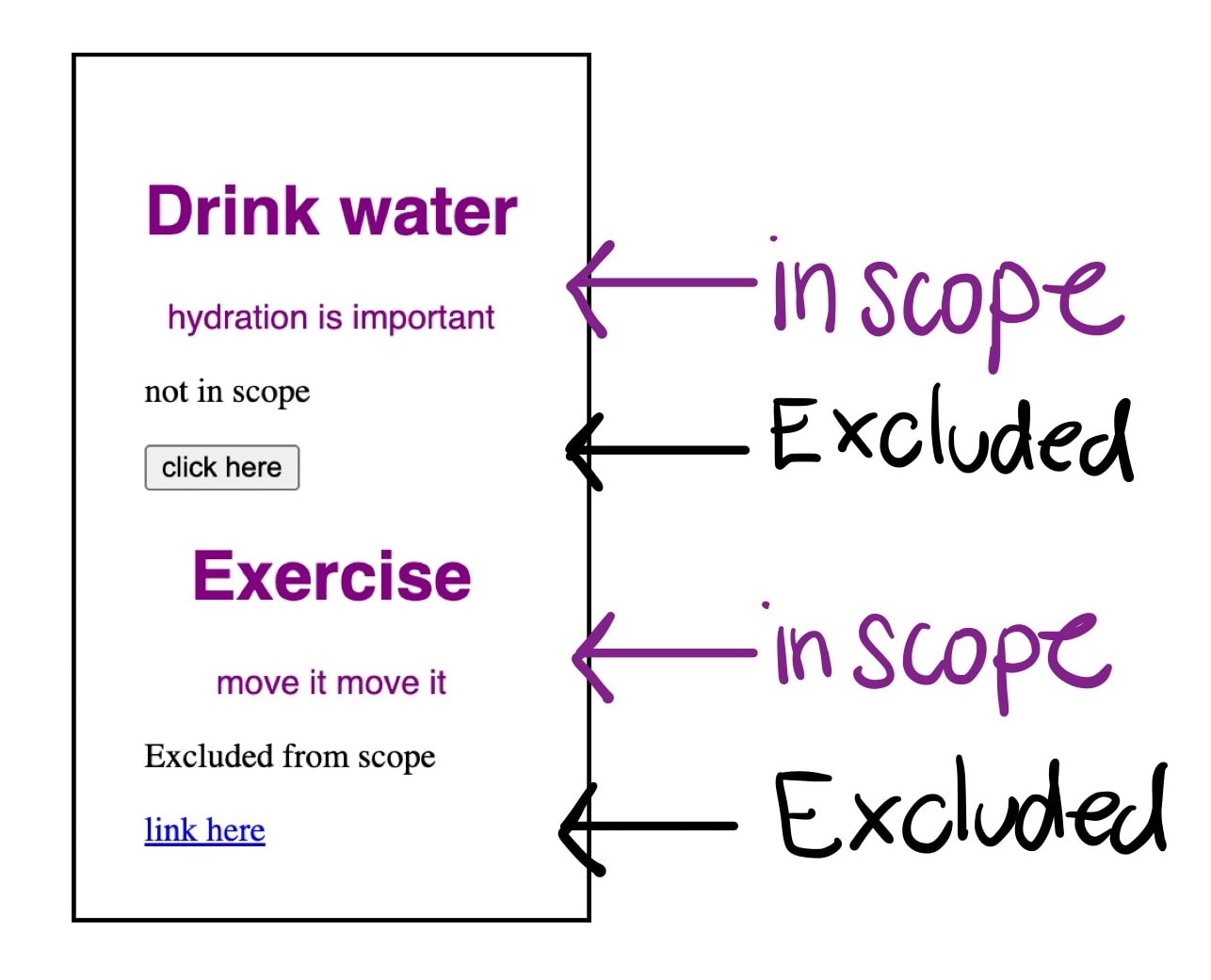
With scope you can also style a component without styling certain things that are nested within. In a way you can have “holes” where the scoped style doesn't apply.
Like in the following example, we could apply style to the text and exclude controls or vice versa.
Checkout the article Limit the reach of your selectors with the CSS @scope at-rule for more information.
prefers-reduced-transparency media feature
We use media queries to provide user experiences that adapt to the user's preferences and device conditions. This Chrome version adds a new value that can be used to adapt user experience: prefers-reduced-transparency.
A new value you can test with media queries is prefers-reduced-transparency which lets developers adapt web content to user-selected preference for reduced transparency in the OS, such as the Reduce transparency setting on macOS. Valid options are reduce or no-preference.
And, you can check how it looks with DevTools:
For more information checkout the prefers-reduced-transparency documentation.
Correction: A previous version of this article referred to a new scripting media feature being in this release. It will actually be in version 120.
Sources panel improvements in DevTools
DevTools has the following improvements in the Sources panel: the workspace feature improved consistency, most notably, by renaming the Sources > Filesystem pane to Workspace along with other UI text, the Sources > Workspace also lets you sync changes you make in DevTools directly to your source files.
Also, you can now reorder panes on the left side of the Sources panel by dragging and dropping, and the Sources panel can now pretty-print inline JavaScript within the following script types: module, importmap, speculationrules and highlight the syntax of importmap and speculationrules script types, both of which hold JSON.
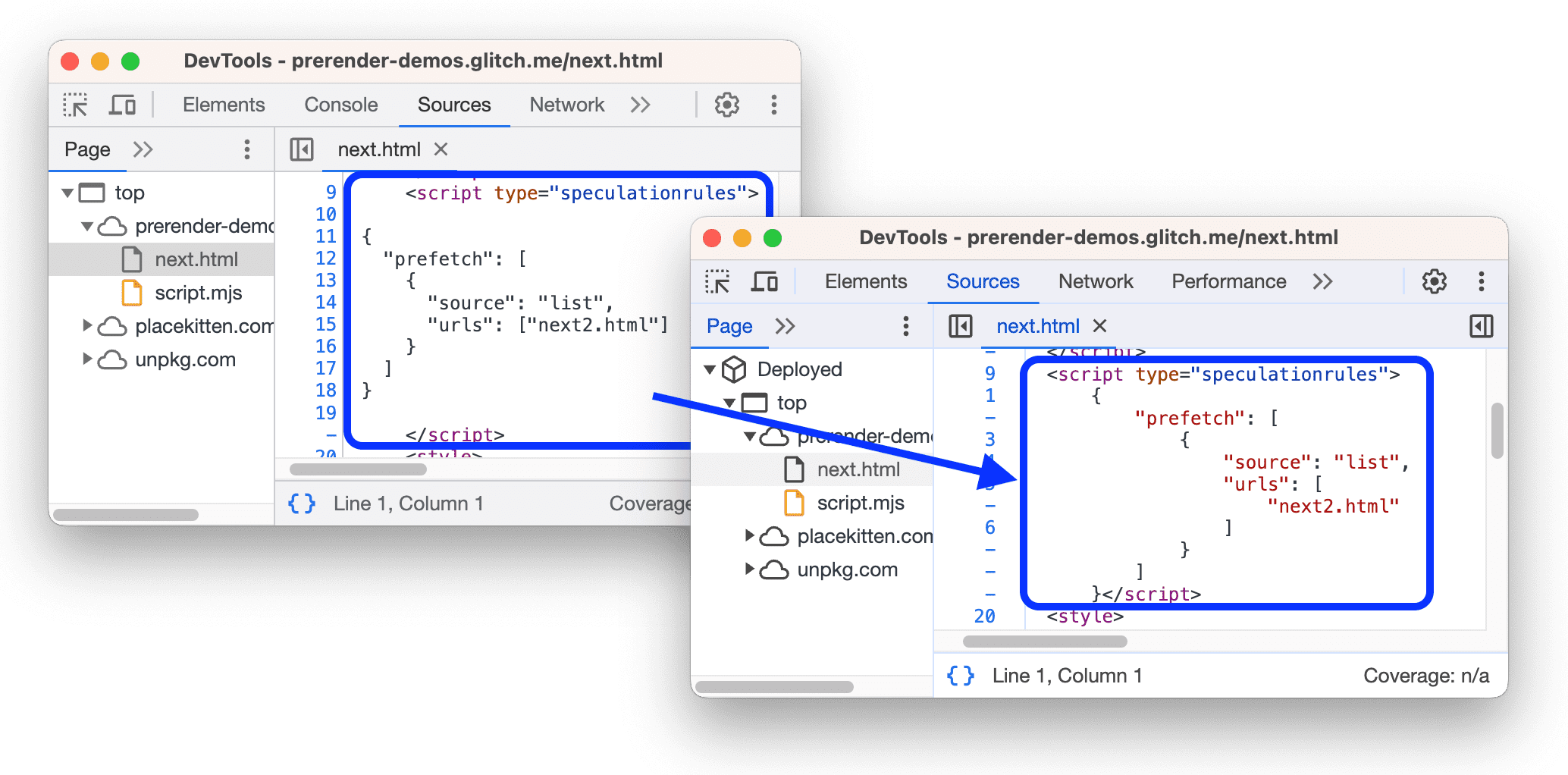
Checkout What's New in DevTools for more on Chrome 118 DevTools updates.
And more!
Of course there's plenty more.
- WebUSB API is now exposed to Service Workers registered by browser extensions allowing developers to use the API when responding to extension events.
- To help developers reduce friction in Payment Request flows, we are removing the user activation requirement in
Payment RequestandSecure Payment Confirmation. - Chrome's release cycle is becoming shorter, stable versions will be released every three weeks, starting with Chrome 119 that will be here in three weeks.
Official source: Official Chrome update
Installation notes
After downloading the package, confirm that the branch and platform match your device before launching the installer or extracting the archive. If you only need a standard everyday browser, Stable is usually the safest choice. If you are testing new behavior, Beta, Dev, and Canary are better fits.
Related release pages
For newer or older builds in the same branch, open the category archive linked above. For different platforms, use the related desktop archives in the sidebar.
Frequently asked questions
These FAQ blocks help the page read like a complete release article instead of a download stub, which is better for trust and better for SEO.
Should I use this release or stay on Stable?
If you just want the safest everyday browsing experience, Stable is usually the right default. Preview branches are better for testing, compatibility checks, and early feature access.
Why show exact version numbers so prominently?
Because exact-version queries are common in English search behavior, especially for QA teams, enterprise users, and people trying to reproduce a bug or environment.
Why keep a full article around the download buttons?
A stronger page body gives users context and gives Google clearer signals about what the release page actually covers.
Where should older releases live?
Older versions belong in the category archive page, with this article template handling exact-version landing pages one release at a time.