
Download 116.0.5845.96 from the Chrome Stable for Windows 32-bit
Download Google Chrome 116.0.5845.96 with the branch, platform, release date, and file size shown clearly on the same page.
What users usually want to know first
What changed in Chrome 116.0.5845.96
Google Chrome 116.0.5845.96 is available here as part of the Windows 32-bit Stable archive. Use this release page when you want the exact version, the current package details, and quick access to the correct installer.
Document Picture-in-Picture API.
The Document Picture-in-Picture API makes it possible to open an always-on-top window that can be populated with arbitrary HTML content.
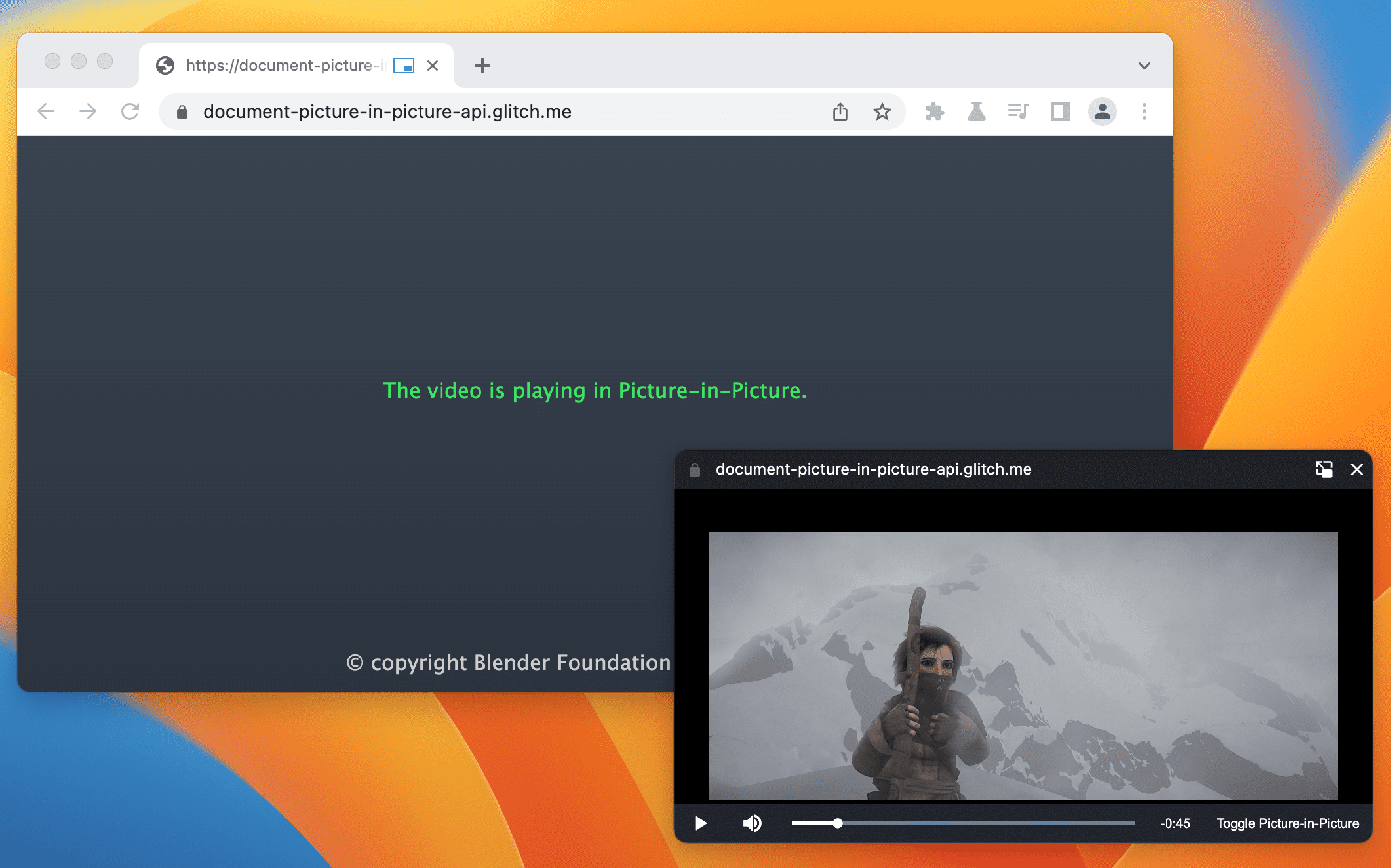
The Picture-in-Picture window in the Document Picture-in-Picture API is similar to a blank same-origin window opened using window.open(), with some differences:
- The Picture-in-Picture window floats on top of other windows.
- The Picture-in-Picture window never outlives the opening window.
- The Picture-in-Picture window cannot be navigated.
- The Picture-in-Picture window position cannot be set by the website.
The following HTML sets up a custom video player and a button element to open the video player in a Picture-in-Picture window.
The following JavaScript calls documentPictureInPicture.requestWindow() when the user clicks the button to open a blank Picture-in-Picture window. The returned promise resolves with a Picture-in-Picture window JavaScript object. The video player is moved to that window using append().
Check out Picture-in-picture for any element for more details and examples.
DevTools missing stylesheets debugging improvements.
DevTools got a number of improvements to identify and debug issues with missing stylesheets.
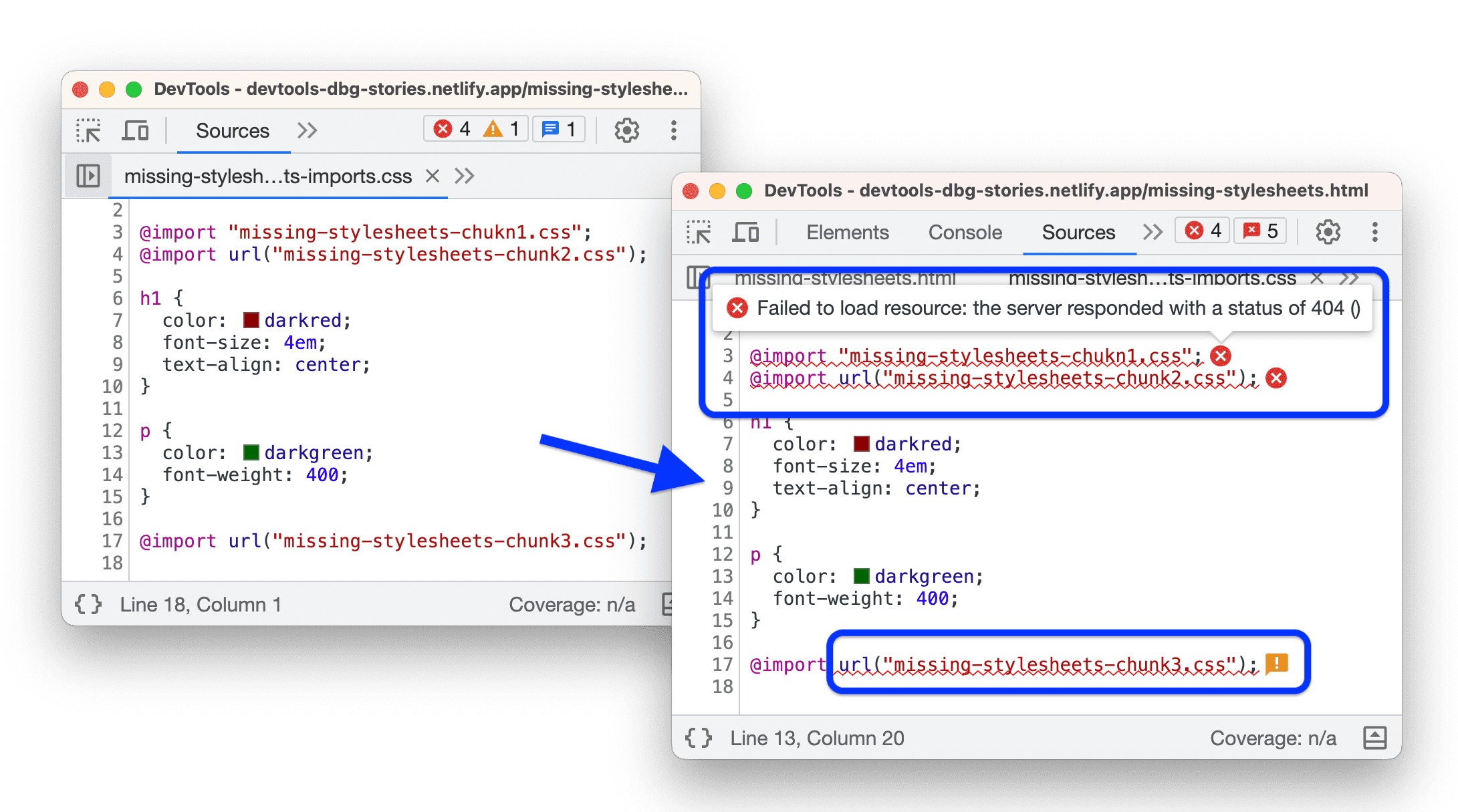
First: the Sources > Page tree now shows only the successfully deployed and loaded stylesheets to minimize confusion.
Also the Sources > Editor now underlines and shows inline error tooltips next to failed, @import,url(), and href statements.
- The Console, in addition to links to failed requests, now provides links to the exact line that references a stylesheet that failed to load.
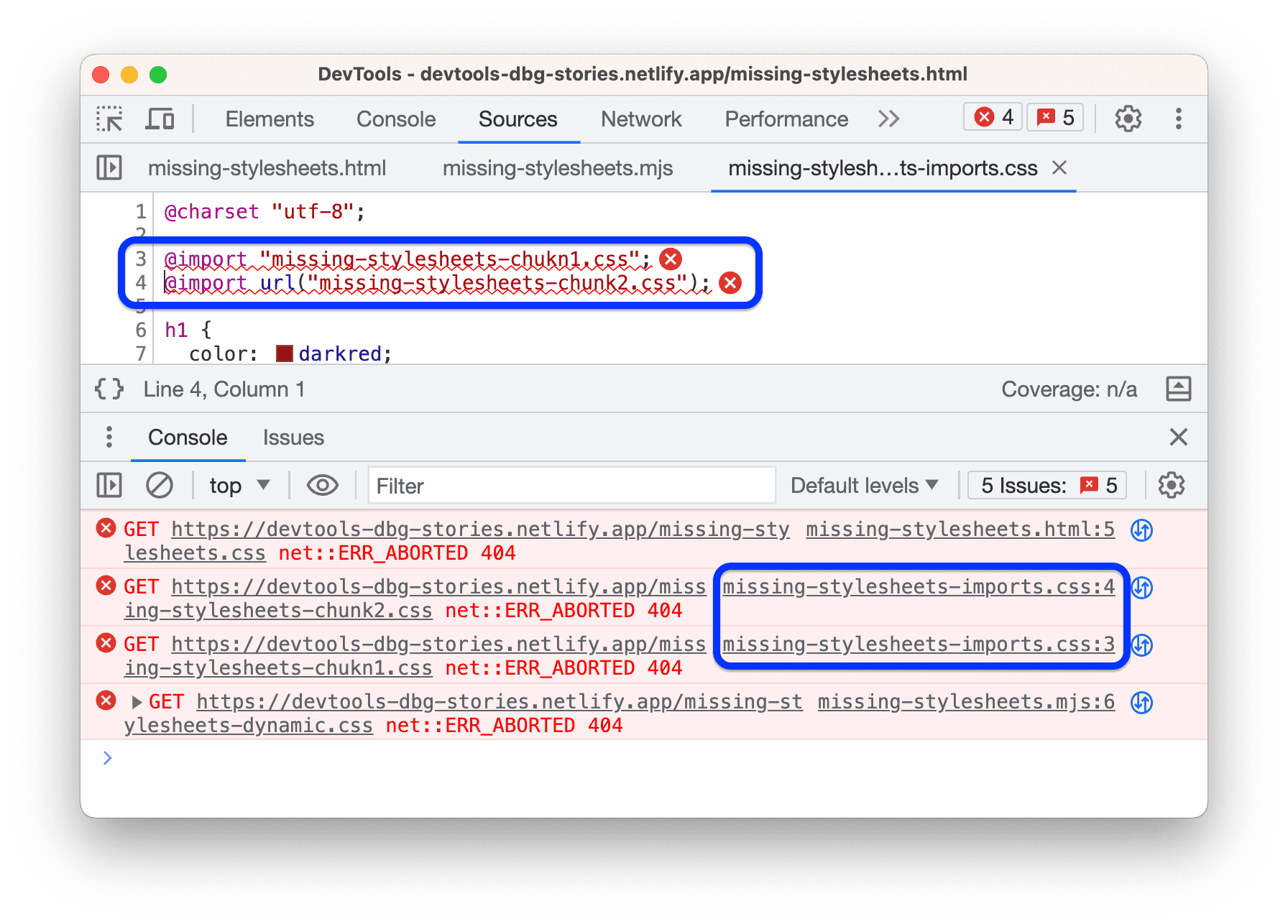
The Network panel consistently populates the Initiator column with links to the exact line that references a stylesheet that failed to load.
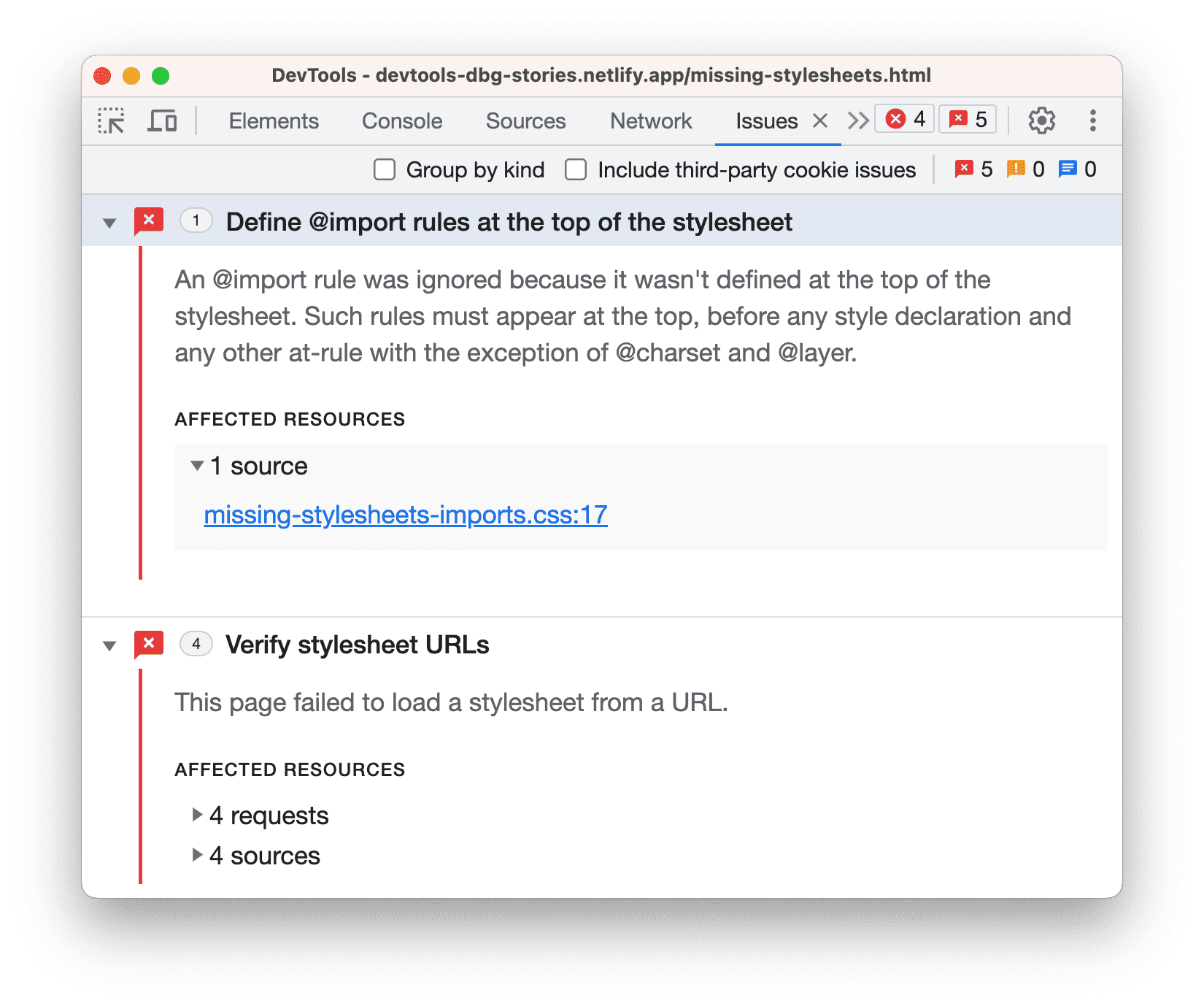
The Issues panel lists all stylesheets loading issues, including broken URLs, failed requests, and misplaced @import statements.
Check out what’s new in DevTools for all the details and more information on DevTools in Chrome 116.
And more!
Of course there’s plenty more.
- Motion path allows authors to position any graphical object and animate it along a path specified by the developer.
- The
displayandcontent-visibilityproperties are now supported in keyframe animations, which allows exit animations to be added purely in CSS. - The fetch API can now be used with Bring Your Own Buffer readers, reducing garbage collection overhead and copies, and improving responsiveness for users.
Official source: Official Chrome update
Installation notes
After downloading the package, confirm that the branch and platform match your device before launching the installer or extracting the archive. If you only need a standard everyday browser, Stable is usually the safest choice. If you are testing new behavior, Beta, Dev, and Canary are better fits.
Related release pages
For newer or older builds in the same branch, open the category archive linked above. For different platforms, use the related desktop archives in the sidebar.
Frequently asked questions
These FAQ blocks help the page read like a complete release article instead of a download stub, which is better for trust and better for SEO.
Should I use this release or stay on Stable?
If you just want the safest everyday browsing experience, Stable is usually the right default. Preview branches are better for testing, compatibility checks, and early feature access.
Why show exact version numbers so prominently?
Because exact-version queries are common in English search behavior, especially for QA teams, enterprise users, and people trying to reproduce a bug or environment.
Why keep a full article around the download buttons?
A stronger page body gives users context and gives Google clearer signals about what the release page actually covers.
Where should older releases live?
Older versions belong in the category archive page, with this article template handling exact-version landing pages one release at a time.