
Download 113.0.5672.63 from the Chrome Stable for Windows 32-bit
Download Google Chrome 113.0.5672.63 with the branch, platform, release date, and file size shown clearly on the same page.
What users usually want to know first
What changed in Chrome 113.0.5672.63
Google Chrome 113.0.5672.63 is available here as part of the Windows 32-bit Stable archive. Use this release page when you want the exact version, the current package details, and quick access to the correct installer.
WebGPU is here.
WebGPU is a new API for the web, which exposes modern hardware capabilities and allows rendering and computation operations on a GPU, similar to Direct3D 12, Metal, and Vulkan.
Unlike the WebGL family of APIs, WebGPU offers access to more advanced GPU features and provides first-class support for general computations on the GPU.
The API is designed with the web platform in mind. It features: An idiomatic JavaScript API. Integration with promises. Support for importing videos. A polished developer experience with great error messages.
Many widely used WebGL libraries are already working on implementing WebGPU support or have already done so. This means that using WebGPU may only require making a single line change, for example:
- Babylon.js: Has full WebGPU support already.
- PlayCanvas: Has announced initial WebGPU support.
- TensorFlow.js: Supports WebGPU-optimized versions of most operators.
- Three.js: WebGPU support is under development.
Check out WebGPU's documentation on MDN for all the details.
Devtools response headers override.
In DevTools you can now override response headers in the Network panel.
Previously, you needed access to the web server to experiment with HTTP response headers.
With response header overrides, you can locally prototype fixes for various headers, including but not limited to:
- Cross-Origin Resource Sharing (CORS) Headers
- Permissions-Policy Headers
- Cross-Origin Isolation Headers
To override a header, navigate to Network > Headers > Response Headers, hover over a header's value, click Edit and edit it.
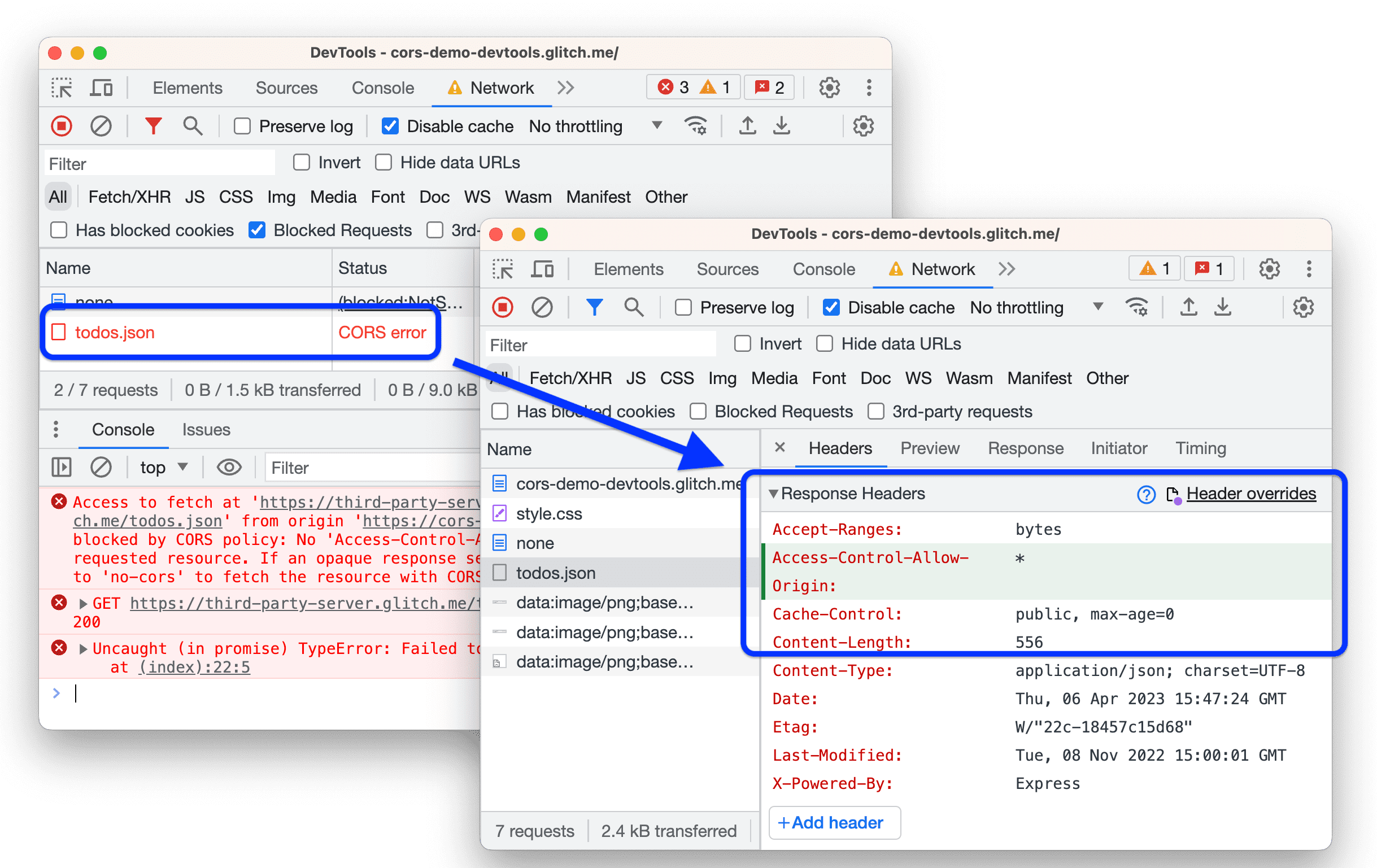
You can also add a new header:
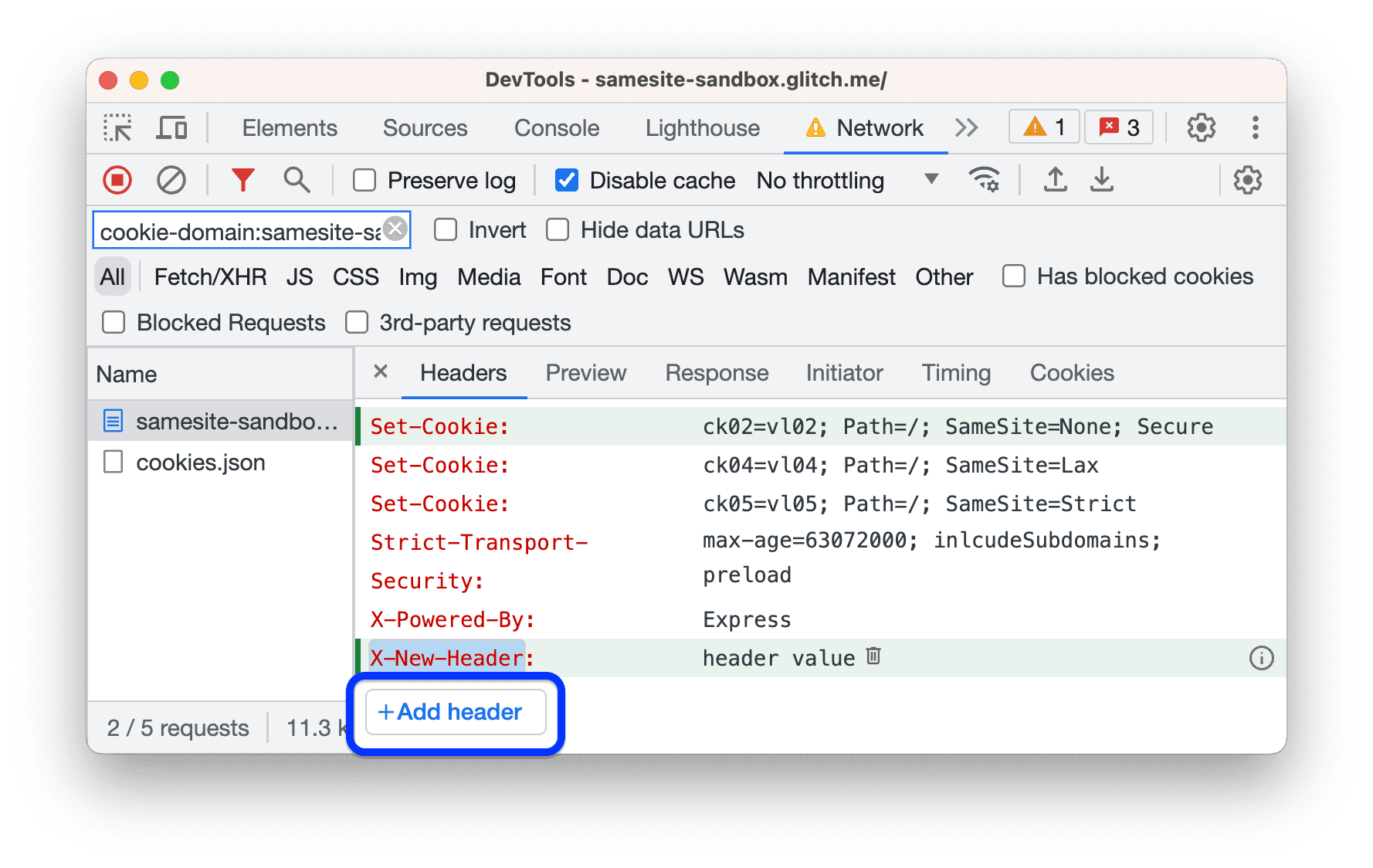
And edit all overrides in a single place.
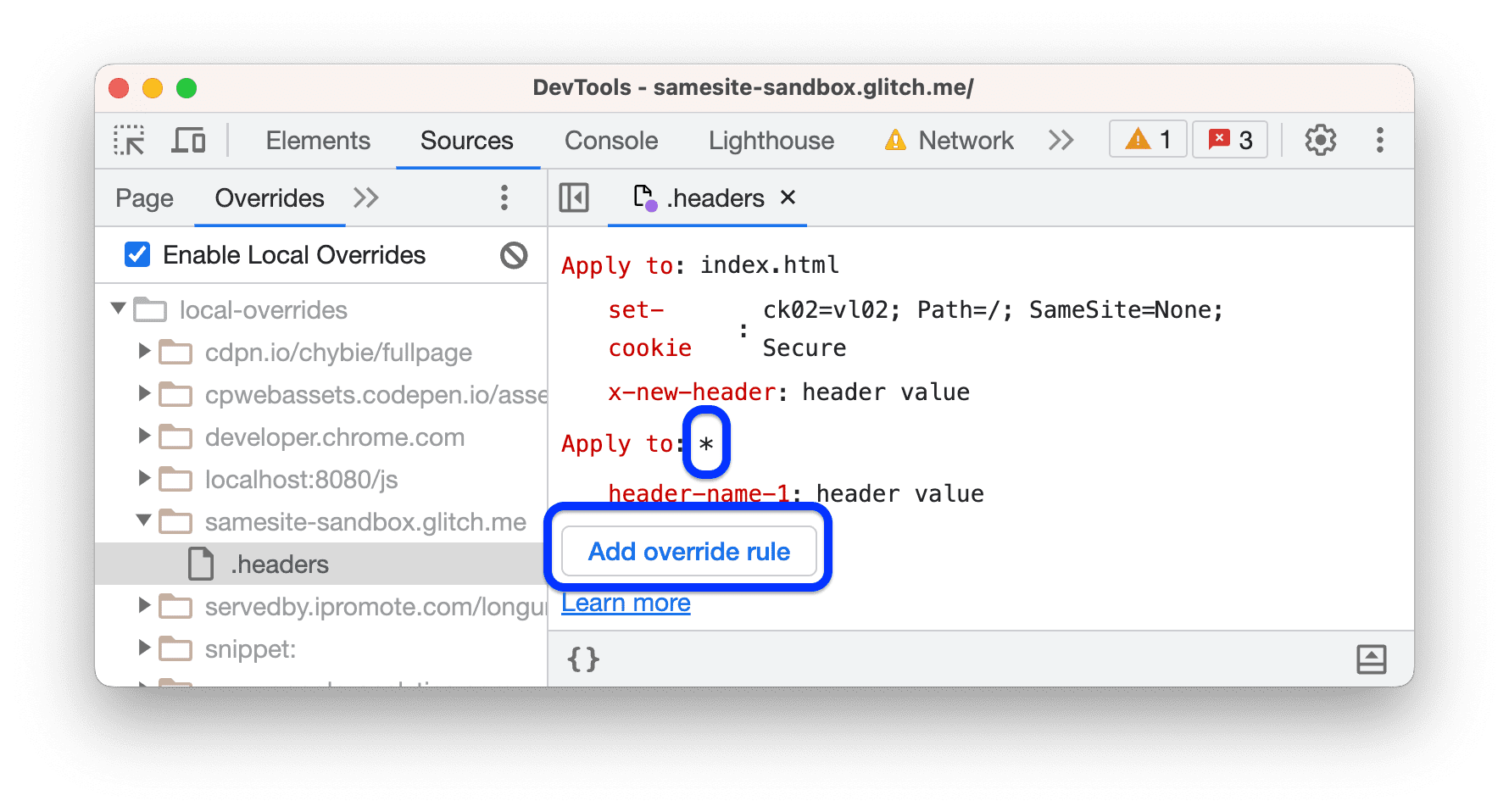
Check out this article for instructions on how to use this feature and other updates in DevTools
First-Party Sets is rolling out.
First-Party Sets (FPS) is starting to roll out to stable. First Party Sets is part of the Privacy Sandbox. It is a way for organizations to declare relationships among sites, so that browsers allow limited third-party cookie access for specific purposes.
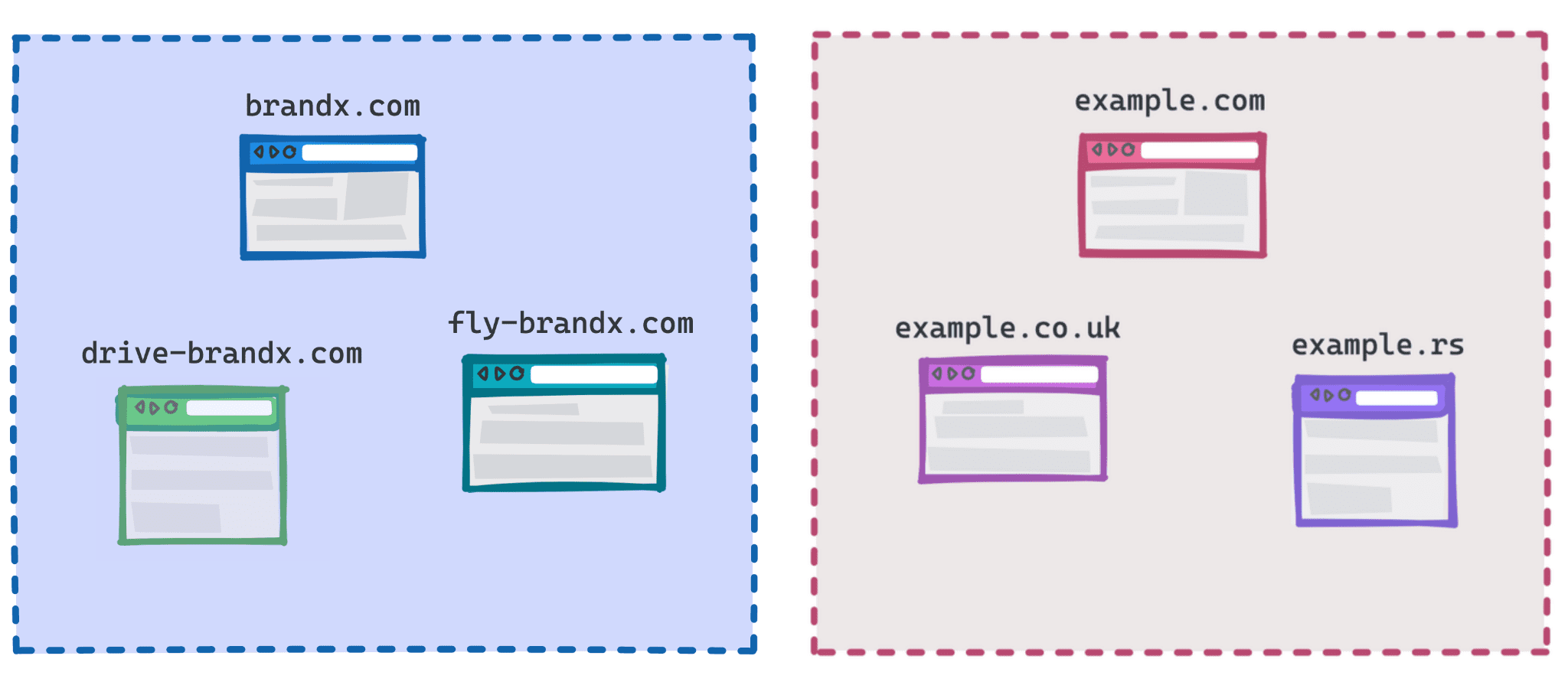
As part of the work on First-Party Sets, Chrome is implementing and extending the Storage Access API allowing a site to request access to their cookies in a third-party context. With it, organizations with related sites (for example, using different domain names, or country-specific domains) can still provide services like single sign-on or shared sessions. Remember! This API will be rolled out slowly to users over a number of weeks to enable testing and evaluation.
And more!
Of course there's plenty more.
- The unprefixed image-set type is now available so authors don't need to use
-webkit-image-setand it is up to date to the current spec. - The
overflow-inlineandoverflow-blockmedia features are now supported. - There is an origin trial for WebGPU WebCodecs integration.
Official source: Official Chrome update
Installation notes
After downloading the package, confirm that the branch and platform match your device before launching the installer or extracting the archive. If you only need a standard everyday browser, Stable is usually the safest choice. If you are testing new behavior, Beta, Dev, and Canary are better fits.
Related release pages
For newer or older builds in the same branch, open the category archive linked above. For different platforms, use the related desktop archives in the sidebar.
Frequently asked questions
These FAQ blocks help the page read like a complete release article instead of a download stub, which is better for trust and better for SEO.
Should I use this release or stay on Stable?
If you just want the safest everyday browsing experience, Stable is usually the right default. Preview branches are better for testing, compatibility checks, and early feature access.
Why show exact version numbers so prominently?
Because exact-version queries are common in English search behavior, especially for QA teams, enterprise users, and people trying to reproduce a bug or environment.
Why keep a full article around the download buttons?
A stronger page body gives users context and gives Google clearer signals about what the release page actually covers.
Where should older releases live?
Older versions belong in the category archive page, with this article template handling exact-version landing pages one release at a time.