
Download 96.0.4664.45 from the Chrome Stable for Windows 32-bit
Download Google Chrome 96.0.4664.45 with the branch, platform, release date, and file size shown clearly on the same page.
What users usually want to know first
What changed in Chrome 96.0.4664.45
Google Chrome 96.0.4664.45 is available here as part of the Windows 32-bit Stable archive. Use this release page when you want the exact version, the current package details, and quick access to the correct installer.
Manifest id for PWAs
When a user installs a PWA, the browser needs a way to uniquely identify it. But, until recently, the web app manifest spec didn't specify how to identify a PWA, leaving browsers to decide, and leading to different implementations. In some browsers, the start_url is used, while in others, the path to the manifest file is used.
That makes it impossible to change either of those fields without breaking the install experience. Now, there's a new optional id property, that allows you to explicitly define the identifier used for your PWA.
Adding the id property to the manifest removes the dependency on the start_url or the location of the manifest, and makes it possible for those fields to be updated.
Support for the id property lands in desktop Chromium-based browsers starting in Chrome 96. Support for mobile, which currently uses the manifest url as the unique ID, should land in the first half of 2022.
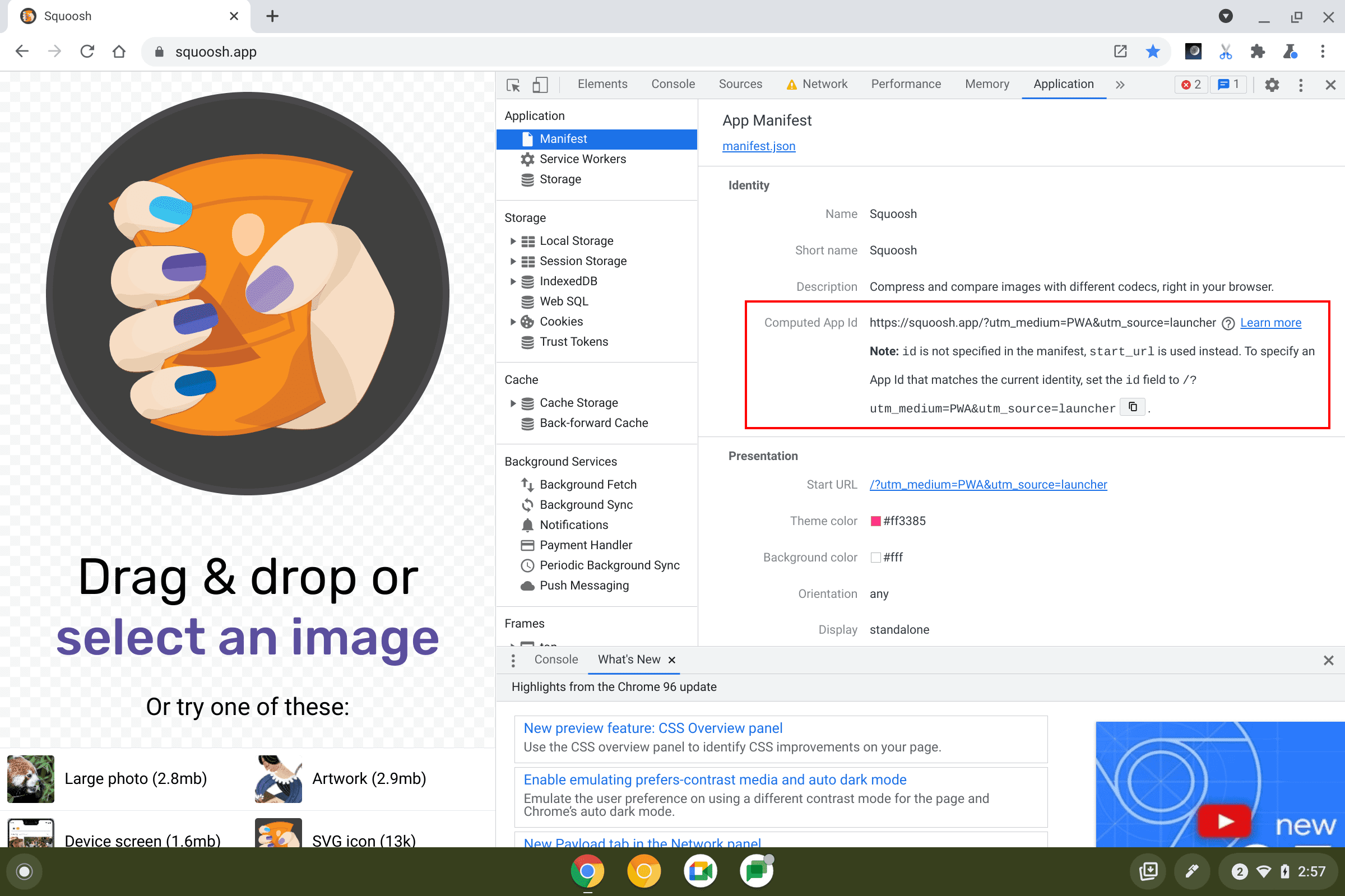
If you already have a PWA in production and want to add an id to your manifest, you'll need to use the ID that was assigned by the browser. You can find the id in the Manifest pane of the Application panel in Dev Tools.
For a brand new PWA, you can set the id to any string value you like, but remember, you won't be able to change it in the future, so choose wisely.
Check out Uniquely identifying PWAs with the web app manifest id property for more info.
URL protocol handlers for PWAs
Web apps can use navigator.registerProtocolHandler() to register as a protocol handler. For example, Gmail can register the mailto protocol. Then when a user clicks on a link with the mailto: prefix, Gmail will open, making it easy for the user to send an email.
Starting in Chrome 96, a PWA can register as a protocol handler as part of its installation. To do that for your PWA, add a protocol_handlers property to your web app manifest, specify the protocol you want to handle, and the url that should be opened when clicked.
There are some restrictions here, and you can't just register any protocol, so check out URL protocol handler registration for PWAs for complete details, and how you can use the web+ syntax to create your own protocols!
Priority hints (origin trial)
When a browser parses a web page and begins to discover and download resources such as images, scripts, or CSS, it assigns them a fetch priority to try to optimize the page load. Browsers are pretty good at assigning priorities, but may not be optimal in all cases.
Priority Hints are an experimental feature, available as an origin trial starting in Chrome 96, and can help optimize the Core Web Vitals. The importance attribute allows you to specify the priority for resource types such as CSS, fonts, scripts, images, and iframes.
For example, here's the Google Flights page. That background image is the largest contentful paint (LCP).
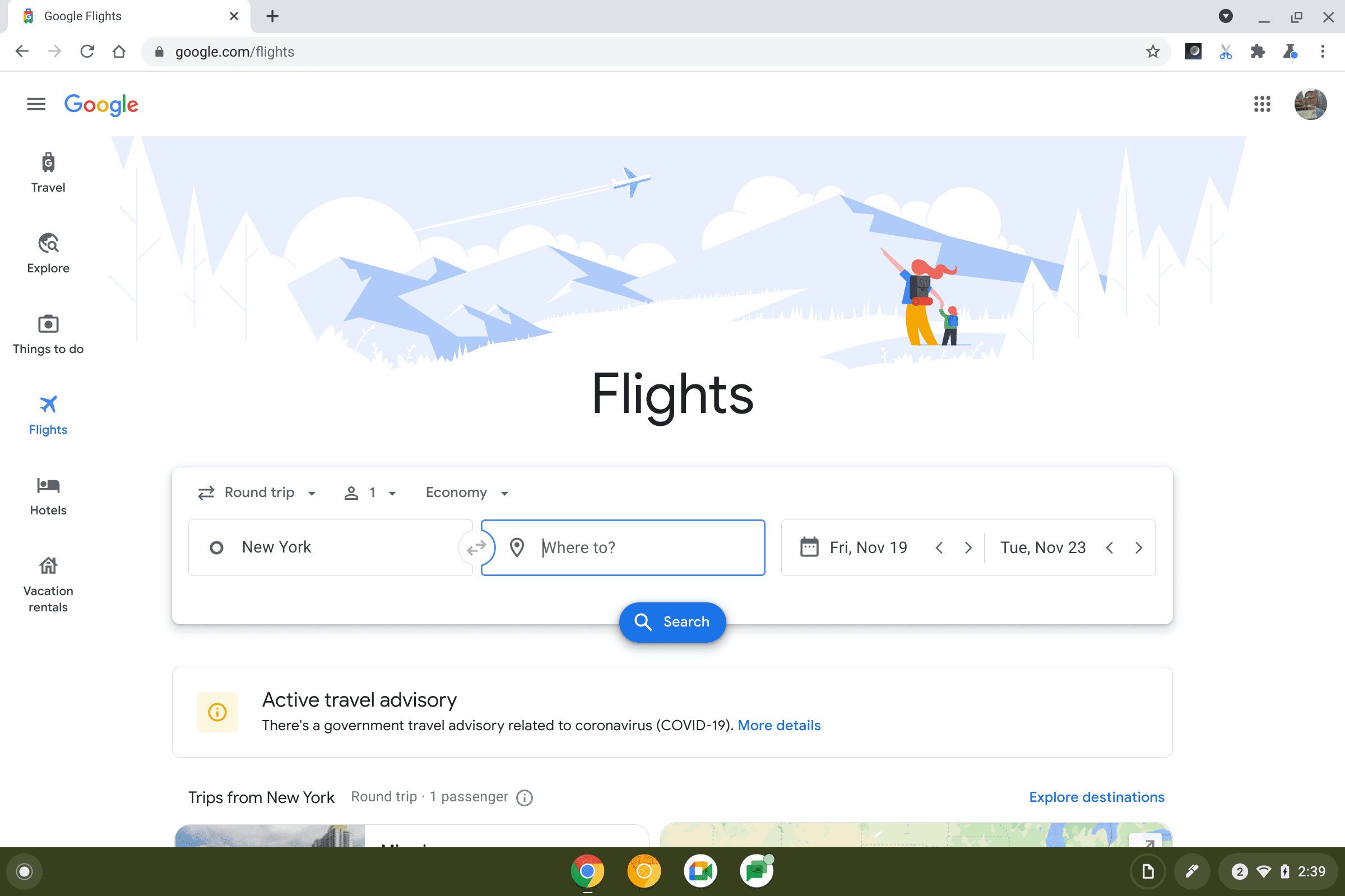
Let's see it loaded with, and without priority hints. With the priority set to high on the background image, the LCP drops from 2.6 seconds to 1.9 seconds.
Check out Optimizing resource loading with the Fetch Priority API for all the details, how to register for the origin trial, and some great examples of how it can help to improve your rendering performance.
Emulate Chrome 100 in the UA string
Early next year, we'll hit Chrome 100, a three digit version number. Any code that checks version numbers, or parses the UA string, should be checked to make sure it handles three digits.
Starting in Chrome 96, there's a new flag #force-major-version-to-100 that will change the current version number to 100, so you can make sure everything works as expected.
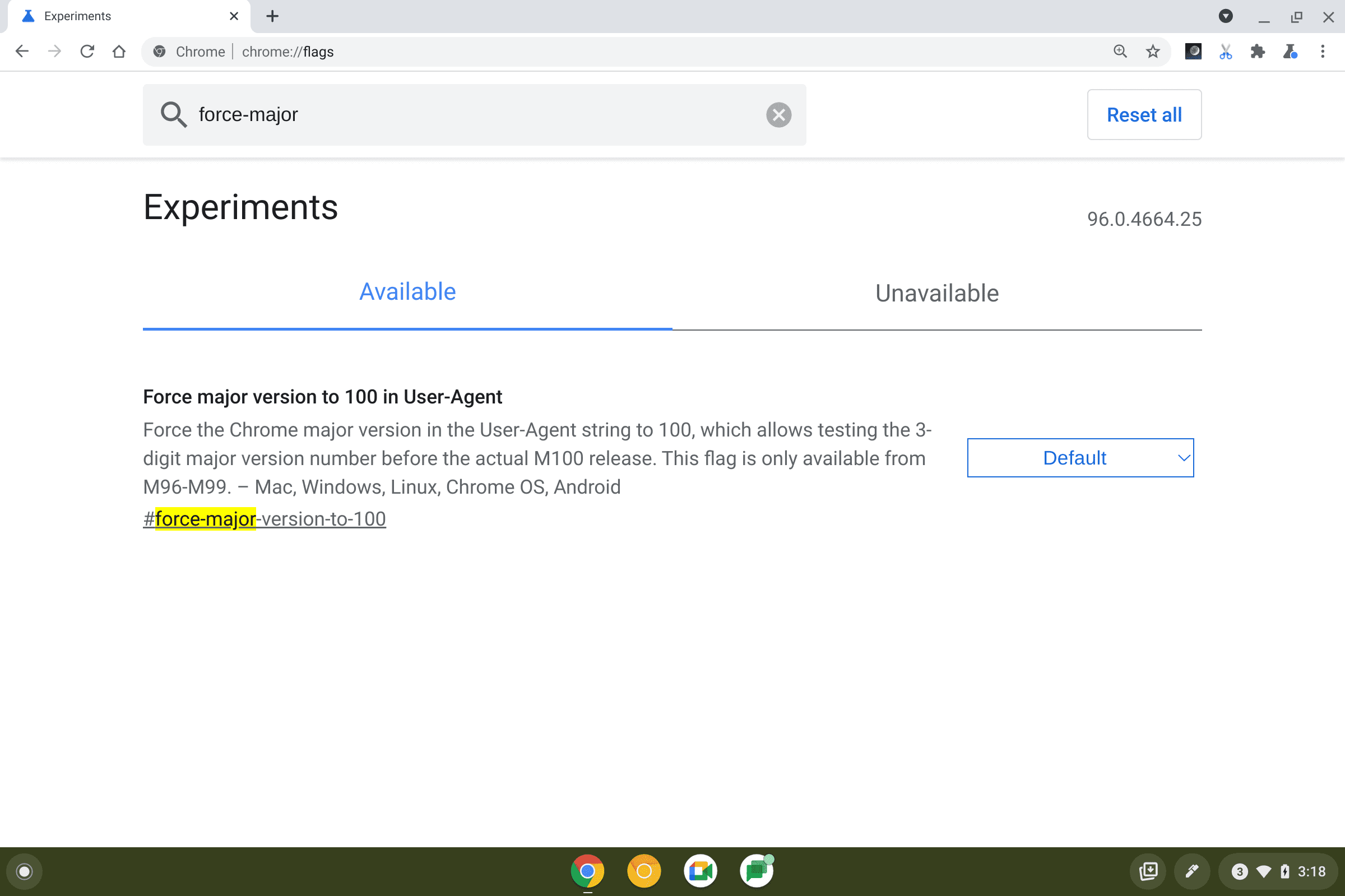
For details see Force Chrome major version to 100 in the User-Agent string.
Chrome Dev Summit
Chrome Dev Summit is a wrap. All of the videos and content are available online. Check out the Chrome Dev Summit site, or if you missed the keynote or livestream, check out the CDS Playlist on the Chrome Developers YouTube Channel.
And more!
Of course there's plenty more.
- The Back, forward cache – or
bfcache– is now available in stable, and brings Chrome in line with both Firefox and Safari.
Official source: Official Chrome update
Installation notes
After downloading the package, confirm that the branch and platform match your device before launching the installer or extracting the archive. If you only need a standard everyday browser, Stable is usually the safest choice. If you are testing new behavior, Beta, Dev, and Canary are better fits.
Related release pages
For newer or older builds in the same branch, open the category archive linked above. For different platforms, use the related desktop archives in the sidebar.
Frequently asked questions
These FAQ blocks help the page read like a complete release article instead of a download stub, which is better for trust and better for SEO.
Should I use this release or stay on Stable?
If you just want the safest everyday browsing experience, Stable is usually the right default. Preview branches are better for testing, compatibility checks, and early feature access.
Why show exact version numbers so prominently?
Because exact-version queries are common in English search behavior, especially for QA teams, enterprise users, and people trying to reproduce a bug or environment.
Why keep a full article around the download buttons?
A stronger page body gives users context and gives Google clearer signals about what the release page actually covers.
Where should older releases live?
Older versions belong in the category archive page, with this article template handling exact-version landing pages one release at a time.