
Download 84.0.4147.105 from the Chrome Stable for Windows 32-bit
Download Google Chrome 84.0.4147.105 with the branch, platform, release date, and file size shown clearly on the same page.
What users usually want to know first
What changed in Chrome 84.0.4147.105
Google Chrome 84.0.4147.105 is available here as part of the Windows 32-bit Stable archive. Use this release page when you want the exact version, the current package details, and quick access to the correct installer.
App icon shortcuts
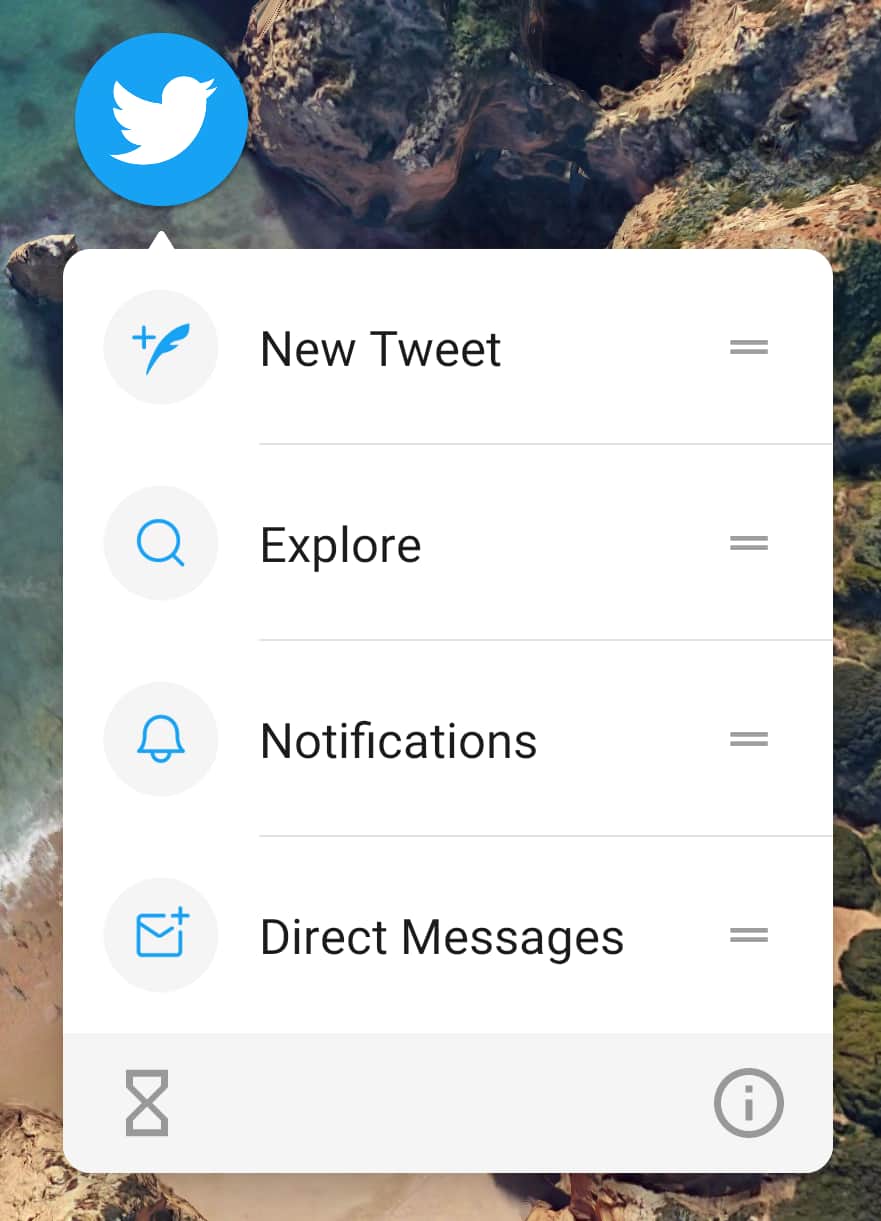
App icon shortcuts make it easy for users to quick start common tasks within your app. For example, compose a new tweet, send a message, or see their notifications. They're supported in Chrome for Android.
These shortcuts are invoked by long pressing the app icon on Android. Adding a shortcut to your PWA is easy, create a new shortcuts property in your web app manifest, describe the shortcut, and add your icons.
Check out Getting things done quickly with app shortcuts for complete details.
Web animations API
Chrome 84 adds a slew of previously unsupported features to the Web Animations API.
animation.readyandanimation.finishedhave been promisified.- The browser can now cleanup and remove old animations, saving memory and improving performance.
- And you can now combine animations using composite modes - with the
addandaccumulateoptions.
I simply can't do justice to all the improvements or offer good examples here, so check out Web Animations API improvements in Chromium 84 for complete details.
Content indexing API
If your content is available without a network connection. But the user doesn't know about it? Is it really available? There's a discovery problem!
With the Content Indexing API, which just graduated from original trial, you can add URLs and metadata for content that's available offline. Using that metadata, the content is then surfaced to the user, improving discoverability.
To add content to the index, call index.add() on the service worker registration, and provide the required metadata about the content.
Want to see what's already in your index? Call index.getAll() on the service worker registration.
See Indexing your offline-capable pages with the Content Indexing API for complete details.
Wake lock API
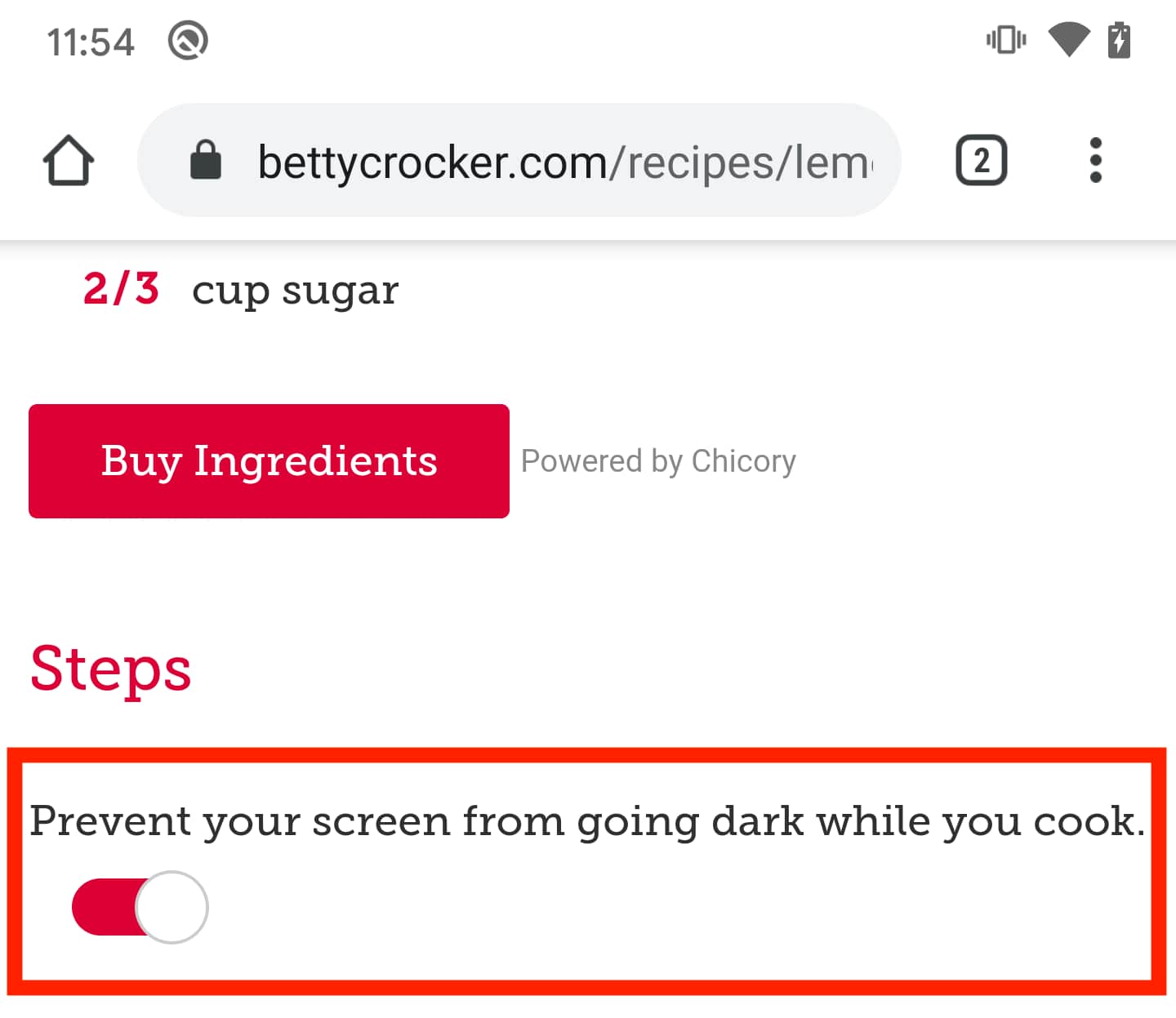
I like to cook, but I find it super frustrating when following a recipe, and the screen saver kicks in! With the wake lock API, which also graduates from its origin trial in Chrome 84, sites can request a wake lock to prevent the screen from dimming and locking.
In fact, the Betty Crocker website is using this today, and published a case study on web.dev showing a 300% increase in purchase intent indicators.
To get a wake lock, call navigator.wakeLock.request(), it returns a WakeLockSentinel object, used to "release" the wake lock.
Of course, there's a little more to it then that, so check out Stay awake with the Screen Wake Lock API, but at least my screen won't be covered in flour any more!
Origin trials
There are two new origin trials I want to call out. If you're new to origin trials, check out Getting started with Chrome's origin trials.
Idle detection
The Idle Detection API notifies you when a user is idle, indicating they are potentially away from their computer. This is great for things like chat applications, or social networking sites, to let users know if their contacts are available or not.
See Detect inactive users with the Idle Detection API to learn more about the API, and how you can start experimenting with it today.
Web Assembly SIMD
And Web Assembly SIMD starts an origin trial. It introduces operations that map to commonly available SIMD instructions in hardware. SIMD operations are used to improve performance, especially in multimedia applications.
To learn more about WebAssembly SIMD, check out Fast, parallel applications with WebAssembly SIMD.
And more
Chrome 84 is big, but there are a few other important updates I want to point out.
- We're resuming the gradual rollout of SameSite cookie changes.
- Sites with abusive permission requests, or abusive notifications, will automatically be enrolled in our quieter notifications UI.
- There's a new origin trial for QuicTransport.
Official source: Official Chrome update
Installation notes
After downloading the package, confirm that the branch and platform match your device before launching the installer or extracting the archive. If you only need a standard everyday browser, Stable is usually the safest choice. If you are testing new behavior, Beta, Dev, and Canary are better fits.
Related release pages
For newer or older builds in the same branch, open the category archive linked above. For different platforms, use the related desktop archives in the sidebar.
Frequently asked questions
These FAQ blocks help the page read like a complete release article instead of a download stub, which is better for trust and better for SEO.
Should I use this release or stay on Stable?
If you just want the safest everyday browsing experience, Stable is usually the right default. Preview branches are better for testing, compatibility checks, and early feature access.
Why show exact version numbers so prominently?
Because exact-version queries are common in English search behavior, especially for QA teams, enterprise users, and people trying to reproduce a bug or environment.
Why keep a full article around the download buttons?
A stronger page body gives users context and gives Google clearer signals about what the release page actually covers.
Where should older releases live?
Older versions belong in the category archive page, with this article template handling exact-version landing pages one release at a time.